Choosing the right minecraft server mods in 2025 requires a strategic approach that balances performance, compatibility, player engagement, and server stability. With thousands of mods available across platforms like CurseForge, Modrinth, and community repositories, server owners must evaluate technical requirements, gameplay impact, and hosting infrastructure to deliver an exceptional multiplayer experience. This comprehensive guide walks you through every critical decision point when selecting minecraft server mods for your community.
Understanding Mod Types and Their Impact on Server Performance
Before diving into specific mod selections, understanding the fundamental categories of minecraft server mods helps you make informed choices aligned with your server vision. Server-side mods run exclusively on the hosting infrastructure and don’t require client installation, making them ideal for administrative tools, performance optimization, and backend mechanics. Client-side mods enhance individual player experiences but require each user to install matching versions. Hybrid mods—the most common type—require both server and client installations and typically introduce new blocks, items, biomes, or gameplay mechanics.
Performance impact varies dramatically across mod types. Lightweight administrative mods like LuckPerms or EssentialsX add negligible overhead, consuming less than 50 MB of RAM and minimal CPU cycles. Medium-weight content mods such as Biomes O’ Plenty or Twilight Forest introduce new world generation and entities, typically requiring an additional 1–2 GB of DDR5 ECC RAM per 20 active players. Heavy automation and tech mods like Create, Mekanism, or Applied Energistics 2 can demand 4–8 GB additional RAM and significant CPU resources from your AMD Ryzen 9 7950X3D processor due to complex tile entity calculations and network synchronization.
Server-Side vs. Client-Side Requirements
When building your modpack, clearly distinguish between server-side and client-side requirements. Server-side performance mods like Lithium, Starlight, and FerriteCore optimize chunk loading, lighting calculations, and memory management without requiring player downloads. These run invisibly in the background, leveraging the 16 cores and 32 threads of modern hosting infrastructure to maintain smooth tick rates even with 100+ concurrent players. Client-side visual enhancements—shaders, texture packs, GUI improvements—don’t burden your server resources but enhance player immersion.
Hybrid content mods create the richest experiences but introduce version dependency challenges. When a player with Thermal Expansion 10.3.2 attempts to join a server running 10.3.1, connection failures occur. Implementing a centralized launcher like CurseForge, ATLauncher, or a custom modpack distribution system ensures every player maintains synchronized mod versions. Professional Minecraft hosting platforms offer one-click modpack installation from CurseForge directly through their control panel, eliminating manual configuration headaches.
Performance Profiling Tools
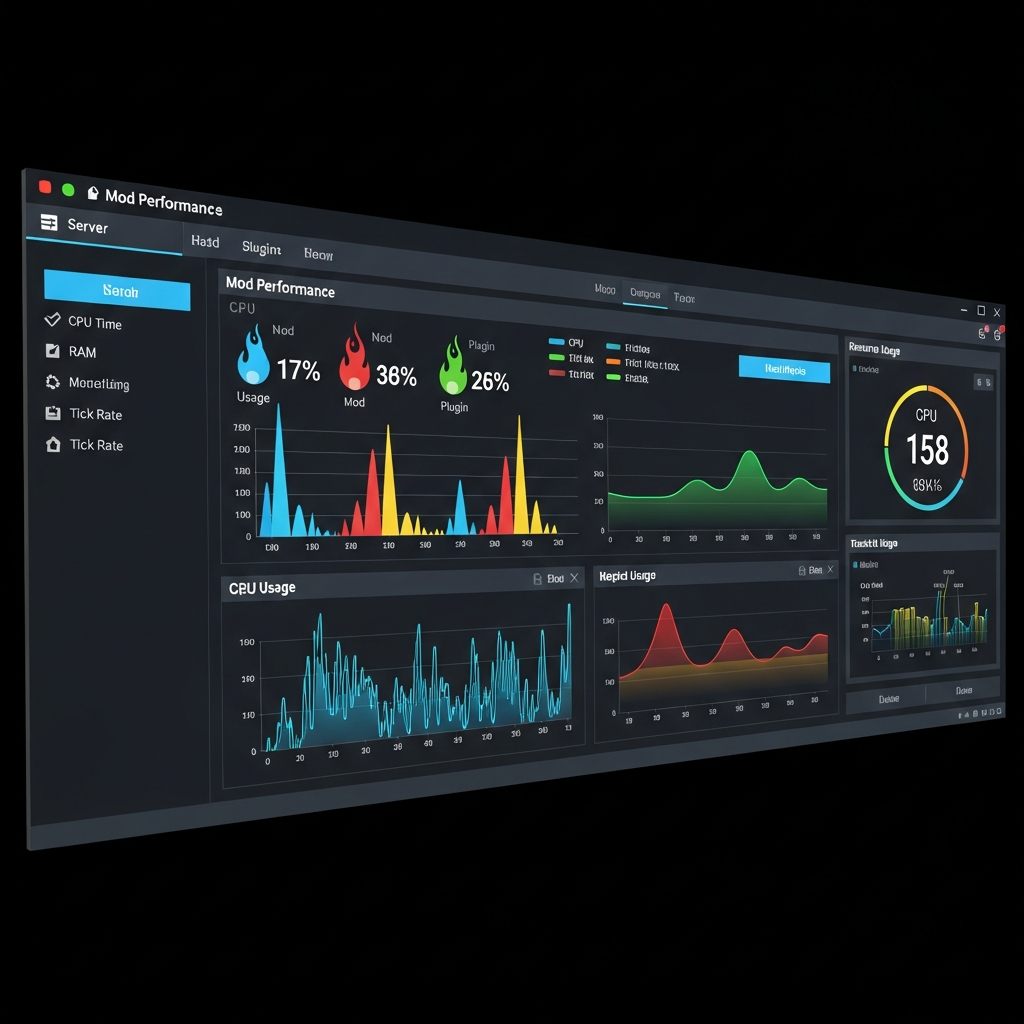
Deploy profiling tools like Spark or Timings to measure actual performance impact. Spark generates detailed flame graphs showing exactly which mods, tile entities, or chunks consume CPU time. After installing new minecraft server mods, run 24-hour profiling sessions during peak player activity. Look for mods consuming more than 10% of tick time—these candidates require configuration optimization or replacement. Modern NVMe SSD storage helps mitigate I/O bottlenecks when mods generate excessive disk operations, but CPU-bound calculations still demand careful mod selection.
Compatibility Checking and Mod Version Management
Compatibility represents the most common failure point when assembling minecraft server mods. Minecraft’s modding ecosystem fragments across major versions (1.19.x, 1.20.x, 1.21.x), mod loaders (Forge, Fabric, NeoForge, Quilt), and individual mod updates. A single incompatible mod can crash your entire server, corrupt world data, or create subtle gameplay bugs that emerge only after hours of playtime.
Start by selecting your Minecraft version and mod loader. As of 2025, Fabric dominates the performance-focused modding scene with lightweight architecture and rapid updates, making it ideal for vanilla-plus experiences. Forge remains the standard for large content mods and established modpacks, with over 80% of major tech and magic mods exclusively available on Forge. NeoForge, a community fork of Forge, offers improved performance while maintaining backward compatibility. Quilt, while promising, has limited mod availability compared to mature platforms.
Building a Dependency Map
Most modern minecraft server mods declare dependencies—libraries or frameworks required for operation. Create a dependency map before installation. For example, running Create requires Flywheel for rendering, while most Fabric performance mods need Fabric API. Library mods like Kotlin for Forge, Architectury API, or Cloth Config enable cross-platform mod development. Installing a mod without its dependencies results in immediate crashes with error messages like “java.lang.NoClassDefFoundError.”
Use automated dependency resolution tools integrated into mod managers. CurseForge’s launcher automatically downloads required dependencies when you add a mod. Manual installations require checking each mod’s documentation page on CurseForge or Modrinth. Professional hosting environments with pre-configured modpack support eliminate this complexity entirely—the system handles dependency resolution automatically when you select modpacks through the panel interface.
Testing Staged Rollouts
Never deploy 50 minecraft server mods simultaneously to a production server. Implement staged rollouts in a testing environment mirroring your production specs. Start with core infrastructure: mod loader, performance mods (Lithium, Starlight), and essential libraries. Test server startup and basic functionality. Add 5–10 content mods, restart, and verify. Continue iteratively, monitoring logs for warnings, errors, or performance degradation after each addition.
When conflicts arise, analyze crash reports methodically. Modern crash logs identify conflicting mods with stack traces pointing to specific code conflicts. Common conflict patterns include duplicate item/block IDs (resolved by ID reassignment), incompatible core mods attempting to modify the same base classes (requiring alternative mods), and version mismatches (solvable by updating or downgrading specific mods). Maintain a conflict resolution spreadsheet documenting incompatibilities discovered during testing.
Balancing Gameplay Experience with Server Capabilities
Technical compatibility alone doesn’t guarantee a successful modded server. The best minecraft server mods align with your community’s preferences, server theme, and gameplay objectives while respecting infrastructure limitations. A survival economy server requires different mods than a creative build server or RPG adventure realm.
Define your server identity before mod selection. Vanilla-plus servers enhance base Minecraft with quality-of-life improvements and minor content additions—think Farmer’s Delight for cooking depth, Supplementaries for decorative blocks, and Simple Voice Chat for proximity audio. Tech-focused servers center around automation and engineering with Create, Mekanism, Industrial Foregoing, and Refined Storage. Magic-themed servers feature Botania, Ars Nouveau, and Occultism. Adventure servers leverage structure mods like When Dungeons Arise, YUNG’s Better additions, and dimension mods like The Twilight Forest.
Player Progression and Learning Curves
Consider your community’s technical proficiency. Complex tech mods with multi-block structures, power systems, and automation programming intimidate casual players. A server mixing hardcore tech mods with simple survival often fragments the community—advanced players dominate while newcomers struggle. Create progressive difficulty tiers: starter-friendly mods (Farmer’s Delight, Storage Drawers), intermediate automation (Create, Botania), and end-game challenges (Mekanism fusion reactors, Applied Energistics 2 autocrafting).
Implement in-game documentation mods to flatten learning curves. Patchouli creates beautiful guidebooks explaining mod mechanics. Just Enough Items (JEI) or Roughly Enough Items (REI) provide recipe browsers preventing wiki-tab alt-tabbing. FTB Quests creates guided progression systems with rewards, transforming overwhelming mod collections into structured gameplay experiences. These integration mods significantly reduce player churn during the critical first-hour experience.
Server Resource Planning
Match mod selection to hosting specifications. A basic vanilla-plus server with 15 lightweight mods runs comfortably on 6 GB DDR5 ECC RAM and 2 cores of an AMD Ryzen 9 7950X3D. Medium modpacks with 50–100 mods (equivalent to FTB Academy or All the Mods 9) require 8–12 GB RAM and benefit significantly from 4+ dedicated cores. Massive modpacks exceeding 200 mods (like All the Mods 10 or Enigmatica) demand 16–20 GB RAM and full utilization of high-frequency cores reaching 5 GHz boost speeds.
Monitor actual resource consumption rather than theoretical requirements. Deploy monitoring tools like Prometheus with Grafana dashboards tracking RAM usage, CPU load per core, tick time, and player count correlation. Scale resources proactively—if your server consistently uses 90%+ of allocated RAM during peak hours, upgrade before performance degrades. Modern KVM virtualization allows dynamic resource scaling without migration downtime, adapting to community growth.
World Generation Impact
World generation mods dramatically affect server launch and player exploration. Mods like Terralith, Biomes O’ Plenty, or William Wythers’ Overhauled Overworld rewrite terrain generation algorithms, creating stunning landscapes but increasing chunk generation time by 200–500%. Pre-generating your world using plugins like Chunky prevents exploration lag—the server renders chunks to a defined border before players join. A 10,000×10,000 block pre-generation typically requires 6–12 hours on NVMe SSD storage but eliminates in-game stuttering.
Structure mods like When Dungeons Arise or Better Strongholds spawn complex buildings during generation, further extending pre-generation time but adding exploration content. Balance aesthetic ambition with practical constraints—beautiful biome overhauls mean nothing if players experience 5-second freezes when entering new chunks. Test generation performance in creative mode before committing to world settings.
Configuring and Optimizing Individual Mods
Installing minecraft server mods represents only the beginning—configuration determines whether mods enhance or hinder gameplay. Every well-designed mod includes configuration files (typically TOML, JSON, or YAML format) in the server’s config directory, allowing fine-tuning of spawn rates, recipe costs, power generation, world generation parameters, and performance settings.
Start with performance-critical configurations. Mods generating entities (mob additions, passive creatures) include spawn rate settings—reducing spawn rates by 30–50% maintains atmosphere while cutting entity tick calculations. Automation mods allow limiting simultaneous machine operations per chunk—capping at 16 active machines per chunk prevents lag machines from malicious or careless players. World generation mods expose structure spawn frequency—reducing dungeon density from “common” to “uncommon” decreases chunk generation time without eliminating content.
Balancing Gameplay Through Configuration
Configuration enables gameplay balancing without removing mods. If Create’s steam engines produce excessive power, reduce power generation rates by 40% in the config. If Farmer’s Delight makes food too abundant, disable automatic cooking or reduce crop yields. If magical mods enable overpowered early-game gear, gate recipes behind rare components or increase mana costs. Configuration-based balancing preserves mod content while preventing gameplay trivialization.
Document all configuration changes in a centralized reference. When troubleshooting issues or updating mods, knowing which settings deviate from defaults prevents conflicts. Many servers publish configuration philosophies explaining balance decisions—transparency helps players understand design choices and reduces complaints about “nerfed” features. Include configuration highlights in server rules documentation so players understand mechanical expectations before investing time.
Performance Optimization Configurations
Several minecraft server mods specifically optimize performance through configuration. Lithium includes settings for hopper optimization, entity collision improvements, and AI pathfinding enhancements—default settings suit most servers, but high-density builds benefit from aggressive hopper optimization. Starlight reconfigures lighting engine behavior with minimal configuration needs but pairs with Phosphor settings when both are present. FerriteCore reduces memory usage through better data structure handling with zero configuration required.
Server-side performance optimization extends beyond individual mod configs. JVM arguments significantly impact performance—modern hosting platforms optimize startup flags for DDR5 RAM and multi-core processors automatically. Custom JVM arguments like Aikar’s flags (adapted for 2025 hardware) include garbage collection tuning, thread allocation, and memory pool sizing. Platforms like Nexus Games implement these optimizations by default, leveraging AMD Ryzen 9 7950X3D architecture for maximum throughput.
Config Synchronization and Updates
When updating minecraft server mods, configurations sometimes reset or new options appear. Before updating, backup your config directory. After updates, use diff tools to compare old and new config files, identifying new options while preserving custom settings. Some mods include config version migration systems that preserve custom values—others completely overwrite on update. Test updates in staging environments, verifying configuration persistence before deploying to production.
For multiplayer consistency, synchronize certain configs client-side. Mods like Configured or Config Menus Plus create in-game interfaces for server operators to adjust settings without file editing. Some hosting control panels integrate config editors with syntax highlighting and validation, preventing malformed files that crash servers on startup.
Maintaining and Updating Your Mod Collection
Minecraft server mods require ongoing maintenance as developers release updates fixing bugs, adding features, patching security vulnerabilities, and adapting to Minecraft updates. Neglected mod collections become security risks, compatibility nightmares, and performance bottlenecks. Implement structured update protocols balancing stability with access to improvements.
Establish update cadences based on server maturity. New servers in beta testing update aggressively—weekly checks for critical bug fixes and compatibility patches. Mature servers with established player bases update conservatively—monthly reviews prioritizing security patches and major feature additions while avoiding mid-season disruption. Before major Minecraft version upgrades (like 1.20 to 1.21), wait 4–6 weeks for mods to update and stabilize.
Testing Updates Before Deployment
Never update mods directly on production servers. Maintain a parallel testing instance with identical configurations. Copy your production world periodically (weekly for active servers) to testing. Apply mod updates to testing, launch the server, and execute comprehensive tests: world loading, player login, chunk generation, modded item functionality, automation systems, and extended runtime (minimum 6 hours). Monitor logs for new warnings or errors indicating regressions.
Document breaking changes in mod updates. Developers sometimes restructure content, rename items, or remove features. Breaking changes risk corrupting player inventories, bases, or progression. Changelogs (usually on CurseForge project pages or GitHub repositories) highlight breaking changes—read thoroughly before updating. When breaking changes occur, plan migration strategies: giving players advance notice, offering item compensation, or scheduling downtime for manual world editing.
Backup Strategies
Implement automated backup systems before any mod changes. Modern hosting platforms offer scheduled backups with retention policies—configure daily backups retained for 7 days and weekly backups retained for 30 days. Before major mod updates or additions, create manual backup snapshots. NVMe SSD storage enables rapid backup creation and restoration—full 10 GB world backups complete in under 90 seconds.
Test backup restoration procedures during off-peak hours. A backup system failing during a critical emergency (corrupted world, catastrophic mod conflict) transforms recoverable incidents into server-killing disasters. Schedule quarterly restoration drills: restore a week-old backup to your testing instance, verify world integrity, and document restoration time. This preparation ensures confident, rapid response when issues arise.
Community Communication
Transparent communication about minecraft server mods updates maintains community trust. Announce planned updates 48–72 hours in advance through Discord, in-game broadcasts, and website notices. Explain what’s changing: new mods, updated mods, configuration adjustments, or removed mods. For controversial changes (removing popular mods, significant balance adjustments), solicit feedback beforehand—player buy-in reduces complaints and increases retention.
After updates, monitor community feedback actively. Create dedicated feedback channels for reporting bugs, performance issues, or unexpected behavior. Responsive issue resolution—acknowledging reports within 24 hours and deploying fixes within 72 hours—demonstrates professionalism and commitment. Players tolerate occasional technical issues when they see active, transparent management.
Conclusion
Selecting the right minecraft server mods in 2025 balances technical requirements, gameplay vision, community preferences, and infrastructure capabilities. By understanding mod types, verifying compatibility, aligning selections with server identity, configuring for optimal performance, and maintaining disciplined update practices, you create stable, engaging experiences that retain players long-term. Professional hosting infrastructure with pre-configured modpack support, one-click installations, and optimized hardware accelerates this process, letting you focus on community building rather than technical troubleshooting.
FAQ
How many minecraft server mods can I run before performance degrades?
Performance depends more on individual mod resource consumption than quantity. You can run 200+ lightweight mods on 8 GB RAM with minimal impact, while 20 heavy automation mods might require 16 GB. Use profiling tools like Spark to identify resource-intensive mods. Modern infrastructure with AMD Ryzen 9 7950X3D processors, DDR5 ECC RAM, and NVMe SSD storage handles large modpacks efficiently when properly configured. Start with core mods, add incrementally, and monitor tick time to stay below 50ms average for smooth gameplay.
Should I use Forge or Fabric for my modded Minecraft server in 2025?
Choose based on your mod requirements. Forge supports the widest selection of established content mods (tech, magic, adventure), making it ideal for large modpacks and traditional experiences. Fabric excels at performance optimization and vanilla-plus servers, with faster updates and lighter resource consumption. NeoForge bridges both worlds with Forge compatibility and improved performance. Check whether your must-have mods support your chosen loader—this determines your decision more than abstract technical comparisons.
How do I prevent mod conflicts when building a custom modpack?
Test mods incrementally in a development environment before production deployment. Start with your mod loader and performance mods, add content mods in batches of 5–10, and restart between additions. Read documentation for known conflicts—mod pages often list incompatibilities. Use dependency management tools in CurseForge or hosting control panels that automatically resolve library requirements. When conflicts occur, analyze crash logs to identify conflicting mods, then update versions, adjust load order, or replace incompatible mods with alternatives offering similar functionality.