Learning how to optimize Minecraft server performance is essential for delivering smooth, lag-free gameplay to your community in 2025. Whether you’re running a small survival world or a massive modded network, server optimization directly impacts player experience, retention, and your server’s reputation. This comprehensive guide walks you through proven techniques—from hardware choices and configuration tweaks to plugin management and network settings—ensuring your Minecraft server runs at peak efficiency.
Why Server Optimization Matters for Minecraft Hosting
Minecraft servers face unique performance challenges. Unlike many games, Minecraft’s Java-based architecture, complex chunk loading, redstone mechanics, and entity calculations can quickly overwhelm poorly configured systems. When you optimize Minecraft server infrastructure correctly, you reduce tick lag, improve TPS (ticks per second), and eliminate frustrating stutters that drive players away.
Modern Minecraft versions—especially 1.20+ with increased world height, new biomes, and enhanced entity AI—demand more resources than ever. Without proper optimization, even powerful hardware struggles under the load of 50+ concurrent players, expansive farms, or heavy modpacks. The key lies in balancing CPU performance, RAM allocation, disk I/O, and network bandwidth while fine-tuning software settings.
Performance Metrics That Matter
Understanding core metrics helps you diagnose bottlenecks:
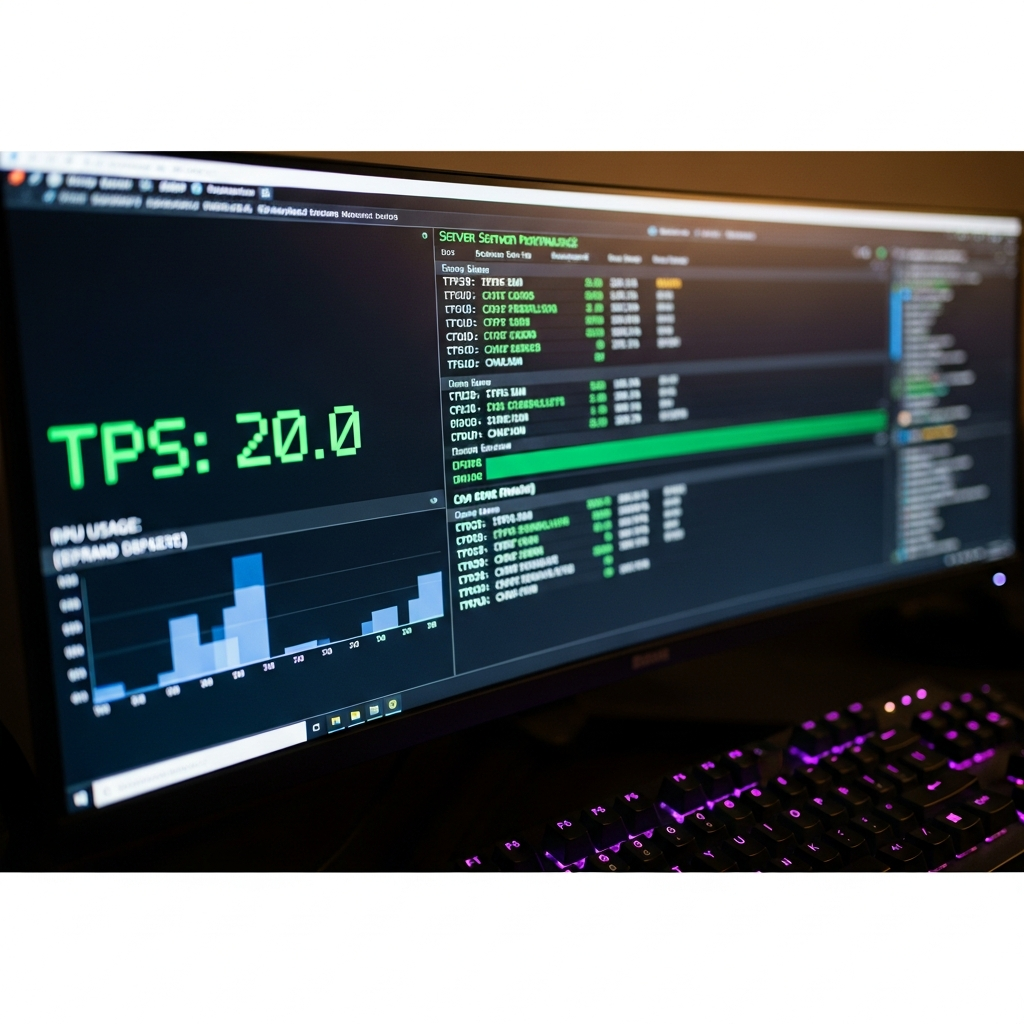
- TPS (Ticks Per Second): Minecraft’s game loop runs at 20 TPS. Values below 18 cause noticeable lag.
- MSPT (Milliseconds Per Tick): Time taken to process one tick. Target under 50ms (ideal: 30-40ms).
- RAM Usage: Monitor heap memory and garbage collection frequency.
- CPU Load: Single-thread performance matters more than core count for vanilla servers.
- Disk I/O: World save operations and chunk generation impact responsiveness.
Tools like Spark, Timings, and built-in server profilers reveal exactly where resources are consumed, allowing targeted optimization rather than guesswork.

Hardware Foundation: Choosing the Right Infrastructure
No amount of software tweaking compensates for inadequate hardware. To truly optimize Minecraft server performance, start with a solid foundation. The AMD Ryzen 9 7950X3D represents the gold standard for Minecraft hosting in 2025, offering 16 cores, 32 threads, and boost clocks exceeding 5 GHz—critical for Minecraft’s single-threaded workloads.
CPU: The Single Most Important Component
Minecraft’s server software relies heavily on single-thread performance. While multi-core CPUs help with background tasks (chunk generation, plugin processing), the main game loop runs on one core. The Ryzen 9 7950X3D’s massive L3 cache (128MB with 3D V-Cache technology) dramatically reduces memory latency, directly improving tick processing speed.
| Component | Recommended Specification | Impact on Minecraft |
| Processor | AMD Ryzen 9 7950X3D (5+ GHz) | Faster tick processing, reduced MSPT |
| RAM | DDR5 ECC 32-128 GB | Prevents crashes, supports large worlds |
| Storage | NVMe SSD (PCIe 4.0/5.0) | Fast chunk loading, instant world saves |
| Network | 1 Gbps uplink minimum | Low latency, supports 100+ players |
RAM: Allocation and Management
DDR5 ECC memory provides both speed and reliability. Error-Correcting Code prevents corruption in long-running servers, while DDR5’s higher bandwidth supports Java’s garbage collection processes more efficiently. Proper RAM allocation is crucial:
- Vanilla/Light Servers: 4-8 GB for up to 20 players
- Medium Modpacks: 8-16 GB for 20-50 players
- Heavy Modpacks: 16-32 GB for large communities
- Network Servers: 32-128 GB for multi-world setups
Over-allocating RAM actually hurts performance by increasing garbage collection pause times. Use tools like Aikars flags to optimize JVM heap management.
Storage: NVMe SSD Advantages
NVMe SSDs deliver read/write speeds 5-10× faster than SATA SSDs. For Minecraft, this translates to:
- Instant chunk loading when players explore new terrain
- Near-zero lag during auto-save intervals
- Faster server startup and world backups
- Reduced I/O wait times under heavy load
Modern PCIe 4.0 NVMe drives reach 7,000 MB/s sequential reads—essential for servers with extensive pregenerated worlds or frequent chunk generation.
Software Optimization: Configuration and Fine-Tuning
Once hardware is in place, software optimization unlocks the full potential of your infrastructure. Multiple configuration files control Minecraft server behavior, and understanding these settings is key to achieving optimal performance.
Server Software Selection
Choosing the right server software impacts baseline performance before any configuration:
- Vanilla: Official Mojang server. Stable but limited optimization options.
- Paper: Most popular choice. Extensive performance patches, plugin support, active development.
- Purpur: Paper fork with additional features and configuration options.
- Fabric: Lightweight modding platform with performance-focused mods like Lithium, Phosphor, Starlight.
- Forge: Traditional modding platform. Heavier but supports larger mod ecosystems.
For most servers, Paper offers the best balance of performance, stability, and compatibility. Its aggressive optimization patches significantly reduce CPU and RAM usage compared to vanilla.
Critical server.properties Settings
Edit server.properties to control fundamental server behavior:
# Network optimization
network-compression-threshold=256
max-tick-time=60000

# View distance (reduce for better performance)
view-distance=8
simulation-distance=6

# Entity and mob limits
max-players=50
spawn-limits.monster=50
spawn-limits.animal=8
spawn-limits.water-animal=5
spawn-limits.ambient=1
Lower view distance dramatically improves performance. Players rarely notice differences below 10 chunks, and 8 provides excellent balance. Simulation distance controls how far away chunks process entity AI and redstone.
Paper/Purpur Configuration (paper-world-defaults.yml)
Paper introduces hundreds of optimization options. Key settings include:
chunks:
  auto-save-interval: 6000
  prevent-moving-into-unloaded-chunks: true

entities:
  spawning:
    all-chunks-are-slime-chunks: false
    alt-item-despawn-rate:
      enabled: true
      items:
        cobblestone: 300

  behavior:
    baby-zombie-movement-modifier: 0.5
    disable-chest-cat-detection: true

tick-rates:
  grass-spread: 4
  container-update: 1

misc:
  disable-ice-and-snow: false
  redstone-implementation: EIGENCRAFT
These settings reduce unnecessary calculations. Alternative item despawn rates remove common items faster, preventing ground clutter. Adjusted tick rates slow non-critical updates like grass spreading.
JVM Startup Flags
Proper Java Virtual Machine arguments drastically improve garbage collection efficiency. Aikars flags remain the gold standard:
java -Xms8G -Xmx8G -XX:+UseG1GC -XX:+ParallelRefProcEnabled \
-XX:MaxGCPauseMillis=200 -XX:+UnlockExperimentalVMOptions \
-XX:+DisableExplicitGC -XX:+AlwaysPreTouch \
-XX:G1NewSizePercent=30 -XX:G1MaxNewSizePercent=40 \
-XX:G1HeapRegionSize=8M -XX:G1ReservePercent=20 \
-XX:G1HeapWastePercent=5 -XX:G1MixedGCCountTarget=4 \
-XX:InitiatingHeapOccupancyPercent=15 \
-XX:G1MixedGCLiveThresholdPercent=90 \
-XX:G1RSetUpdatingPauseTimePercent=5 \
-XX:SurvivorRatio=32 -XX:+PerfDisableSharedMem \
-XX:MaxTenuringThreshold=1 -Dusing.aikars.flags=https://mcflags.emc.gs \
-Daikars.new.flags=true -jar server.jar nogui
These flags tune G1GC (Garbage First Garbage Collector) to minimize pause times while maintaining throughput. Set -Xms and -Xmx to identical values matching your allocated RAM.
Plugin and Mod Management
Every plugin adds overhead. Audit your plugin list regularly:
- Essential Performance Plugins: Spark (profiling), ClearLagg (entity management), ChunkMaster (pregeneration)
- Remove Redundancy: Multiple plugins providing similar features waste resources
- Update Regularly: Developers optimize code continuously; outdated plugins leak memory and CPU cycles
- Profile Before Adding: Use Spark to measure impact of new plugins under load
For modded servers, consider performance-focused mods like Lithium (general optimization), Starlight (lighting engine rewrite), and FerriteCore (memory reduction). These mods can double server TPS in heavily modded environments.
Advanced Optimization Techniques
Beyond basic configuration, advanced techniques push performance to professional levels.
World Pregeneration
Chunk generation is CPU-intensive and causes lag spikes. Pregenerate your world before launch:
# Using Chunky plugin
/chunky world world
/chunky radius 5000
/chunky start
Pregeneration eliminates exploration lag and allows bulk compression of region files, reducing disk usage by 30-50%.
Database Optimization
Plugins using databases (CoreProtect, Plan, economy systems) benefit from optimization:
- Use MariaDB or PostgreSQL instead of SQLite for multi-plugin setups
- Enable query caching and connection pooling
- Run databases on separate storage to avoid I/O contention
- Regular VACUUM and OPTIMIZE TABLE operations
Network Optimization
Reduce client-server traffic:
- Entity tracking ranges: Decrease in spigot.yml (players: 48, animals: 48, monsters: 48, misc: 32)
- Compression: Enable network compression for players above 256 bytes/tick
- Anti-DDoS: Layer 7 game-specific protection prevents malicious traffic from reaching your server
Dedicated game hosting providers implement specialized Anti-DDoS systems that filter attack traffic while allowing legitimate connections, maintaining low latency during attacks.
Monitoring and Profiling
Continuous monitoring identifies performance regressions early:
- Spark: Real-time profiling showing CPU time per plugin, entity type, and chunk
- Prometheus + Grafana: Long-term metrics tracking and visualization
- Plan: Player analytics and server statistics dashboard
Schedule weekly profiling sessions during peak hours to catch issues before they impact players.
Leveraging Managed Hosting Features
Professional Minecraft hosting platforms provide optimization tools unavailable on self-hosted setups. For example, Nexus Games includes one-click installable modpacks via integrated CurseForge support, eliminating manual mod configuration errors that often cause performance issues. The custom panel allows real-time resource monitoring, automatic backup scheduling, and instant rollback capabilities—all managed through an intuitive interface.
Using dedicated Minecraft server hosting with AMD Ryzen 9 7950X3D processors ensures you benefit from hardware-level optimizations like cache coherency and NUMA configuration specifically tuned for Minecraft workloads, something impossible to achieve with generic VPS or shared hosting.
Modpack and Custom Content Optimization
Modded Minecraft presents unique challenges. A typical modpack may load 200+ mods, adding thousands of new blocks, entities, and game mechanics.
Mod Selection Strategy
Choose performance-conscious mods:
- Avoid: Mods with known memory leaks or inefficient code (check GitHub issues)
- Prefer: Actively maintained mods with performance-focused developers
- Test: Profile each major mod addition individually before combining
Configuration Tweaks for Popular Mods
Many resource-heavy mods include performance options:
- Applied Energistics 2: Reduce channel updates, disable visual effects
- Mekanism: Lower gas/liquid render distance, optimize pipe networks
- Thermal Series: Reduce particle effects, optimize energy transfer
- Create: Limit contraption complexity, reduce stress impact calculations
Server-Side Only Optimization Mods
Install these mods server-side for transparent performance gains:
- Lithium: General-purpose optimization (mob AI, block ticking, pathfinding)
- Starlight: Complete lighting engine rewrite (5-10× faster than vanilla)
- FerriteCore: Memory usage reduction (saves 200-500 MB on modpacks)
- ServerCore: Dynamic view distance, tick optimization, entity activation ranges
- AI Improvements: Optimizes mob pathfinding algorithms
These mods require no client installation and work with any modpack, providing immediate TPS improvements.
For technical details on Minecraft’s internal optimization systems, refer to the official Minecraft Wiki server documentation.
Conclusion
Successfully optimizing your Minecraft server requires attention to hardware selection, software configuration, and ongoing monitoring. By implementing the techniques outlined in this guide—from choosing high-performance AMD Ryzen 9 7950X3D processors and DDR5 ECC RAM to fine-tuning JVM flags and server software settings—you’ll deliver consistently smooth gameplay. Regular profiling, strategic plugin management, and leveraging professional hosting features ensure your server scales efficiently as your community grows.
FAQ
What is the ideal RAM allocation for a Minecraft server?
RAM allocation depends on player count and mod complexity. For vanilla servers, allocate 4-8 GB for up to 20 players. Medium modpacks (50-100 mods) require 8-16 GB for 20-50 players, while heavy modpacks need 16-32 GB. Always set -Xms and -Xmx to identical values and avoid over-allocation, which increases garbage collection pause times. Monitor actual usage with Spark or similar tools and adjust accordingly.
How does view distance affect server performance?
View distance directly impacts CPU load and memory usage. Each additional chunk radius exponentially increases the number of chunks loaded per player. Reducing view distance from 10 to 8 chunks can improve TPS by 15-25% on populated servers. Simulation distance (introduced in 1.18+) controls entity processing range independently, allowing visual distance maintenance while reducing computational overhead. Most players don’t notice differences below 10 chunks, making 6-8 optimal for performance.
Should I use Paper, Purpur, or Fabric for best performance?
For plugin-based servers, Paper offers the best performance-to-compatibility ratio with extensive optimization patches and active development. Purpur extends Paper with additional features while maintaining performance gains. For mod-focused servers, Fabric with performance mods (Lithium, Starlight, FerriteCore) often outperforms Forge while using less RAM. The choice depends on your content requirements: use Paper/Purpur for plugins, Fabric for lightweight modding, and Forge only when specific mods require it. Hybrid solutions like Mohist exist but often sacrifice stability.