What Is a Dedicated Minecraft Server and Its Benefits?
By Benjamin D. · PDG
· Updated on August 18, 2026 · 8 min read
Contents
Choosing a dedicated Minecraft server in 2026 is a decision that shapes your entire multiplayer experience, whether you’re building a private survival world with friends or running a public network with hundreds of concurrent players. This comprehensive guide explores the technical, financial, and gameplay advantages of dedicated hosting, helping you determine if the investment aligns with your project’s scale, performance needs, and long-term goals.
What Is a Dedicated Minecraft Server and How Does It Differ from Shared Hosting?
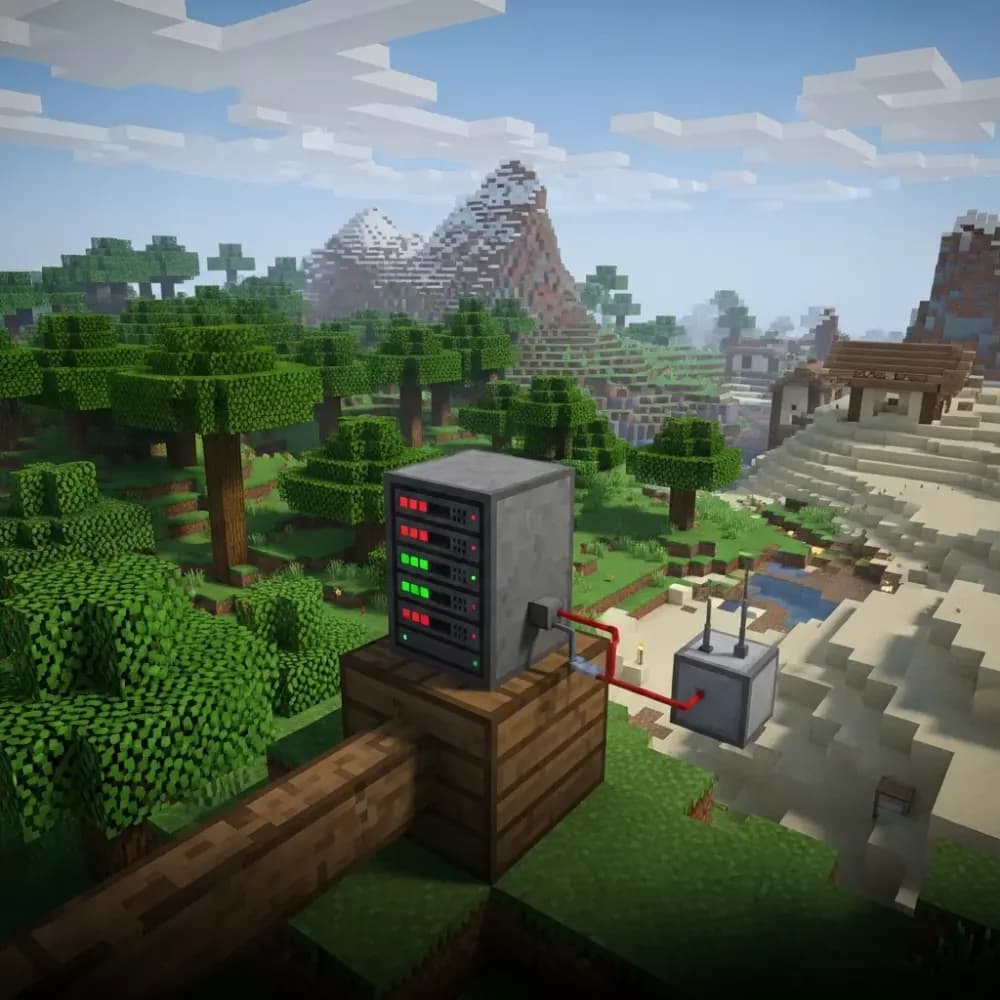
A dedicated Minecraft server allocates exclusive hardware resources (CPU cores, RAM, and storage) to your world, eliminating the performance bottlenecks common in shared or budget hosting. Unlike shared environments where dozens of servers compete for the same AMD Ryzen 9 7950X3D processor threads, a dedicated setup guarantees consistent tick rates, zero neighbor-induced lag spikes, and full administrative control over server binaries, plugins, and network configurations.
Core Technical Advantages
Dedicated hosting on infrastructure like the AMD Ryzen 9 7950X3D (16 cores, 32 threads at up to 5.7 GHz) paired with DDR5 ECC RAM ensures your server maintains 20 TPS (ticks per second) even during high-entity events : think massive redstone contraptions, 100+ mob farms, or crowded marketplace hubs. NVMe SSD storage reduces chunk-loading latency to under 10 ms, critical for teleportation commands, world borders, and plugin databases like GriefPrevention or CoreProtect.
- Isolated resource pools: No CPU throttling from adjacent game servers
- Guaranteed RAM allocation: 32–128 GB DDR5 prevents out-of-memory crashes during map generation
- Custom JVM flags: Fine-tune garbage collection (G1GC, ZGC) for Paper/Purpur builds
- 1 Gbps symmetric bandwidth: Supports 200+ players without packet loss
When Shared Hosting Falls Short
Shared plans typically cap you at 4–8 GB RAM and impose strict CPU time-slicing. This works for vanilla servers with 5–20 players, but collapses under modded environments (FTB, All the Mods 9) or high-traffic minigame networks. A single laggy neighbor running an unoptimized mob farm can degrade your world’s performance, a risk eliminated by dedicated infrastructure.
Cost-Benefit Analysis: Is Dedicated Hosting Worth the Investment in 2026?
Pricing for dedicated Minecraft servers varies widely (from $8.07/month for entry-level setups to $50+/month for enterprise clusters) but the value proposition depends on your server’s scale, mod complexity, and uptime requirements. For communities exceeding 30 concurrent players or running resource-intensive modpacks, the performance gains justify the premium over shared hosting.
Breakdown by Server Type
| Server Profile | Recommended Specs | Estimated Cost |
| Vanilla Survival (20–50 players) | Ryzen 9 7950X3D, 32 GB DDR5, 50 GB NVMe | $8.07–$12/month |
| Modded (FTB, Create, 30–80 players) | Ryzen 9 7950X3D, 64 GB DDR5, 100 GB NVMe | $18–$30/month |
| Public Network (minigames, 100+ players) | Ryzen 9 7950X3D, 128 GB DDR5, 200 GB NVMe | $35–$50/month |
Hidden Costs to Consider
Beyond base hosting fees, budget for DDoS protection (often included with game-optimized hosts like Nexus Games), daily backups (automate via panel scripts), and premium plugins (LuckPerms, ViaVersion). Modpack installations via CurseForge integration (available on platforms supporting one-click deployments) save 2–3 hours of manual setup per major update.
ROI for Community Servers
If you monetize through donations, ranks, or cosmetics (compliant with Mojang’s EULA), a stable dedicated server reduces churn. Players tolerate zero downtime during peak hours; a single 2-hour outage can cost 10–15% of your monthly active users. Compare this to shared hosting’s average 95–98% uptime SLA versus dedicated’s 99.9%+ guarantees.
Performance Optimization: Maximizing Your Dedicated Server’s Potential
Owning dedicated hardware is only half the equation, proper configuration transforms raw specs into a lag-free experience. From server software selection to JVM tuning, these optimizations ensure your AMD Ryzen 9 7950X3D operates at peak efficiency.
Choosing the Right Server Software
Vanilla Minecraft server.jar is inefficient for production use. Instead, deploy Paper (optimized forks like Purpur or Pufferfish) for 40–60% better entity handling and chunk ticking. For modded servers, Forge or Fabric with performance mods (Lithium, Starlight, FerriteCore) reduce RAM usage by 20–30%. Platforms offering pre-installable modpacks via CurseForge or Modrinth, like Nexus Games’ panel, automate dependency management and version conflicts.
JVM Flags for DDR5 ECC RAM
Default Java arguments waste DDR5’s low-latency advantages. Apply these flags for a 64 GB allocation:
java -Xms64G -Xmx64G -XX:+UseG1GC -XX:+ParallelRefProcEnabled \
-XX:MaxGCPauseMillis=200 -XX:+UnlockExperimentalVMOptions \
-XX:+DisableExplicitGC -XX:G1NewSizePercent=30 \
-XX:G1MaxNewSizePercent=40 -XX:G1HeapRegionSize=8M \
-XX:G1ReservePercent=20 -XX:G1HeapWastePercent=5 \
-XX:G1MixedGCCountTarget=4 -XX:InitiatingHeapOccupancyPercent=15 \
-XX:G1MixedGCLiveThresholdPercent=90 -XX:SurvivorRatio=32 \
-XX:+PerfDisableSharedMem -XX:MaxTenuringThreshold=1 \
-Dusing.aikars.flags=https://mcflags.emc.gs \
-Daikars.new.flags=true -jar paper.jar nogui
These flags minimize garbage collection pauses (target 200 ms), critical when 100+ players load chunks simultaneously. For ZGC (Java 17+), substitute G1GC flags with -XX:+UseZGC for sub-10 ms pause times on 128 GB RAM allocations.
Plugin and Mod Optimization
- View distance: Cap at 8–10 chunks (server.properties) unless you have 64+ GB RAM
- Entity limits: Use plugins like ClearLag to cap passive mobs at 50/chunk
- Anti-cheat: Lightweight solutions (Matrix, Vulcan) instead of bloated alternatives
- Database backend: Migrate from SQLite to MySQL for plugins storing player data (Essentials, GriefPrevention)
Network-Level Tweaks
Enable TCP BBR congestion control (Linux kernel 4.9+) to improve throughput on 1 Gbps links. Configure network-compression-threshold in server.properties to 512 bytes, compressing packets reduces bandwidth by 30% without CPU overhead on Ryzen 9 chips.
Scalability and Future-Proofing: Planning for Growth
A dedicated Minecraft server’s true worth emerges when your community scales from 20 to 200 players. Nexus Games’ KVM-based VPS solutions (powered by dedicated Ryzen 9 7950X3D cores) let you vertically scale RAM and storage without migrating data or reconfiguring plugins.
Vertical vs. Horizontal Scaling
Vertical scaling (adding RAM/CPU to a single instance) suits most servers until you hit 150–200 concurrent players. Beyond that, horizontal scaling (splitting your network into lobby, minigames, and survival instances via BungeeCord or Velocity) distributes load. Dedicated hosts with KVM virtualization allow you to spin up multiple VPS instances under one account, each with isolated resources but shared backend databases.
Modpack Updates and Version Migrations
Major Minecraft updates (1.20 → 1.21) often break plugins and mods. Dedicated servers with one-click CurseForge integration let you clone your production environment to a staging instance, test updates for 48–72 hours, then swap DNS pointers, zero player-facing downtime. This workflow is impossible on shared hosting with file-locking restrictions.
Backup and Disaster Recovery
Schedule automated backups every 6 hours to NVMe snapshots (restore in under 5 minutes) and weekly offsite backups to object storage. Dedicated panels like Nexus Games’ interface expose SFTP, rsync, and AWS S3 integration, critical when a rogue admin runs /fill ~ ~ ~ ~100 ~100 ~100 tnt. Recovery from shared hosting’s limited backup slots can take 24+ hours.
Community Monetization and Compliance
If you plan to accept donations, Mojang’s EULA prohibits pay-to-win mechanics but allows cosmetic perks (titles, particle effects). A stable dedicated server with 99.9% uptime builds trust : players won’t donate to a server that crashes during events. Integrate Tebex or Buycraft via plugin APIs to automate rank delivery, reducing administrative overhead from hours to minutes weekly.
Security and Control: Why Dedicated Infrastructure Matters
Shared hosting limits root access, firewall rules, and port configurations, restrictions that expose your server to exploits. Dedicated servers grant full administrative control, enabling hardened security postures critical for public communities.
DDoS Mitigation
Game-targeted DDoS attacks (UDP floods, SYN storms) can saturate 1 Gbps links within seconds. Nexus Games includes game-optimized anti-DDoS filtering that distinguishes legitimate Minecraft packets from malicious traffic, maintaining 20 TPS during 50 Gbps attacks. Shared hosts often lack per-server DDoS budgets, leaving you vulnerable.
Custom Firewall Rules
Whitelist IPs for RCON access, restrict backend MySQL ports to localhost, and rate-limit login attempts via iptables, configurations blocked on shared panels. Example UFW ruleset:
ufw default deny incoming
ufw allow 25565/tcp  # Minecraft
ufw allow 22/tcp     # SSH (change port in practice)
ufw allow from 192.168.1.0/24 to any port 3306  # MySQL internal only
ufw enable
Plugin Sandboxing
Run untrusted plugins in isolated Docker containers on VPS instances, preventing malicious code from accessing host systems. KVM virtualization, standard on Nexus Games VPS : ensures complete resource isolation; a compromised plugin cannot affect other servers on the same physical node.
Compliance and Data Sovereignty
GDPR and CCPA require strict player data handling. Dedicated hosting lets you choose server locations (EU, US, Asia-Pacific), encrypt backups with AES-256, and purge player records via custom SQL queries, compliance tools absent from shared platforms.
Conclusion
A dedicated Minecraft server is worth the investment if you prioritize performance, scalability, and control. For communities exceeding 30 players, modded servers, or public networks, the combination of AMD Ryzen 9 7950X3D processors, DDR5 ECC RAM, and NVMe storage delivers lag-free gameplay that shared hosting cannot match. Platforms like Nexus Games simplify deployment with one-click modpack installations, included DDoS protection, and KVM-based scalability, making dedicated infrastructure accessible even to first-time server owners. Evaluate your project’s growth trajectory : if you envision more than a casual survival world, dedicated hosting transforms ambition into reality.
FAQ
How much RAM do I need for a dedicated Minecraft server with 50 players?
For vanilla or lightly modded servers with 50 concurrent players, allocate 16–32 GB DDR5 ECC RAM. Heavily modded packs (FTB, All the Mods 9) require 32–64 GB to prevent garbage collection lag. Nexus Games’ Ryzen 9 7950X3D servers support up to 128 GB, ensuring headroom for map expansion and plugin databases.
Can I switch from shared to dedicated hosting without losing my world data?
Yes. Download your world folder via SFTP, then upload to your new dedicated server’s root directory. If using the same panel (like Nexus Games), migration tools automate file transfers and preserve plugin configurations. Always test on a staging instance before redirecting your domain to avoid downtime.
What’s the benefit of KVM virtualization for Minecraft servers?
KVM (Kernel-based Virtual Machine) allocates dedicated CPU cores and RAM to your server, eliminating “noisy neighbor” interference common in OpenVZ or shared hosting. This guarantees consistent 20 TPS even when other VPS instances on the physical node experience load spikes. Nexus Games’ KVM VPS solutions provide full root access for custom kernels and firewall rules.