Choosing between a dedicated vs shared Minecraft server is one of the most important decisions you’ll make when setting up multiplayer gameplay in 2025. Whether you’re launching a small community server or planning a massive modded world, understanding the technical, performance, and cost differences between these two hosting models will directly impact your players’ experience, server stability, and your long-term satisfaction as an administrator.
Understanding Shared Minecraft Server Hosting
Shared Minecraft server hosting allocates resources from a single physical machine among multiple users. This means your server runs alongside dozens—or even hundreds—of other Minecraft instances, all competing for CPU cycles, RAM, and disk I/O. Hosting providers partition the hardware using virtualization or containerization, isolating each server environment but sharing the underlying infrastructure.
Shared hosting is typically marketed to beginners, casual players, or small groups who need an affordable entry point. Most providers advertise “unlimited slots” or “budget-friendly plans,” but these claims often mask significant performance limitations. Because resources are pooled, your server’s tick rate, chunk loading speed, and plugin responsiveness depend heavily on what neighboring servers are doing at any given moment.
Advantages of Shared Hosting
- Lower upfront cost: Shared plans start as low as $2–$5 per month, making them accessible for testing or very small player counts.
- Simplified management: Providers handle hardware maintenance, OS updates, and network configuration, reducing technical overhead.
- Quick deployment: Most shared hosts offer one-click installers for vanilla Minecraft, Paper, or Spigot, allowing you to launch within minutes.
Disadvantages of Shared Hosting
- Performance throttling: CPU usage is often capped or subject to “fair use” policies, leading to lag spikes during high activity.
- Limited RAM allocation: Shared plans rarely offer more than 4–8 GB, insufficient for large modpacks or high player counts.
- Noisy neighbor effect: A single resource-intensive server on your node can degrade performance for everyone, causing unpredictable latency.
- Plugin and mod restrictions: Some shared hosts block certain plugins or limit the number of concurrent mods to preserve overall node stability.
- Storage bottlenecks: Shared NVMe or SSD arrays experience contention, slowing world saves and backups during peak hours.

Understanding Dedicated Minecraft Server Hosting
Dedicated hosting reserves an entire physical server—or a guaranteed allocation of dedicated resources—for your Minecraft instance alone. At Nexus Games, dedicated Minecraft hosting leverages the AMD Ryzen 9 7950X3D processor, featuring 16 cores, 32 threads, and boost clocks exceeding 5 GHz. This architecture, combined with 3D V-Cache technology, delivers exceptional single-threaded performance—critical for Minecraft’s main game loop—while providing ample multi-threaded headroom for plugins, mods, and concurrent player operations.
Dedicated resources mean your server operates in isolation. No other Minecraft instances compete for CPU time, RAM bandwidth, or disk throughput. This translates to consistent tick rates (ideally 20 TPS), smooth chunk generation, instant command execution, and reliable plugin performance even under heavy load. Dedicated hosting also grants full control over software stack, kernel parameters, and network configuration, enabling advanced optimizations impossible on shared platforms.
Advantages of Dedicated Hosting
- Guaranteed performance: Zero resource contention ensures stable TPS, minimal lag, and predictable response times regardless of external load.
- Scalable RAM: Nexus Games offers DDR5 ECC RAM ranging from 32 GB to 128 GB, supporting massive modpacks like All The Mods 9, Vault Hunters, or custom RPG servers with thousands of entities.
- NVMe SSD storage: Dedicated NVMe drives eliminate I/O wait, accelerating world saves, chunk loading, and plugin data access. This is crucial for servers with large worlds or frequent backups.
- Full root/admin access: Install any Java version, tweak JVM flags (G1GC, ZGC), configure firewalls, and deploy custom scripts without provider restrictions.
- One-click modpack installation: Nexus Games supports pre-installable CurseForge modpacks directly via the panel, streamlining setup for complex environments like FTB, RLCraft, or Create: Above and Beyond.
- Game Anti-DDoS protection: Dedicated infrastructure includes enterprise-grade DDoS mitigation, safeguarding your server against volumetric attacks that would cripple shared nodes.
- 24/7 expert support: Dedicated hosting customers receive priority ticket handling and advanced troubleshooting for performance tuning, plugin conflicts, and network optimization.
Disadvantages of Dedicated Hosting
- Higher cost: Dedicated plans start around $4.91/month at Nexus Games, more expensive than entry-level shared hosting but justified by performance and feature depth.
- Technical responsibility: With greater control comes the need to manage server configurations, security patches, and backup routines—though Nexus Games’ intuitive panel simplifies many tasks.
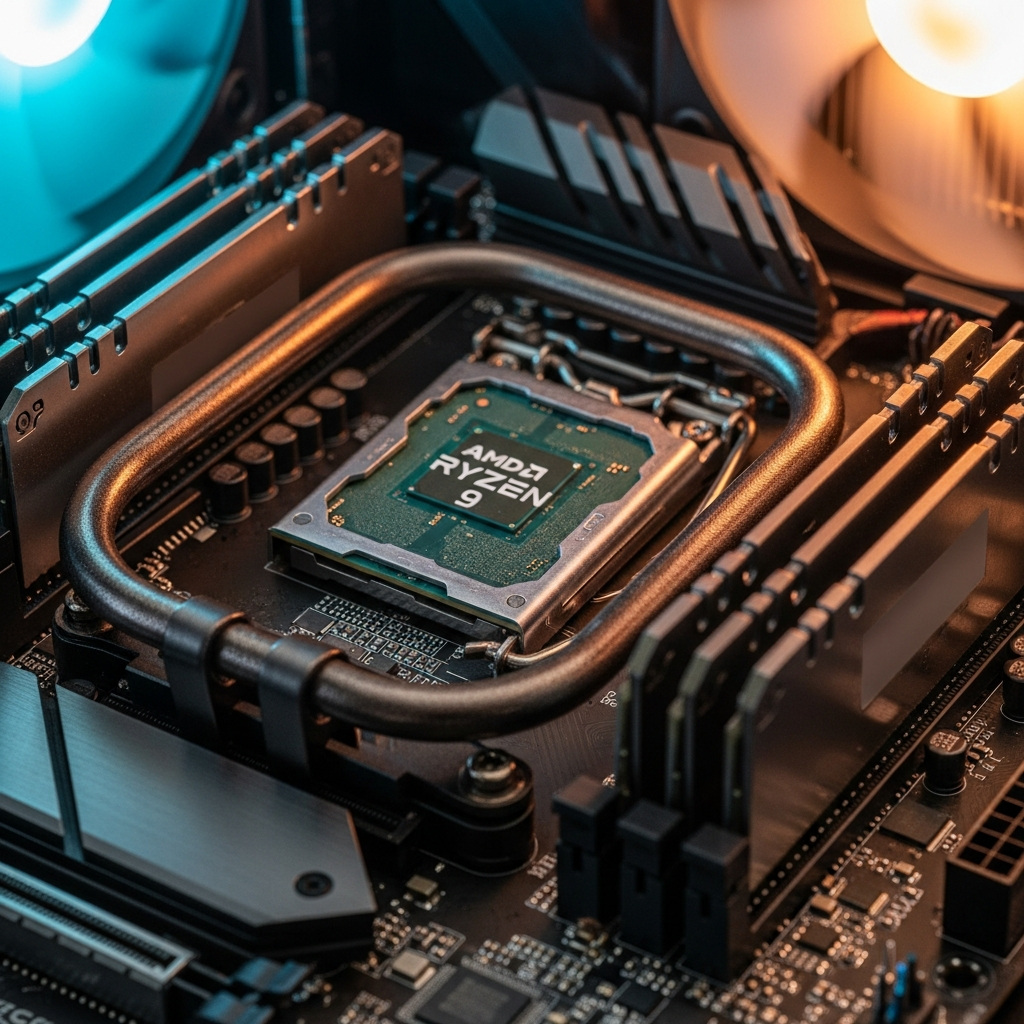
Performance Comparison: Dedicated vs Shared Minecraft Server in Real-World Scenarios
To illustrate the dedicated vs shared Minecraft server performance gap, consider three common use cases: vanilla survival, modded adventure, and high-concurrency PvP networks.
Vanilla Survival (10–20 players)
On a shared host with 4 GB RAM and throttled CPU, a vanilla server may maintain 20 TPS during low activity but drop to 15–18 TPS when multiple players explore new chunks simultaneously. Lag spikes occur during autosaves, and command block operations stutter. Plugins like CoreProtect or EssentialsX add overhead, occasionally triggering “Can’t keep up!” warnings.
On dedicated hardware (Ryzen 9 7950X3D, 16 GB DDR5 ECC, NVMe SSD), the same server consistently holds 20 TPS. Chunk generation completes in milliseconds, autosaves execute without player-visible hitching, and plugin databases query instantly. Players report near-zero latency and seamless exploration even when the world exceeds 10 GB.
Modded Adventure (50–100 mods, 15 players)
Shared hosting struggles with modpacks like FTB Infinity Evolved or Enigmatica 6. With 6–8 GB RAM allocated, garbage collection pauses become frequent, causing 2–3 second freezes every few minutes. Complex mod interactions (e.g., Applied Energistics 2 autocrafting + Industrial Foregoing quarries) overload the shared CPU, dropping TPS to 12–15. Players experience block lag, inventory desync, and frequent timeouts.
Dedicated hosting effortlessly handles 100+ mods with 32–64 GB RAM. JVM tuning (G1GC with optimized heap sizing) minimizes GC pauses below 50 ms. The Ryzen 9 7950X3D’s 3D V-Cache accelerates mod tick processing, keeping TPS stable at 20 even with dozens of active quarries, farms, and automation systems. NVMe storage ensures chunk saves complete in under 100 ms, preventing corruption during crashes.
High-Concurrency PvP Network (100+ players, multiple worlds)
Shared hosting cannot support this scenario. CPU and RAM limits make BungeeCord/Velocity proxies impractical, and network bandwidth throttling causes packet loss during peak hours. Attempting to run multiple server instances on a single shared node results in catastrophic performance degradation.
Dedicated hosting scales horizontally. Deploy multiple Minecraft instances across dedicated CPU cores, allocate 8–16 GB per world, and configure BungeeCord to load-balance players. The 1 Gbps network connection sustains thousands of concurrent packets per second, while Anti-DDoS protection filters malicious traffic before it reaches the game server. Result: stable 20 TPS across all worlds, sub-50ms latency, and zero downtime during raids.
| Metric | Shared Hosting | Dedicated Hosting (Nexus Games) |
| Typical TPS (20 players) | 15–18 | 20 |
| Max RAM (single instance) | 4–8 GB | 32–128 GB |
| Chunk load time (new terrain) | 500–1500 ms | 50–200 ms |
| Autosave pause duration | 1–3 seconds | 0.1–0.5 seconds |
| Mod/plugin limit | 10–30 (provider-dependent) | Unlimited |
| Root/admin access | No | Yes (via Nexus Panel) |
| DDoS protection | Basic (network-level) | Game-specific, enterprise-grade |
| Monthly cost (entry tier) | $2–$5 | $4.91+ |
Cost Analysis: Long-Term Value of Dedicated vs Shared Hosting
While shared hosting appears cheaper upfront, hidden costs and limitations often negate initial savings. Shared plans frequently cap player slots, forcing you to upgrade when your community grows. Each tier increase adds $3–$10, and providers may upsell “performance boosts” that still don’t match true dedicated resources. Additionally, plugin restrictions and poor support lead to hours of troubleshooting, indirectly costing time and player retention.
Dedicated hosting at Nexus Games offers transparent, scalable pricing. Starting at $4.91/month, you gain access to professional-grade hardware, unrestricted software configuration, and 24/7 expert support. As your server grows, you simply allocate more RAM or CPU cores without migrating hosts or reconfiguring. Over 12 months, the total cost of ownership—factoring in uptime, performance, and support quality—often favors dedicated hosting, especially for serious communities or content creators.
Example TCO Calculation (12 months)
- Shared hosting: $5/month base + $5/month upgrade (20 players) + $10/month modpack tier = $240/year. Downtime, lag complaints, and player churn reduce effective value.
- Dedicated hosting (Nexus Games): $4.91/month × 12 = $58.92/year for base tier. Upgrade to 64 GB RAM for modded server: ~$15/month × 12 = $180/year. Zero downtime, stable TPS, and growing community justify the investment.
For servers monetized via donations, cosmetic sales, or subscriptions, dedicated hosting’s reliability and performance directly translate to higher player engagement and revenue. A lag-free experience encourages players to stay online longer, refer friends, and support the server financially—returns impossible on unstable shared infrastructure.
Technical Configuration: Optimizing Dedicated Minecraft Servers
Maximizing your dedicated Minecraft server’s potential requires careful tuning. Below are essential configurations leveraging Nexus Games’ hardware capabilities.
JVM Flags for Ryzen 9 7950X3D
The Ryzen 9 7950X3D’s 3D V-Cache excels at reducing memory latency, benefiting Minecraft’s frequent cache lookups. Optimize garbage collection and heap allocation with these flags:
java -Xms16G -Xmx16G -XX:+UseG1GC -XX:+ParallelRefProcEnabled \
-XX:MaxGCPauseMillis=200 -XX:+UnlockExperimentalVMOptions \
-XX:+DisableExplicitGC -XX:G1NewSizePercent=30 \
-XX:G1MaxNewSizePercent=40 -XX:G1HeapRegionSize=8M \
-XX:G1ReservePercent=20 -XX:G1HeapWastePercent=5 \
-XX:G1MixedGCCountTarget=4 -XX:InitiatingHeapOccupancyPercent=15 \
-XX:G1MixedGCLiveThresholdPercent=90 -XX:+PerfDisableSharedMem \
-XX:+AlwaysPreTouch -jar server.jar nogui
Adjust -Xms and -Xmx based on available DDR5 ECC RAM. For modpacks, allocate 8–16 GB; for large networks, 32–64 GB. Always set -Xms equal to -Xmx to prevent dynamic heap resizing, which causes GC pauses.
Server.properties Tuning
view-distance=10
simulation-distance=8
network-compression-threshold=256
max-tick-time=60000
Lower view-distance to 8–10 on modded servers to reduce chunk rendering load. Set simulation-distance below view distance to limit entity ticking. Increase network-compression-threshold to reduce CPU overhead from packet compression, leveraging the 1 Gbps network to transmit slightly larger payloads without latency penalty.
Plugin Optimization
Use Paper or Purpur instead of Spigot for superior performance. Install async plugins like Chunky for pre-generation, LuckPerms for permissions (avoids legacy PermissionsEx overhead), and spark for real-time profiling. Avoid bloated all-in-one plugins; prefer lightweight, single-purpose alternatives. Enable Aikar’s Timings or spark profiler to identify laggy plugins and optimize or replace them.
Backup and Redundancy
Schedule incremental backups every 6 hours to NVMe storage, with daily off-site copies to object storage (S3-compatible). Use rsync or Nexus Games’ panel backup tools to automate this process. Dedicated NVMe speed ensures backups complete in seconds, minimizing impact on live gameplay.
When to Choose Shared vs Dedicated: Decision Framework
Deciding between dedicated vs shared Minecraft server hosting depends on player count, mod complexity, budget, and growth expectations. Use this framework to guide your choice:
Choose Shared Hosting If:
- Your server hosts fewer than 10 players consistently.
- You run vanilla or lightly modded Minecraft (under 20 plugins/mods).
- Budget is severely constrained, and performance is secondary.
- You’re testing a concept or temporary event server.
- Technical management and optimization are beyond your skill level.
Choose Dedicated Hosting If:
- Your server regularly hosts 15+ concurrent players.
- You deploy modpacks with 50+ mods or resource-intensive plugins.
- You plan to grow your community and need reliable, scalable infrastructure.
- You monetize your server and require maximum uptime (99.9%+ SLA).
- You want full control over software, configurations, and performance tuning.
- You need features like CurseForge one-click installs, Anti-DDoS, and enterprise support.
For most serious Minecraft communities, content creators, and competitive servers, dedicated hosting at Nexus Games is the optimal choice. The Ryzen 9 7950X3D’s performance, combined with DDR5 ECC RAM, NVMe storage, and game-focused infrastructure, delivers unparalleled stability and player experience—critical factors for long-term success.
For additional hosting options beyond Minecraft, explore Minecraft Wiki for official documentation on server setup, plugin development, and optimization strategies.
Conclusion: The dedicated vs shared Minecraft server debate ultimately hinges on performance requirements, scalability, and long-term vision. Shared hosting suits casual, small-scale experiments, while dedicated hosting—powered by Nexus Games’ Ryzen 9 7950X3D infrastructure—provides the reliability, speed, and flexibility essential for thriving Minecraft communities. Invest in dedicated resources to ensure stable TPS, seamless mod support, and a lag-free experience that keeps players engaged and your server growing.
FAQ
Can I migrate from shared to dedicated Minecraft hosting without losing my world data?
Yes. Nexus Games supports seamless migration by transferring your world files, plugins, and configurations via SFTP or panel backup tools. Backup your shared server, download the world folder and server.jar, then upload to your dedicated instance. Most migrations complete in under 30 minutes with zero data loss, and our 24/7 support team assists with any compatibility issues.
How much RAM do I need on a dedicated server for a 100-mod modpack?
Allocate 16–32 GB of DDR5 ECC RAM for most 100-mod modpacks (e.g., FTB, Enigmatica, All The Mods). Heavy modpacks with complex automation, large player counts, or additional plugins may require 32–64 GB. Nexus Games’ dedicated hosting scales from 32 GB to 128 GB, allowing you to adjust allocation as your server grows. Monitor JVM heap usage with tools like spark to optimize allocation.
Does dedicated hosting eliminate lag spikes entirely?
Dedicated hosting drastically reduces lag spikes caused by resource contention, but cannot eliminate all sources. Network latency, client-side performance, poorly optimized mods, and inefficient redstone contraptions still impact gameplay. However, the Ryzen 9 7950X3D’s consistent 20 TPS, NVMe storage speed, and 1 Gbps network minimize server-side lag. Combine dedicated hardware with optimized JVM flags, async plugins, and regular profiling to achieve near-zero server-induced lag.