If you’re wondering how to rent ARK Survival Evolved server in 2025, this complete guide will walk you through every step—from selecting the right host and configuring your world to managing mods and optimizing performance. ARK: Survival Evolved remains one of the most demanding survival games, requiring robust hardware and smart configuration to deliver a smooth, lag-free experience for you and your tribe.
Why Rent an ARK Survival Evolved Server Instead of Self-Hosting?
Self-hosting ARK on your local machine or consumer-grade hardware quickly becomes a bottleneck. ARK’s dinosaur AI, base simulation, and map rendering demand serious CPU and RAM, especially when you add mods from the Steam Workshop. When you rent ARK Survival Evolved server resources from a professional provider, you gain access to enterprise-grade infrastructure without the overhead of managing hardware, cooling, or uptime monitoring.
At Nexus Games, every ARK server runs on the AMD Ryzen 9 7950X3D processor—16 cores, 32 threads, clocked up to 5.7 GHz. This CPU’s massive L3 cache (3D V-Cache) was designed for gaming workloads, cutting frame drops and tick-rate stutters even on heavily modded PVP clusters. You also get DDR5 ECC RAM (configurable from 32 GB to 128 GB) and NVMe SSD storage, ensuring near-instant map saves and rapid restarts.
Key Advantages of Renting
- Zero hardware investment: No need to purchase, configure, or replace server parts.
- 24/7 uptime: Your tribe can play around the clock without worrying about your home internet or power outages.
- Automatic backups: Scheduled snapshots protect your world data from corruption or rollback exploits.
- DDoS protection: Game-specific anti-DDoS filters stop volumetric attacks before they reach your instance.
- Mod management: Pre-installable Steam Workshop mods via the Nexus Games panel—no FTP client required.
If you’re planning a long-term PVE community or a competitive PVP cluster, renting is the only scalable, cost-effective path forward.

Step-by-Step: How to Rent ARK Survival Evolved Server at Nexus Games
Renting your ARK server takes just a few minutes. Follow these steps to get your world online and configured exactly how you want it.
1. Choose Your Plan
Navigate to the ARK Survival Ascended server hosting page. Plans start at $18.67/month and scale according to slot count and RAM allocation. For a 10-player private server running The Island with light mods, an entry-tier plan is sufficient. For 50-slot PVP clusters with Extinction Core or Primal Fear, consider mid-tier or high-tier configurations.
2. Select Location & Billing Cycle
Nexus Games operates data centers in North America and Europe, all connected via 1 Gbps unmetered uplinks. Choose the location closest to your player base to minimize ping. Billing cycles (monthly, quarterly, annual) offer discounts for longer commitments—annual plans save up to 15%.
3. Deploy Your Server
After checkout, you’ll receive instant access to the Nexus Games control panel. Click Create New Server, select ARK: Survival Evolved (or ARK: Survival Ascended), and the system will provision your instance within seconds. You can choose between vanilla ARK or pre-install popular mod bundles directly from the panel.
4. Configure Game Settings
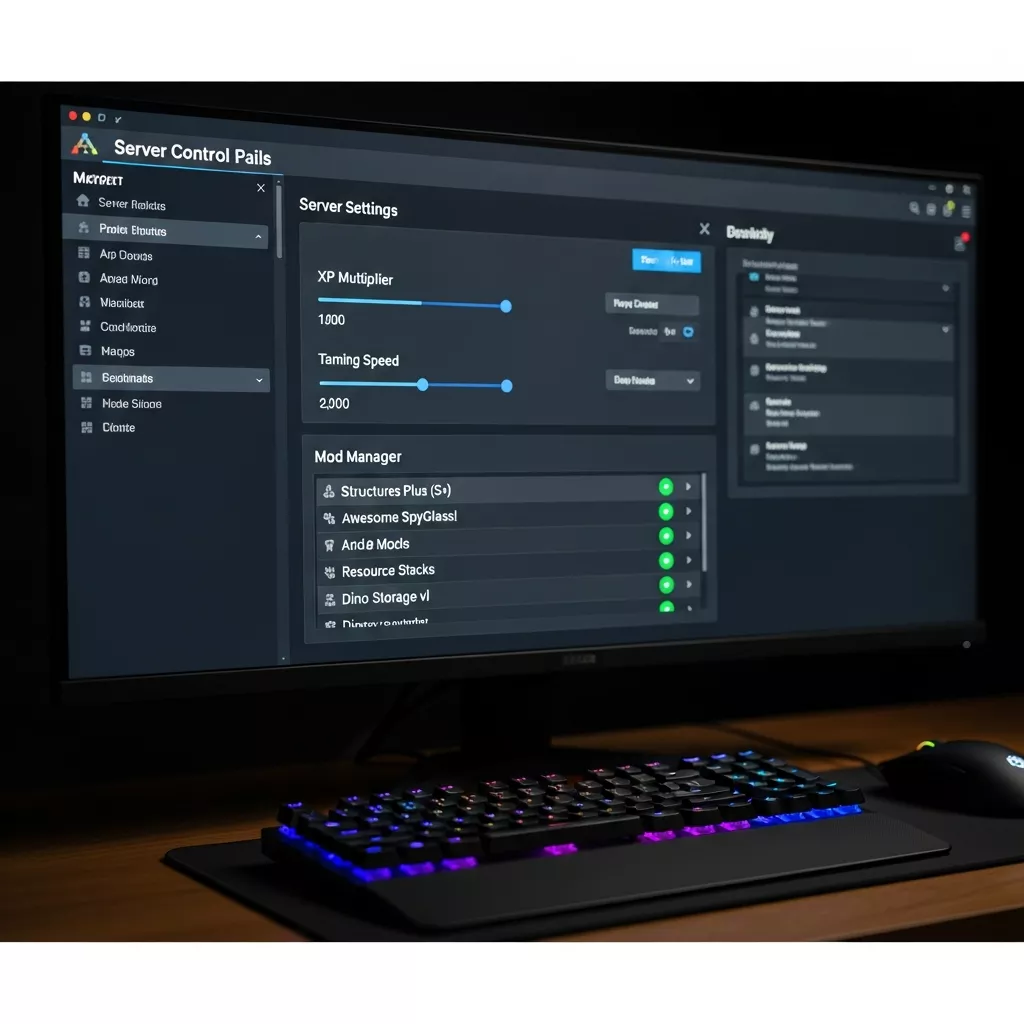
The panel exposes every major INI parameter via a graphical interface: XP multipliers, taming speed, harvesting rates, day/night cycle length, and difficulty offset. For advanced users, you can edit GameUserSettings.ini and Game.ini directly in the file manager or via SFTP.
[ServerSettings]
DifficultyOffset=1.0
XPMultiplier=2.0
TamingSpeedMultiplier=3.0
HarvestAmountMultiplier=2.5
DayTimeSpeedScale=0.5
NightTimeSpeedScale=1.5
5. Install Mods from Steam Workshop
Navigate to the Mod Manager tab in your panel. Paste the Workshop ID of any mod (e.g., 731604991 for Structures Plus), click Install, and the server will download and mount it automatically. Changes take effect after a quick restart—no manual file transfers or command-line scripting required.
6. Start & Connect
Hit Start Server and wait 30–60 seconds for the world to initialize. Copy the IP and port from the dashboard, open ARK, press Tab to open the console, and type:
open 198.51.100.42:7777Replace the IP with your actual server address. You’re now in your private world, ready to tame, build, and conquer.
Optimizing Performance and Managing Your ARK Server
Simply renting hardware isn’t enough—smart configuration ensures your ARK server runs smoothly under load. Here’s how to squeeze every frame and avoid the dreaded “connection timeout.”
RAM Allocation
ARK is notoriously memory-hungry. A vanilla Island server with 10 players needs at least 12 GB RAM. Add mods like Primal Fear, Ark Additions, or a custom map (Fjordur, Genesis), and you’ll want 24–32 GB. Nexus Games offers DDR5 ECC RAM in flexible tiers; the error-correcting code prevents silent corruption during long sessions.
CPU Clock Speed vs. Core Count
ARK’s server tick runs on a single thread. High clock speed matters more than core count. The Ryzen 9 7950X3D delivers up to 5.7 GHz boost, keeping the main simulation thread responsive even when hundreds of dinos path-find simultaneously. Background tasks (saves, backups, mod loading) benefit from the remaining 30+ threads, preventing stutter during auto-save.
Disk I/O and NVMe Storage
ARK writes save files every 15 minutes by default. On a spinning HDD, this can freeze the server for several seconds. NVMe SSDs reduce write latency to under 1 ms, making saves invisible to players. Nexus Games uses enterprise-grade NVMe with high DWPD (drive writes per day) ratings, ensuring longevity under constant read/write cycles.
Network Optimization
Enable Game Anti-DDoS in your panel settings. ARK’s query protocol is vulnerable to amplification attacks; our filters scrub malicious traffic at the edge, maintaining sub-50 ms ping for legitimate players. If you run a cross-ARK cluster, use the panel’s Cluster Manager to link servers seamlessly—player data, dinos, and items transfer without manual file copying.
Automated Backups and Rollback
Schedule daily backups in the panel. If a troll destroys your base or a mod conflict corrupts the save, restore any snapshot with one click. Nexus Games retains 7 daily backups by default; premium plans offer 30-day retention.
| Configuration | Recommended RAM | Max Slots |
| Vanilla Island, 10 players | 12 GB | 10 |
| Modded Fjordur, 20 players | 24 GB | 20 |
| Heavy PVP cluster (3 maps), 50 players | 64+ GB | 50 per map |
Common Mistakes When You Rent ARK Survival Evolved Server (and How to Avoid Them)
Even experienced admins make configuration errors that tank performance or drive players away. Here’s what to watch for.
Under-Provisioning RAM
ARK will run on 8 GB, but frequent out-of-memory crashes are guaranteed once mods and player structures accumulate. Always provision 50% more RAM than the minimum recommendation. If your host (like Nexus Games) offers flexible scaling, start mid-tier and upgrade if you see memory warnings in logs.
Ignoring Mod Compatibility
Not all Workshop mods play nicely together. Structures Plus conflicts with certain building mods; creature overhauls can break boss fights. Before launching publicly, test your mod stack in a private session. Use the panel’s Mod Load Order tool to prioritize critical mods and avoid initialization race conditions.
Forgetting to Whitelist Admin Commands
By default, anyone can attempt admin commands if they guess your password. Set a strong ServerAdminPassword in GameUserSettings.ini and document it securely. Better yet, use the panel’s role-based access control to grant admin privileges only to trusted Discord members.
Overlooking Backup Strategy
Disk failures are rare on NVMe SSDs, but corruption from sudden crashes isn’t. Enable automatic backups and test a restore before you need it. Nothing’s worse than losing 300 hours of tribe progress because you assumed backups “just work.”
Setting Rates Too High
10× XP and instant taming sound fun, but they trivialize progression. Players burn out in days. Start with 2–3× rates and adjust based on community feedback. Nexus Games’ panel lets you change multipliers on the fly—no need to wipe the server.
If you’re also exploring other survival titles, check out our guide on DayZ server hosting for tips on optimizing another demanding multiplayer experience.
Conclusion
Learning how to rent ARK Survival Evolved server in 2025 is straightforward when you partner with a host that understands the game’s unique demands. From the Ryzen 9 7950X3D’s unmatched single-thread performance to DDR5 ECC RAM and one-click Steam Workshop integration, Nexus Games delivers the infrastructure and tools you need to run a thriving ARK community. Follow the steps above, avoid common pitfalls, and you’ll have a stable, high-performance server online in minutes.
FAQ
How much does it cost to rent an ARK Survival Evolved server in 2025?
Pricing starts at $18.67/month at Nexus Games for a 10-slot server with 12 GB DDR5 RAM, NVMe storage, and AMD Ryzen 9 7950X3D CPU. Larger clusters or heavily modded setups require higher-tier plans, which scale RAM and slot count proportionally. Annual billing offers up to 15% discount.
Can I install Steam Workshop mods without using FTP?
Yes. Nexus Games’ control panel includes a Mod Manager that accepts Workshop IDs directly. Paste the ID, click install, and the server downloads and mounts the mod automatically. You can reorder, enable, or disable mods without touching configuration files or FTP clients.
What hardware specs should I look for when renting an ARK server?
Prioritize high single-thread CPU clock speed (5 GHz+), DDR5 ECC RAM (minimum 12 GB, 24–32 GB for mods), and NVMe SSD storage to eliminate save-stutter. The AMD Ryzen 9 7950X3D at Nexus Games meets all these criteria, with 3D V-Cache technology specifically tuned for gaming workloads.