When it comes to enhancing your gameplay, minecraft server mods offer virtually unlimited possibilities to transform your Minecraft experience. Whether you’re running a private community server or managing a large multiplayer network, understanding the top Minecraft server mods available in 2025 is essential for creating an engaging, unique, and technically sound environment. This complete guide walks you through the best server-side modifications, their installation, optimization strategies, and how to leverage modern hosting infrastructure to maximize performance.
Understanding Minecraft Server Mods: Core Concepts and Categories
Minecraft server mods fundamentally differ from client-side mods. While client mods enhance individual player experiences, server mods modify gameplay mechanics, world generation, permissions, economy systems, and administrative tools for everyone connected to your server. The most popular server mod frameworks in 2025 include Paper, Spigot, Fabric, and Forge, each offering distinct advantages depending on your server’s goals.
Paper remains the gold standard for performance-oriented servers, providing extensive optimizations that reduce lag and improve tick rates even with dozens of plugins active simultaneously. Spigot offers broad plugin compatibility and a mature ecosystem, making it ideal for established communities. Fabric and Forge cater to heavily modded gameplay experiences, supporting complex content additions like new dimensions, mobs, and intricate tech systems.
Essential Server Mod Categories
- Performance Optimization: Mods like Lithium, Starlight, and FerriteCore drastically reduce server load by optimizing lighting engines, memory allocation, and entity processing.
- Administrative Tools: CoreProtect, LuckPerms, and Essentials provide comprehensive logging, permissions management, and moderation capabilities critical for any public server.
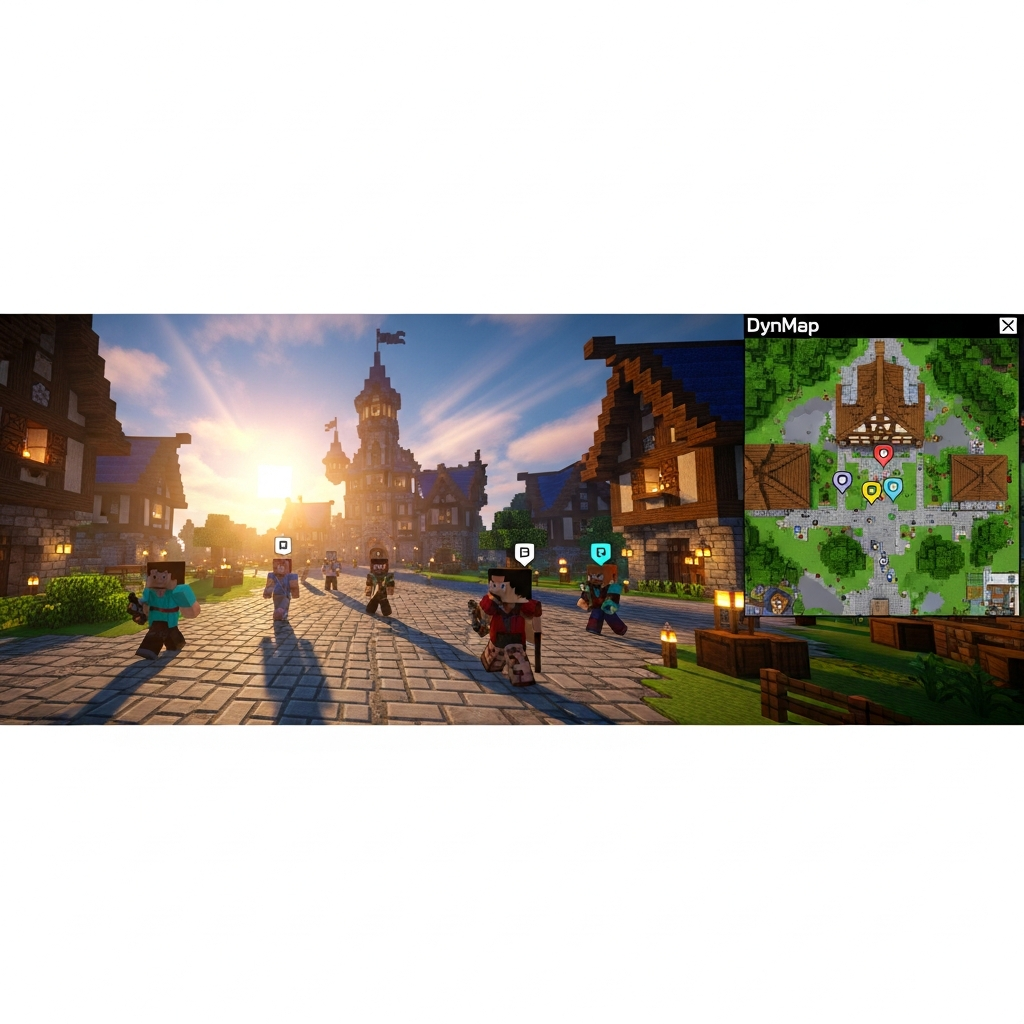
- Gameplay Enhancement: Mods such as Dynmap (live web maps), mcMMO (RPG skill systems), and Custom Enchantments add depth and retention to player experiences.
- Economy & Trading: Plugins like Vault, ChestShop, and PlayerWarps create vibrant in-game economies that encourage player interaction and community building.
- World Management: Multiverse-Core, WorldEdit, and Chunky enable multi-world support, advanced terrain editing, and efficient chunk pre-generation.
Selecting the right combination of minecraft server mods requires balancing functionality with server resources. Running too many poorly optimized plugins simultaneously can negate the benefits of even the most powerful hardware. Modern hosting solutions like those from Nexus Games provide the computational headroom necessary to handle demanding mod configurations thanks to AMD Ryzen 9 7950X3D processors (16 cores at up to 5.7 GHz) and DDR5 ECC RAM, ensuring smooth performance even under heavy load.

Top Minecraft Server Mods for 2025: Detailed Breakdown
1. Paper/Purpur – The Performance Foundation
Paper (and its fork Purpur) stands as the most widely adopted server software for performance-critical environments. Paper introduces hundreds of optimizations to vanilla Minecraft’s server code, reducing tick duration, optimizing redstone mechanics, and improving chunk loading algorithms. Purpur extends Paper with additional gameplay tweaks and configuration options, allowing server administrators granular control over mob AI, item behavior, and world generation parameters.
Key features include async chunk loading, optimized hoppers and entity activation ranges, and the ability to disable specific Vanilla mechanics that cause unnecessary CPU overhead. For servers expecting 50+ concurrent players, Paper’s optimizations are non-negotiable. The software is fully compatible with Spigot and Bukkit plugins, ensuring access to the entire ecosystem without sacrificing stability.
java -Xms8G -Xmx16G -XX:+UseG1GC -XX:+ParallelRefProcEnabled -XX:MaxGCPauseMillis=200 -XX:+UnlockExperimentalVMOptions -XX:+DisableExplicitGC -XX:G1NewSizePercent=30 -XX:G1MaxNewSizePercent=40 -XX:G1HeapRegionSize=8M -XX:G1ReservePercent=20 -XX:G1HeapWastePercent=5 -jar paper.jar --nogui2. LuckPerms – Advanced Permission Management
Managing player permissions across multiple worlds, ranks, and groups becomes exponentially complex as your server grows. LuckPerms solves this with an intuitive web editor, context-based permissions (time-limited ranks, world-specific abilities), and seamless integration with virtually every major Minecraft plugin. It supports multiple storage backends including MySQL, PostgreSQL, and MongoDB, making it ideal for network infrastructures spanning multiple server instances.
LuckPerms’ verbose mode allows real-time permission debugging, showing exactly why a player can or cannot execute specific commands—invaluable when troubleshooting complex inheritance chains. The mod’s performance footprint is negligible even with thousands of permission nodes active simultaneously.
3. CoreProtect – Comprehensive Block Logging
Griefing, accidental damage, and malicious modifications pose constant threats to server integrity. CoreProtect logs every block placement, destruction, chest transaction, and mob kill with millisecond precision. Rollbacks can target specific players, time ranges, or block types, allowing surgical restoration without affecting legitimate construction. The inspection tool lets moderators click any block to view its complete interaction history.
CoreProtect’s database scales efficiently through MySQL support, and its lookup queries execute in under 100ms even with databases exceeding 100 million logged actions. This mod is non-negotiable for any public or semi-public server environment.
4. Dynmap – Real-Time Web Mapping
Dynmap renders your entire Minecraft world into interactive web maps viewable from any browser. Players see real-time positions of online users, can zoom from ground level to continent scale, and view different map perspectives (surface, cave, isometric). Server owners use Dynmap to showcase impressive builds, help new players navigate, and foster community engagement through the web interface’s integrated chat.
Rendering performance depends heavily on server hardware. With NVMe SSD storage and high-frequency processors like the Ryzen 9 7950X3D, Dynmap’s background rendering completes efficiently without impacting gameplay tick rates. Configuration options allow rendering optimization by adjusting update frequency, render distance, and map detail levels.
5. mcMMO – RPG Progression Systems
For servers emphasizing long-term player retention, mcMMO introduces RPG-style skill progression across mining, woodcutting, combat, fishing, and more. Players level skills through natural gameplay, unlocking abilities like double drops, critical hits, or super breaker modes. The system integrates seamlessly with economy plugins, allowing skill-based income disparities that reward dedicated players.
Server administrators can configure skill curves, ability cooldowns, and maximum levels to balance progression pacing. mcMMO’s skill systems encourage specialization and trading between players, naturally fostering community interdependence.
Installation, Configuration, and Optimization Best Practices
Pre-Installation Server Preparation
Before installing minecraft server mods, verify your server meets baseline requirements. Modern mod configurations demand minimum specifications of 4GB RAM for vanilla setups, scaling to 16GB+ for heavily modded environments with 50+ players. Storage must be NVMe SSD or better—HDD installations suffer catastrophic performance issues during chunk generation and world saving.
Network bandwidth becomes critical for Dynmap and plugin-heavy configurations. A 1 Gbps connection, standard on professional hosting platforms like Nexus Games, ensures smooth data transfer even during peak concurrent player loads. Anti-DDoS protection prevents malicious traffic from overwhelming your mod-enhanced server.
Step-by-Step Mod Installation Process
- Choose Your Server Software: Download Paper, Spigot, Fabric, or Forge based on your modding needs. Paper is recommended for plugin-based setups; Forge for content-heavy mod packs.
- Initial Server Launch: Run the server JAR once to generate configuration files and world data. Accept the EULA by editing
eula.txt. - Install Core Mods: Place plugin JAR files in the
/pluginsfolder (Paper/Spigot) or/modsfolder (Forge/Fabric). Restart the server to generate mod-specific config files. - Configure Permissions: Set up LuckPerms groups, assign default permissions, and configure rank prefixes for chat integration.
- Optimize server.properties: Adjust view-distance (6-10 for optimal performance), simulation-distance (4-6), and network-compression-threshold (256 bytes).
- Enable Logging and Protection: Configure CoreProtect database connection, set rollback permissions, and enable automatic backups.
- Test Under Load: Use tools like MCSim to simulate concurrent player connections and identify performance bottlenecks.
Advanced Optimization Techniques
JVM flags dramatically impact server performance. The optimized startup command shown earlier enables G1GC (Garbage Collector), reduces pause times, and allocates memory efficiently. For servers with 32GB+ RAM, consider ZGC (Z Garbage Collector) for sub-millisecond pause times:
java -Xms16G -Xmx30G -XX:+UseZGC -XX:+ZGenerational -jar paper.jar --noguiPaper’s configuration files (paper-global.yml, paper-world-defaults.yml) offer hundreds of tunables. Critical settings include:
max-auto-save-chunks-per-tick: 8– Prevents save lag spikesoptimize-explosions: true– Reduces TNT/creeper lagmob-spawner-tick-rate: 2– Decreases spawner CPU usagehopper.disable-move-event: true– Significantly improves hopper performance if no plugins require the event
Pre-generating your world with Chunky prevents exploration lag. Run /chunky radius 5000 followed by /chunky start to generate a 10,000×10,000 block area before players join. This process is I/O intensive—NVMe SSDs complete generation 5-10× faster than SATA SSDs.
Mod Compatibility and Conflict Resolution
Not all plugins coexist peacefully. Common conflicts occur between:
| Plugin A | Plugin B | Issue | Solution |
| WorldEdit | CoreProtect | WE edits bypass logging | Enable worldedit.log-commands: true in CP config |
| EssentialsX | LuckPerms | Duplicate permission systems | Disable Essentials’ built-in permissions |
| Dynmap | Heavy chunk generation mods | Render queue overflow | Reduce Dynmap’s tiles-rendered-at-once setting |
Always test new plugin additions on a staging server before deploying to production. Use Paper’s built-in timings report (/timings report) to identify which plugins consume excessive tick time.
Leveraging Modern Hosting Infrastructure for Modded Servers
The performance ceiling of minecraft server mods directly correlates with underlying hardware capabilities. Single-threaded performance remains paramount—Minecraft’s server software cannot fully parallelize across dozens of cores. The AMD Ryzen 9 7950X3D’s exceptionally high boost clocks (up to 5.7 GHz) and massive L3 cache (128MB via 3D V-Cache technology) deliver unmatched per-core performance, translating to higher tick rates and more concurrent players per server instance.
DDR5 ECC RAM provides both speed and data integrity. Memory errors that corrupt chunks or player data occur silently on non-ECC systems. For production servers hosting communities that invest hundreds of hours building, ECC protection is essential insurance against catastrophic data loss.
Why Professional Hosting Outperforms Home Solutions
Home-hosted servers face multiple limitations: residential ISP upload speeds rarely exceed 35 Mbps (insufficient for 20+ players), lack of DDoS protection leaves servers vulnerable to attacks, and consumer hardware lacks redundancy (single drive failure = total data loss). Professional hosting eliminates these constraints:
- Dedicated Resources: KVM virtualization guarantees your server receives allocated CPU cores, RAM, and I/O bandwidth without interference from other users.
- Network Infrastructure: Enterprise 1 Gbps connections with multi-layered DDoS mitigation keep your server accessible even under attack.
- Automated Backups: Scheduled snapshots protect against data corruption, griefing, or mod conflicts—restoration takes minutes instead of hours.
- One-Click Mod Installation: Platforms like Nexus Games integrate CurseForge and Steam Workshop, allowing mod pack deployment without manual JAR file management.
For servers transitioning from 10 to 100+ concurrent players, vertical scaling (upgrading to more RAM/CPU) is seamless on KVM VPS infrastructure. Home servers require complete hardware replacement—a multi-day migration process with significant downtime risk.
Cost-Benefit Analysis: Hosting Economics
A DIY server capable of supporting 50 players with modded gameplay requires approximately $800-1200 in initial hardware investment, plus $50-100 monthly for electricity and sufficient upload bandwidth. Professional hosting starts at $4.91/month for entry-level Minecraft servers, scaling to $15-30/month for heavily modded, high-player-count configurations. Over 12 months, hosted solutions cost $180-360 versus $1400+ for equivalent home infrastructure—and that’s before accounting for technical support, DDoS protection, or backup systems.
The value proposition becomes overwhelming when considering opportunity cost. Server administration—updating mods, troubleshooting conflicts, optimizing performance—already demands 5-10 hours weekly. Adding hardware maintenance, network configuration, and security management easily doubles that burden. Managed hosting reclaims those hours for community building and content creation.

Conclusion
Mastering minecraft server mods in 2025 requires understanding both the software ecosystem and the hardware foundation supporting it. From performance-critical solutions like Paper to community-building tools like Dynmap and mcMMO, the right mod combination transforms generic servers into thriving virtual worlds. Success demands careful mod selection, meticulous configuration, and infrastructure capable of handling demanding workloads. Professional hosting platforms providing cutting-edge processors, ECC memory, and integrated mod management tools eliminate technical barriers, letting server administrators focus on creating unforgettable player experiences rather than wrestling with optimization challenges.
FAQ
How many minecraft server mods can I run simultaneously without performance issues?
The number depends on mod complexity and server hardware. Well-optimized servers on Ryzen 9 7950X3D infrastructure with 16GB+ RAM typically handle 30-50 plugins smoothly. Focus on per-plugin performance impact rather than raw count—use /timings to identify resource-heavy mods and optimize or replace them. Prioritize essential mods first (permissions, logging, performance), then add gameplay enhancements while monitoring tick time.
What’s the difference between Paper mods and Forge mods for servers?
Paper (Spigot/Bukkit) plugins modify server-side behavior using the Bukkit API—they don’t require clients to install anything. Forge mods add new content (blocks, items, mobs) and require identical mod packs on both server and client. Paper excels for administrative tools and gameplay tweaks; Forge enables entirely new gameplay experiences. You cannot mix Paper plugins and Forge mods on the same server without hybrid solutions like Mohist (which often introduce instability).
How do I troubleshoot conflicts between minecraft server mods?
Start by enabling Paper’s /timings and checking for plugins consuming excessive tick time. Review server logs for error messages mentioning specific plugins. Disable half your mods, test if the issue persists, then re-enable in smaller batches to isolate the culprit (binary search method). Check plugin documentation for known incompatibilities. Use permission audit tools in LuckPerms to identify conflicting permission nodes. When in doubt, test new mods individually on a staging server before deploying to production.