Choosing the right minecraft server plugins can transform a basic server into a thriving community hub with custom features, minigames, and enhanced gameplay. With thousands of plugins available in 2025, selecting compatible, well-maintained, and performance-friendly extensions requires careful evaluation of your server’s goals, player base, and technical infrastructure to ensure stability and an engaging experience.
Understanding Minecraft Server Plugins and Their Role
Minecraft server plugins are modular software extensions that run on Bukkit, Spigot, Paper, or Purpur server platforms. Unlike client-side mods, plugins operate entirely server-side, meaning players need no additional downloads to experience custom features. Plugins can add economy systems, anti-cheat protection, world management tools, chat moderation, permission systems, minigames, and virtually any gameplay mechanic imaginable.
The plugin ecosystem has matured significantly by 2025. Popular repositories like SpigotMC, Bukkit, and Modrinth host tens of thousands of free and premium plugins. Understanding the difference between essential core plugins (like EssentialsX for basic commands, LuckPerms for permissions, WorldEdit for building) and specialized feature plugins (like McMMO for RPG elements, Vault for economy integration) is the first step toward building a coherent server environment.
When evaluating plugins, consider three fundamental aspects: functionality (does it solve a specific need?), compatibility (does it work with your server version and other plugins?), and performance (does it consume excessive CPU or RAM?). A well-chosen plugin stack enhances gameplay without degrading server performance or creating conflicts.
Core vs. Feature Plugins: Building Your Foundation
Start with core infrastructure plugins that provide essential server management capabilities. EssentialsX remains the gold standard for basic commands (/home, /spawn, /warp), kits, and economy foundations. LuckPerms offers granular permission management across groups and players. Vault acts as an API bridge for economy and permission plugins, enabling cross-plugin communication.
Once your foundation is solid, layer feature plugins based on your server’s theme. Survival servers benefit from land-claiming plugins like GriefPrevention or Lands. PvP servers require combat-focused plugins like CombatLogX or CustomEnchants. Creative servers leverage WorldEdit and VoxelSniper for advanced building tools. Minigame servers depend on specialized frameworks like BedWars1058 or BuildBattle.
| Plugin Category | Essential Examples | Primary Function |
| Core Management | EssentialsX, LuckPerms, Vault | Commands, permissions, economy API |
| World Protection | WorldGuard, GriefPrevention, Lands | Region protection, land claiming |
| Performance | ClearLag, FarmLimiter, Spark | Entity management, profiling |
| Economy | ChestShop, ShopGUIPlus, Jobs Reborn | Player shops, job systems |
| Chat & Social | DiscordSRV, ChatControl, TAB | Chat formatting, Discord integration |
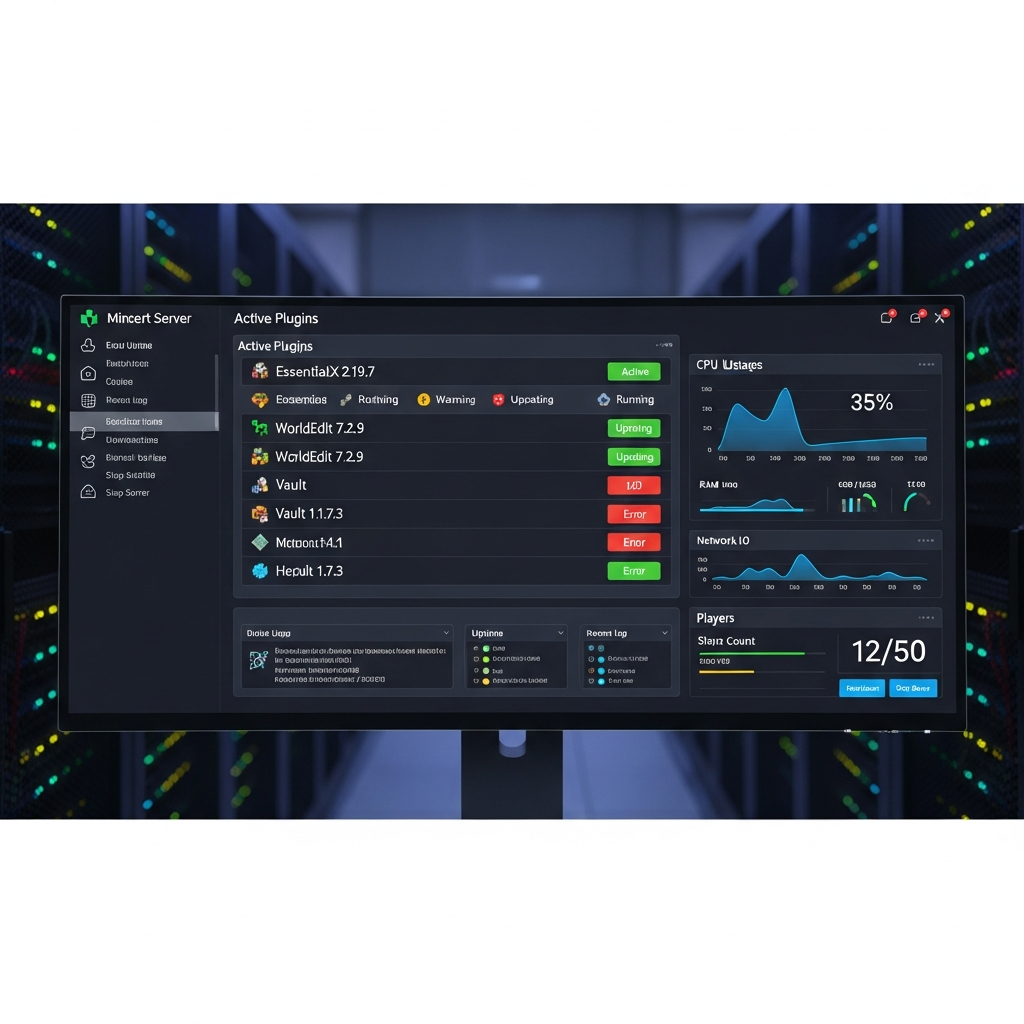
Evaluating Plugin Quality and Compatibility
Not all plugins are created equal. In 2025, the plugin landscape includes actively maintained projects, abandoned legacy plugins, and poorly coded resources that can crash servers or introduce security vulnerabilities. Learning to assess plugin quality protects your server from instability and exploits.
Check the plugin’s update frequency first. Plugins updated within the last three months typically support current Minecraft versions (1.21+) and receive bug fixes. Examine the developer’s response to user reports on plugin pages—active developers who address issues quickly demonstrate commitment to quality. Review the plugin’s download count and ratings, but remember that popularity doesn’t always equal quality.
Test plugins in a staging environment before deploying to production. Nexus Games’ AMD Ryzen 9 7950X3D-powered servers provide ample performance headroom to run test instances alongside production servers. Create a copy of your server, install the new plugin, and stress-test with simulated player activity. Monitor console logs for errors, check TPS (ticks per second) with /spark tps, and verify the plugin interacts correctly with existing plugins.
Reading Documentation and Source Code
Quality plugins provide comprehensive documentation covering installation steps, configuration options, permissions nodes, and API usage for developers. SpigotMC wiki pages, GitHub repositories, and official Discord servers often host detailed guides. If documentation is sparse or outdated, consider it a red flag.
For critical plugins handling permissions, economy, or anti-cheat, review the source code if available. Open-source plugins on GitHub allow community auditing for security issues and backdoors. Even if you’re not a developer, checking the commit history reveals whether the project is actively maintained. Look for clean code structure, regular commits, and community contributions.
Dependency Management and API Compatibility
Many plugins depend on other plugins to function. Vault serves as a common dependency for economy plugins. ProtocolLib enables packet manipulation for advanced features. PlaceholderAPI allows plugins to share data through placeholder variables. Before installing a plugin, verify all dependencies are installed and updated to compatible versions.
Server platform matters significantly. Paper (the most popular high-performance fork of Spigot) offers additional APIs and optimizations that some modern plugins require. If you’re running Purpur or other forks, check plugin compatibility explicitly. Version mismatches between your server software and plugins cause crashes and data corruption.
# Example: Checking plugin dependencies in plugin.yml
depend: [Vault, LuckPerms]
softdepend: [PlaceholderAPI, WorldGuard]
api-version: '1.21'
Performance Optimization and Resource Management
Minecraft server plugins consume server resources—CPU cycles, RAM, and disk I/O. Poorly optimized plugins can drag TPS below 20, causing lag, block placement delays, and disconnections. Understanding plugin performance impact ensures smooth gameplay even with 50+ plugins installed.
Use profiling tools like Spark to identify performance bottlenecks. Spark generates detailed reports showing which plugins consume the most CPU time per tick. If a single plugin consistently uses over 5% of tick time, investigate configuration optimizations or consider alternatives. The Nexus Games platform’s DDR5 ECC RAM (32–128 GB) and NVMe SSD storage provide exceptional baseline performance, but plugin optimization remains critical at scale.
Entity-heavy plugins (mob spawners, custom mobs, particle effects) strain server performance most. Limit entity counts with plugins like FarmLimiter or configure spawn rates conservatively. Database-heavy plugins (CoreProtect for logging, plan for analytics) should use asynchronous queries to avoid blocking the main thread. Configure MySQL or MariaDB for plugins requiring persistent storage rather than flat file systems.
Configuring Plugins for Optimal Performance
Most plugins offer extensive configuration files (config.yml, settings.yml) controlling feature sets, update intervals, and database settings. Disable unused features to reduce overhead. For example, if EssentialsX provides 50 commands but you only use 15, disable the rest in the configuration file.
Adjust check intervals and cache durations. Anti-cheat plugins scanning 20 times per second consume more resources than those checking 10 times per second with minimal detection difference. Economy plugins caching player balances for 30 seconds reduce database queries significantly compared to real-time lookups.
- Disable debug logging in production environments unless troubleshooting issues
- Use MySQL connection pooling for database-heavy plugins (HikariCP recommended)
- Configure chunk loading limits for world management plugins to prevent cascading lag
- Schedule resource-intensive tasks (backups, cleanups) during low-traffic periods
- Enable async operations wherever plugin configuration allows
Plugin Load Order and Startup Optimization
Server startup time increases with plugin count. Paper’s plugin loader prioritizes dependencies automatically, but some plugins must load before others for proper integration. Core plugins (Vault, LuckPerms) should initialize before feature plugins depending on them.
The plugin.yml file’s load parameter accepts STARTUP or POSTWORLD values. STARTUP loads plugins before world generation; POSTWORLD loads after. Misconfigured load orders cause “plugin not found” errors or functionality failures. Review console logs during startup to identify timing issues.
Security Considerations and Permission Management
Plugins introduce potential security vectors. Malicious or compromised plugins can steal server data, execute unauthorized commands, or create backdoors. In 2025, plugin security remains a critical consideration for server administrators.
Download plugins exclusively from trusted sources: SpigotMC’s official resource section, Bukkit’s plugin repository, or verified developer websites. Avoid sketchy “nulled” or “cracked” premium plugins from third-party forums—these often contain malware, backdoors, or keyloggers. If a premium plugin costs $15, the security risk of a nulled version far exceeds the purchase price.
Implement proper permission management with LuckPerms. Never grant operators (op) status to staff—operators bypass all permission checks, creating security risks. Define granular permission groups (admin, moderator, helper, default) with only necessary permissions. Use inheritance hierarchies to simplify permission management across groups.
Regular Updates and Vulnerability Monitoring
Plugin vulnerabilities emerge regularly. Subscribe to security advisories from Paper Project, SpigotMC forums, and plugin-specific Discord servers. When a critical vulnerability is announced (like the Log4Shell vulnerability affecting older Minecraft versions), update immediately and follow remediation steps.
Establish a monthly plugin maintenance schedule: check for updates, review changelogs for security fixes, and test updates in staging before production deployment. Automated update systems like Spiget can notify you of new releases, though manual review remains essential.
Backup Strategies Before Plugin Changes
Before installing, updating, or removing plugins, create complete server backups including world data, plugin configurations, and databases. The Nexus Games panel provides one-click backup functionality leveraging NVMe SSD speeds for rapid snapshots. Store backups off-server (cloud storage, remote VPS) for disaster recovery scenarios.
Test plugin removal carefully—some plugins modify world data persistently. Removing WorldGuard without clearing region data leaves invisible protection zones. Removing economy plugins without migrating data loses all player balances. Always consult plugin documentation for proper removal procedures.
Curating Plugins for Your Server’s Vision
The best plugin selection aligns with your server’s core identity and player expectations. A vanilla-plus survival server needs minimal plugins preserving core Minecraft mechanics. A heavily modded RPG server requires extensive custom content plugins. A competitive minigame network demands specialized framework plugins.
Survey your player community to understand desired features. Players requesting land claiming? Add GriefPrevention. Players wanting player shops? Implement ChestShop. Balance feature requests against performance impact and thematic consistency. A medieval roleplay server shouldn’t add futuristic tech plugins regardless of player requests.
Plan plugin synergy—choose plugins that integrate well together. An economy plugin (Vault-compatible), job system (Jobs Reborn), shop plugin (ChestShop), and auction plugin (AuctionMaster) create a cohesive economic ecosystem. Mixing incompatible economy plugins causes data conflicts and player frustration.
Building Custom Experiences with Plugin Combinations
Advanced server concepts emerge from creative plugin combinations. A prison server combines RankUp progression, mine reset plugins (MineResetLite), cell claiming (AdvancedRegionMarket), and guard NPCs (Citizens + Sentinel). A skyblock server layers island generation (BentoBox), challenges, economy, and cooperative features into a unique experience.
Document your plugin stack in a server wiki or Google Doc. List each plugin’s purpose, configuration highlights, dependencies, and integration points with other plugins. This documentation accelerates troubleshooting and helps staff understand the server’s technical architecture.
Considering Premium vs. Free Plugins
Premium plugins (typically $5-$50) often provide superior support, frequent updates, and advanced features compared to free alternatives. For critical server functions (anti-cheat, core frameworks, advanced economy), premium plugins often justify their cost through reliability and support channels.
Free plugins dominate the ecosystem and many rival premium quality. EssentialsX, LuckPerms, WorldEdit, and CoreProtect exemplify free plugins with professional-grade quality. Evaluate based on needs rather than price—don’t buy premium if free alternatives suffice, but don’t compromise server security or stability to save $20.
Leveraging Nexus Games Infrastructure for Plugin-Heavy Servers
Running 30+ plugins simultaneously demands robust hardware. Nexus Games’ AMD Ryzen 9 7950X3D processors (16 cores, 32 threads, up to 5 GHz) provide exceptional single-thread performance critical for Minecraft’s main game loop while handling multi-threaded plugin tasks efficiently. DDR5 ECC RAM ensures data integrity during high-load scenarios, preventing corruption in economy databases or world saves.
The Nexus Games panel offers one-click installation for popular modpacks and server types, pre-configured with optimized plugin stacks. Minecraft hosting plans support CurseForge integration, enabling easy modpack deployment alongside plugin configurations. For advanced users requiring full control, Linux VPS hosting with KVM virtualization provides dedicated resources for custom server architectures.
Network infrastructure matters for plugin performance. Many plugins communicate externally (DiscordSRV, voting plugins, authentication systems). Nexus Games’ 1 Gbps network connections with game-optimized anti-DDoS protection ensure low latency and stable connections, even during attacks. NVMe SSD storage accelerates world saves and database operations, reducing lag spikes during autosave intervals.

For multi-server networks (lobby, minigames, survival) requiring plugin synchronization, the VPS offerings support BungeeCord or Velocity proxy configurations. Shared databases (MySQL/MariaDB) enable cross-server economies, permissions, and player data synchronization. The Ryzen 9 7950X3D’s high core count handles multiple server instances simultaneously without performance degradation.
In conclusion, selecting minecraft server plugins in 2025 requires balancing functionality, performance, security, and compatibility. Start with core infrastructure plugins, evaluate quality through documentation and testing, optimize configurations for your hardware, and curate features aligning with your server’s vision. Leveraging robust hosting infrastructure like Nexus Games’ Ryzen 9-powered platform ensures your plugin-enhanced server delivers smooth, engaging gameplay to your community.
FAQ
How many plugins can a Minecraft server run before performance degrades?
Performance depends more on plugin quality than quantity. A well-optimized server on robust hardware like Nexus Games’ Ryzen 9 7950X3D can run 50+ efficient plugins maintaining 20 TPS. However, even 10 poorly coded plugins with synchronous database queries or excessive entity checks can cause lag. Use Spark profiler to monitor individual plugin CPU usage and optimize or replace problematic plugins consuming over 5% tick time.
Should I choose Bukkit, Spigot, or Paper for running Minecraft server plugins?
Paper is the recommended choice in 2025 for plugin-based servers. It maintains full Spigot and Bukkit plugin compatibility while adding extensive performance optimizations and additional APIs. Paper’s async chunk loading, improved entity activation ranges, and timings system significantly outperform legacy Spigot. Purpur extends Paper with additional configuration options. Avoid pure Bukkit—it’s outdated and lacks modern optimizations critical for plugin-heavy servers.
How do I troubleshoot plugin conflicts causing server crashes?
Start by reviewing the latest crash report in the logs folder, identifying which plugin’s class appears in the stack trace. Remove the suspected plugin and restart—if crashes stop, you’ve found the culprit. If crashes persist, use binary search method: disable half your plugins, test, then narrow down the problem half repeatedly. Check for version mismatches between plugins and server software, missing dependencies, or outdated API versions. Enable verbose logging temporarily to capture detailed error messages showing interaction failures between conflicting plugins.