Choosing the right FiveM server host in 2025 is critical for delivering a smooth, lag-free roleplay experience to your community. With countless providers on the market, understanding hardware specifications, support quality, and FiveM-specific features like Patreon key inclusion will help you make an informed decision that scales with your playerbase.
Why FiveM Server Host Selection Matters
FiveM is a highly resource-intensive modification platform for GTA V, demanding robust CPU performance, fast RAM, and low-latency networking. A poorly chosen FiveM server host can result in desync issues, asset loading failures, and frequent crashes—especially during peak hours when dozens of players spawn vehicles, scripts, and custom objects simultaneously.
Unlike vanilla game servers, FiveM servers execute Lua scripts, manage OneSync logic, and stream custom vehicles, maps, and MLOs. This workload requires single-threaded CPU performance above all else. Hosts offering outdated Intel Xeon processors or shared virtualized cores will throttle your server under load, making CPU clock speed and core architecture the most decisive factors.
Key Performance Indicators for FiveM Hosting
- Single-thread performance: FiveM benefits from high clock speeds (≥4.5 GHz) rather than core count alone.
- RAM speed and capacity: DDR5 ECC RAM ensures data integrity and faster asset caching for large custom frameworks.
- NVMe storage: Essential for rapid script loading and database I/O, especially with frameworks like ESX or QBCore.
- DDoS protection: Game-layer attacks are common; mitigation should be automatic and included.
- Patreon key inclusion: Official Cfx.re Patreon keys unlock Onesync Infinity and other advanced features—hosts should bundle this at no extra cost.
At Nexus Games, all FiveM hosting plans run on AMD Ryzen 9 7950X3D processors (16 cores / 32 threads, up to 5.7 GHz boost), paired with DDR5 ECC RAM (32–128 GB) and NVMe SSD storage. Every plan includes a Patreon key, game-layer DDoS protection, and 1 Gbps unmetered bandwidth—ensuring your server handles even the most script-heavy roleplay frameworks without bottlenecks.

Essential Hardware Specifications for FiveM Servers
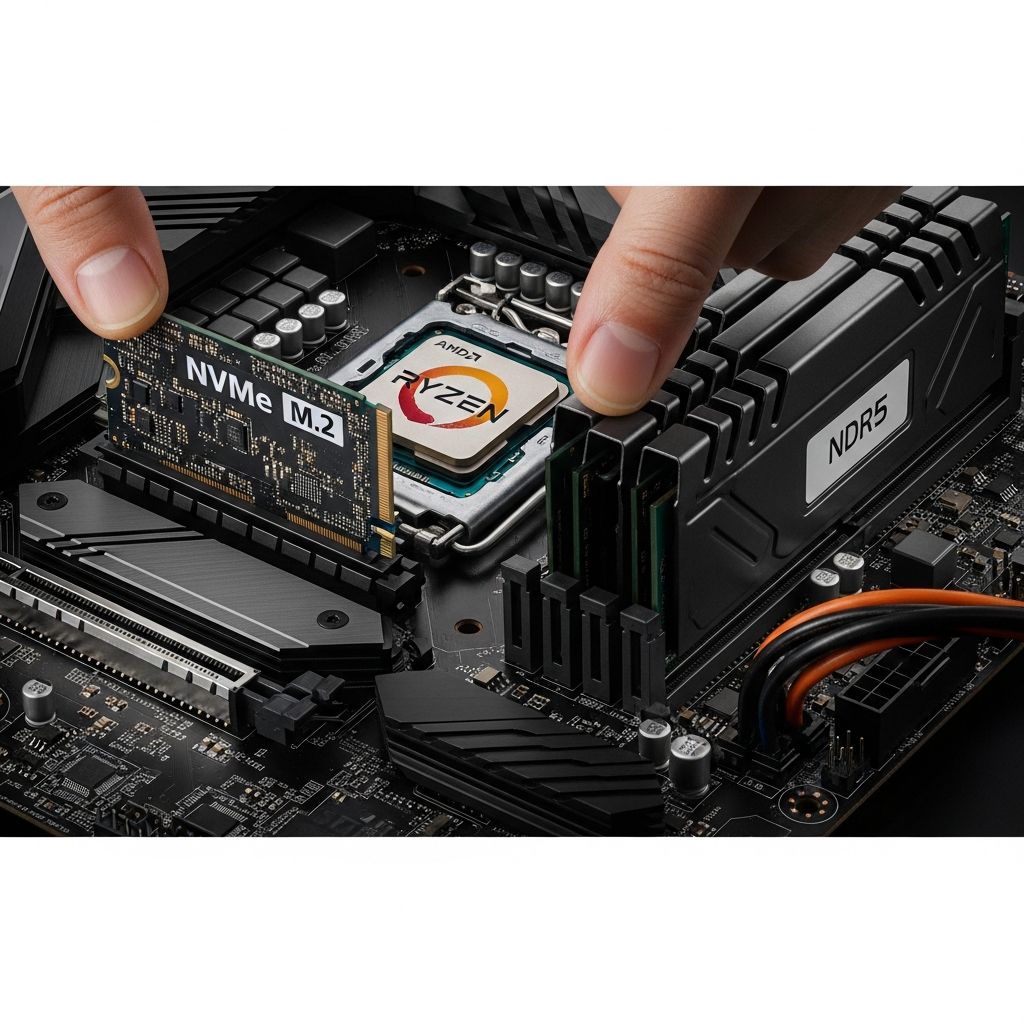
When evaluating a FiveM server host, the hardware stack is non-negotiable. Below is a breakdown of the critical components and why they matter for your server’s stability and performance.
Processor: The Backbone of Script Execution
FiveM servers are predominantly single-threaded for core game logic. While additional threads handle networking and resource streaming, the main game loop relies on one fast core. The AMD Ryzen 9 7950X3D excels here with its 3D V-Cache technology, which boosts cache-sensitive workloads—exactly what FiveM scripts and OneSync require.
| Processor | Base / Boost Clock | 3D V-Cache | FiveM Performance |
| AMD Ryzen 9 7950X3D | 4.2 GHz / 5.7 GHz | 128 MB | Excellent (top-tier) |
| Intel Xeon E-2388G | 3.2 GHz / 5.1 GHz | — | Good |
| AMD Ryzen 5 5600X | 3.7 GHz / 4.6 GHz | — | Moderate (budget) |
Avoid hosts advertising “unlimited cores” without specifying model and clock speed—this typically indicates shared, virtualized environments that degrade under concurrent load.
Memory: DDR5 ECC for Stability and Speed
FiveM servers with large custom maps, vehicle packs, and active player counts (50+ slots) require 16–32 GB of RAM minimum. DDR5 offers higher bandwidth (4800+ MT/s) compared to DDR4, reducing asset loading times. ECC (Error-Correcting Code) memory detects and corrects bit-flips, preventing silent corruption that can cause mysterious crashes.
Nexus Games provisions DDR5 ECC RAM on all plans, ensuring your server remains stable during 24/7 operation and heavy script execution. For large frameworks or servers exceeding 64 slots, 64–128 GB configurations are available to eliminate swap usage and maintain headroom.
Storage: NVMe SSDs for Database and Script I/O
FiveM servers constantly read and write to databases (MySQL, MariaDB, or SQLite), load Lua scripts, and stream assets. Traditional SATA SSDs cap out at ~550 MB/s; NVMe Gen3 drives deliver 3,500 MB/s, and Gen4 reaches 7,000 MB/s. This translates to faster player connections, reduced script load times, and smoother asset streaming.
All Nexus Games plans use enterprise-grade NVMe SSD storage with RAID-1 redundancy, protecting your data against drive failure while maintaining peak I/O performance.
FiveM-Specific Features: What to Look For
Generic game hosting providers often lack FiveM-specific optimizations. When selecting a FiveM server host, prioritize these features to avoid configuration headaches and performance issues.
Patreon Key Inclusion
A Cfx.re Patreon subscription (Tier 1: $15/month) unlocks OneSync Infinity, allowing 1,024 player slots, enhanced server list visibility, and priority queue features. Many hosts charge separately for keys or require you to provide your own. Nexus Games includes a Patreon key with every FiveM plan, eliminating extra monthly costs and ensuring instant access to advanced features.
Automated Mod and Resource Management
Managing hundreds of custom resources (vehicles, scripts, MLOs) can be tedious. A quality FiveM server host provides a control panel with one-click installers for popular frameworks (ESX, QBCore, vRP), automatic txAdmin integration, and file manager with syntax highlighting for Lua scripts.
The Nexus Games panel allows drag-and-drop resource uploads, integrated FTP/SFTP access, and real-time console monitoring. You can restart, update, and configure your server without SSH knowledge, streamlining management for both novice and experienced administrators.
Game-Layer DDoS Protection
FiveM servers are frequent targets for volumetric and application-layer attacks. Standard network-level DDoS mitigation (L3/L4) won’t stop crafted FiveM packets designed to crash your server. Game-layer protection analyzes FiveM-specific traffic patterns, filtering malicious connection attempts while allowing legitimate players through.
Nexus Games deploys multi-layered DDoS protection at both network and application layers, automatically mitigating attacks up to several hundred Gbps without manual intervention. Your server remains online even during coordinated attacks.
24/7 Expert Support
FiveM troubleshooting often requires knowledge of OneSync behavior, server.cfg tuning, and resource conflict resolution. Generic support teams may escalate issues to forums or suggest “restart the server.” A specialized FiveM server host should offer expert assistance via ticket and live chat.
Nexus Games support staff are trained in FiveM architecture and can diagnose script errors, memory leaks, and networking issues directly. Typical response times are under 15 minutes for critical outages, with 24/7 availability across all time zones.
Pricing, Scalability, and Long-Term Value
FiveM hosting prices vary widely—from $5/month for 32-slot shared plans to $100+ for dedicated high-performance nodes. Understanding what you pay for is essential to avoid overpaying or under-provisioning.
Budget vs. Performance: Finding the Sweet Spot
Entry-level plans (<$10/month) typically offer older CPUs (Ryzen 5000 series or Intel i7), 8–16 GB DDR4 RAM, and shared resources. These suffice for small test servers or private communities (≤32 players) with minimal custom scripts. However, as your playerbase grows and you add complex frameworks, lag and crashes become inevitable.
Mid-tier plans ($15–40/month) provide dedicated CPU threads, 16–32 GB DDR5 RAM, and NVMe storage. This tier handles 64–128 player servers with moderate scripting (ESX, QBCore, custom vehicles). Nexus Games FiveM plans start at $2.94/month, offering AMD Ryzen 9 7950X3D performance, DDR5 ECC RAM, and Patreon key inclusion—delivering premium hardware at competitive pricing.
High-performance plans ($50+/month) include dedicated CPU cores, 64–128 GB RAM, and advanced DDoS protection. These suit large public servers (128–1,024 players) running dozens of custom resources simultaneously. Nexus Games scales vertically, allowing you to upgrade RAM, CPU allocation, and storage without migration.
Hidden Costs to Watch For
- Patreon keys: Some hosts charge $10–15/month separately; Nexus Games includes this.
- DDoS protection: Often billed as an add-on ($5–20/month); Nexus Games includes game-layer protection by default.
- Database hosting: External MySQL databases may incur extra fees; Nexus Games provides integrated MariaDB instances.
- Backups: Automated daily backups should be standard, not a paid extra.
Always calculate total monthly cost including add-ons. A “$10 base plan” can balloon to $30+ after mandatory extras, making an all-inclusive provider more economical.
Scalability: Growing Without Downtime
Your server’s needs will evolve. A FiveM server host should allow seamless upgrades—more RAM, CPU threads, or storage—without reinstalling or migrating. KVM virtualization enables live resource adjustments, ensuring zero downtime during scaling.
Nexus Games uses KVM-based VPS technology for all game servers, granting you true resource isolation and the flexibility to upgrade via the control panel. Need more RAM for a new vehicle pack? Add it instantly without restarting or contacting support.
Geographic Location and Network Latency
Server location directly impacts player latency. A FiveM server host with datacenters in North America, Europe, and Asia allows you to position your server near your target audience, minimizing ping and desync issues.
Latency Thresholds for FiveM
| Ping Range | Player Experience |
| 0–50 ms | Excellent (smooth driving, no desync) |
| 50–100 ms | Good (minor lag in fast vehicles) |
| 100–150 ms | Moderate (noticeable desync, input delay) |
| 150+ ms | Poor (rubber-banding, frequent desyncs) |
Nexus Games operates Tier-1 datacenters with 1 Gbps unmetered bandwidth, ensuring low-latency connections across continents. Peering agreements with major ISPs reduce hop counts, delivering sub-20ms ping for players within 500 miles of the server.
CDN Integration for Asset Streaming
Large custom resources (vehicles, maps) can be offloaded to a CDN, reducing server load and improving download speeds for players. Some FiveM server hosts include CDN integration or allow external services like Cloudflare R2.
Nexus Games supports external CDN configuration via txAdmin, and future plans include native CDN storage for seamless asset streaming without third-party accounts.
Control Panel and User Experience
A modern control panel streamlines server management, reducing the need for command-line expertise. When evaluating a FiveM server host, test the panel interface during trial periods or demos.
Essential Control Panel Features
- One-click restarts and updates: FiveM receives frequent CFX updates; apply them without downtime.
- Real-time console: Monitor logs, player connections, and script errors live.
- File manager: Edit server.cfg, resources, and Lua scripts with syntax highlighting.
- Automated backups: Schedule daily or weekly snapshots; restore with one click.
- Resource installer: Browse and install popular frameworks (ESX, QBCore) from a repository.
- txAdmin integration: Manage in-game permissions, player data, and server settings via web UI.
The Nexus Games panel is built on Pterodactyl, an open-source game server management platform. It offers all features above, plus Docker containerization for resource isolation and security. You can manage multiple FiveM servers from a single dashboard, ideal for communities running test and production environments.
Mobile Access and Notifications
Monitor server health on the go. A responsive control panel with mobile apps or PWA support lets you restart servers, read logs, and respond to player issues from your phone. Nexus Games panel is fully mobile-optimized, with push notifications for server crashes or CPU spikes.
Security: Protecting Your Server and Player Data
FiveM servers store sensitive player data (Steam IDs, Discord tokens, in-game economy data). A breach can compromise your community’s trust and expose you to legal liability. Choose a FiveM server host that prioritizes security at every layer.
Multi-Layered DDoS Mitigation
As mentioned, game-layer DDoS attacks target FiveM-specific protocols. Nexus Games deploys Cloudflare Magic Transit and custom FiveM packet filtering, stopping attacks before they reach your server. Automatic IP blacklisting and rate limiting prevent brute-force connection attempts.
Database Security and Encryption
If your server uses MySQL or MariaDB for player data, ensure the database is isolated, firewall-protected, and encrypted at rest. Nexus Games provides dedicated database instances with SSL/TLS connections, preventing packet sniffing and unauthorized access.
Backup Redundancy and Disaster Recovery
Hardware failures happen. A robust backup strategy—automated daily snapshots with off-site storage—ensures you can restore your server within minutes. Nexus Games retains 7-day rolling backups on geographically redundant storage, accessible via the control panel or API.
For critical servers, consider manual backups before major updates. Export your database, resource folders, and server.cfg to local storage or cloud services like Cfx.re recommended backup tools.
Comparing Nexus Games to Other FiveM Hosting Providers
The FiveM hosting market includes dozens of providers, each with varying hardware, pricing, and support quality. Below is a comparative overview to contextualize Nexus Games’ value proposition.
Feature Comparison Table
| Feature | Nexus Games | Competitor A | Competitor B |
| CPU | AMD Ryzen 9 7950X3D | Intel Xeon E-2388G | Ryzen 5 5600X |
| RAM | DDR5 ECC | DDR4 | DDR4 |
| Storage | NVMe Gen4 | NVMe Gen3 | SATA SSD |
| Patreon Key | Included | Extra $15/month | Not offered |
| DDoS Protection | Game-layer included | Network-layer only | Add-on $10/month |
| Support | 24/7 expert chat | Ticket-only (12h response) | Community forum |
| Starting Price | $2.94/month | $9.99/month | $7.99/month |
Nexus Games delivers flagship hardware (7950X3D, DDR5 ECC, NVMe Gen4) at entry-level pricing, bundling features competitors charge extra for. This results in lower total cost of ownership and superior performance per dollar.
Customer Reviews and Community Feedback
Independent reviews highlight Nexus Games’ responsive support, server uptime (99.9% SLA), and ease of use. Communities running 128+ player servers report stable performance even during peak events, with no throttling or resource contention.
When researching providers, check TrustPilot, Reddit communities (r/FiveM, r/GTARP), and Discord servers for unfiltered user experiences. Beware of “cheapest on the market” claims—budget hosts often oversell resources or use consumer-grade hardware prone to failure.
Step-by-Step: Ordering and Configuring Your FiveM Server
Ready to launch your server? Follow this streamlined workflow to get online in under 30 minutes.
Step 1: Choose Your Plan and Location
Visit Nexus Games FiveM Hosting and select a plan based on expected player count:
- Starter (2–4 GB RAM): 32-slot test servers, minimal scripts
- Standard (8–16 GB RAM): 64-slot roleplay servers, ESX/QBCore
- Premium (32–64 GB RAM): 128+ slots, heavy custom resources
- Elite (128 GB RAM): 1,024-slot OneSync Infinity servers
Choose a datacenter closest to your player base. For US communities, North America (Dallas, New York) offers <20ms ping. European servers benefit from Frankfurt or Amsterdam locations.
Step 2: Automatic Deployment and txAdmin Setup
After checkout, Nexus Games provisions your server within 2–5 minutes. You receive:
- Control panel login credentials
- Server IP and port
- txAdmin URL and default password
- FTP/SFTP access details
Log into txAdmin (usually http://your-server-ip:40120) and complete the setup wizard. Choose a recipe (ESX, QBCore, or blank) to auto-install frameworks with optimized configs.
Step 3: Configure server.cfg and Resources
Edit your server.cfg via the Nexus Games file manager or FTP. Key settings:
# Server Identity
sv_hostname "Your Roleplay Server Name"
sv_maxclients 64
sets sv_projectName "My RP Community"

# Patreon Key (pre-configured by Nexus Games)
sv_licenseKey "cfxk_xxxxx"

# OneSync
onesync on

# Resources
ensure mapmanager
ensure chat
ensure spawnmanager
ensure sessionmanager
ensure fivem
ensure hardcap
ensure rconlog

# Your custom resources
ensure esx_core
ensure esx_policejob
ensure custom_vehicles
Upload custom resources (vehicles, scripts, maps) via FTP or the web file manager. Drag-and-drop folders into /resources/ and add ensure lines to server.cfg.
Step 4: Database Configuration (if using ESX/QBCore)
Nexus Games includes a MariaDB instance accessible via phpMyAdmin. Import your framework’s SQL schema, then update resource configs with database credentials (host, username, password, database name). These are auto-populated in txAdmin if you used a recipe.
Step 5: Launch and Monitor
Start your server from the Nexus Games panel or txAdmin. Monitor the real-time console for errors. Common issues:
- “Failed to verify license key”: Ensure sv_licenseKey matches your Patreon subscription (Nexus Games pre-configures this).
- “Resource [esx_core] failed to start”: Check database connection and table structure.
- “Lua error: attempt to call nil value”: Script conflict or missing dependency; review resource manifest.
Once stable, test in-game: press F8 to open console, type connect your-server-ip:30120. Verify resource loading, player spawn, and framework functionality.
Step 6: Announce and Scale
Promote your server on FiveM’s server list (requires Patreon key), Discord, and Reddit. As your playerbase grows, upgrade RAM or CPU via the Nexus Games panel—changes apply instantly without reinstalling.
In conclusion, selecting the right FiveM server host in 2025 hinges on understanding hardware demands, FiveM-specific features, and long-term scalability. Prioritize single-threaded CPU performance (AMD Ryzen 9 7950X3D), DDR5 ECC RAM, NVMe storage, and bundled essentials like Patreon keys and DDoS protection. Nexus Games delivers all these in an all-inclusive package starting at $2.94/month, combining flagship hardware with expert support to ensure your roleplay community thrives without technical headaches.
FAQ
Do I need a Patreon key for my FiveM server, and is it included with Nexus Games hosting?
Yes, a Cfx.re Patreon subscription (Tier 1, $15/month) is required to unlock OneSync Infinity, increased slot limits, and enhanced server list features. Nexus Games includes a Patreon key with every FiveM hosting plan at no additional cost, saving you $15/month and ensuring immediate access to all advanced features.
What CPU and RAM specifications should I look for in a FiveM server host?
FiveM servers benefit most from high single-thread CPU performance (≥4.5 GHz) rather than core count. The AMD Ryzen 9 7950X3D with 3D V-Cache is ideal for script-heavy servers. For RAM, DDR5 ECC memory (16–32 GB minimum) ensures stability and fast asset loading. Nexus Games provisions all plans with Ryzen 9 7950X3D CPUs and DDR5 ECC RAM for optimal FiveM performance.
Can I upgrade my FiveM server resources without downtime or migration?
Yes, if your host uses KVM virtualization. Nexus Games allows instant RAM, CPU, and storage upgrades via the control panel with zero downtime. You can scale vertically as your playerbase grows, avoiding the hassle of server migration or manual backups.