Finding the best minecraft server in the world is no small feat—millions of communities exist, each offering unique gameplay, performance standards, and player experiences. In 2025, the ideal Minecraft server combines cutting-edge hardware, active moderation, engaging content, and seamless uptime to deliver an unforgettable multiplayer adventure.
What Defines the Best Minecraft Server?
When players search for the best minecraft server, they’re looking for more than just a place to build and mine. The top-tier servers stand out through a combination of technical excellence, community engagement, and creative gameplay modes. Here are the core pillars that separate exceptional servers from average ones:
Hardware Performance and Uptime
Server performance directly impacts player experience. The best servers run on enterprise-grade hardware—specifically AMD Ryzen 9 7950X3D processors with 16 cores, 32 threads, and clock speeds up to 5 GHz. This CPU architecture excels at handling concurrent player connections, chunk generation, and mod calculations without lag spikes.
Memory allocation matters equally. Top servers deploy DDR5 ECC RAM ranging from 32 GB to 128 GB, ensuring error-free operations even under peak loads. ECC (Error-Correcting Code) RAM prevents data corruption that could cause crashes or rollbacks—critical for servers with hundreds of active players.
Storage technology is another differentiator. NVMe SSD drives reduce world-loading times by 70% compared to traditional SATA SSDs. When you teleport across dimensions or explore new chunks, the read/write speeds of NVMe (3,500+ MB/s) eliminate stuttering and maintain smooth gameplay.
Network infrastructure completes the performance equation. Servers with 1 Gbps dedicated bandwidth and Game Anti-DDoS protection maintain stable connections even during coordinated attacks. This ensures 99.9% uptime—a non-negotiable standard for competitive servers.
Gameplay Variety and Custom Content
The best servers offer diverse game modes beyond vanilla survival. Popular categories include:
- Survival Enhanced: Modified survival with custom enchantments, skills systems, and economy plugins
- Creative Plots: Protected build areas with WorldEdit tools and schematic sharing
- Minigames: BedWars, SkyWars, BuildBattle, and custom PvP arenas
- Role-Playing: Quest systems, NPC interactions, and story-driven campaigns
- Modded Packs: CurseForge integrations with pre-installed modpacks like All the Mods 9, Create: Above and Beyond, or custom combinations
In 2025, leading servers leverage the Nexus Games panel’s one-click modpack installation feature, allowing administrators to deploy and update content from CurseForge repositories without manual FTP transfers. This functionality reduces setup time from hours to minutes.
Community Management and Moderation
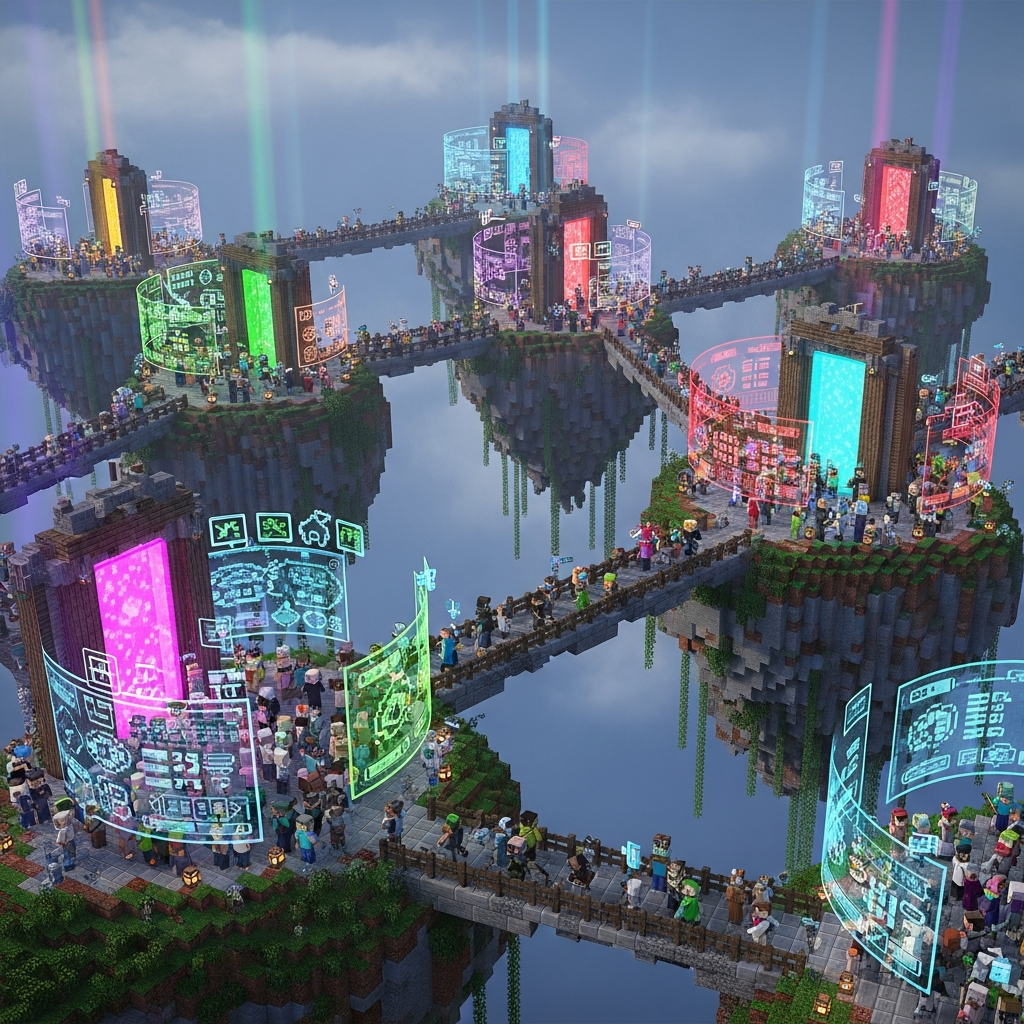
Server longevity depends on community culture. The best servers employ active moderation teams using tools like CoreProtect for rollback capabilities, LuckPerms for granular permission control, and Discord integration for seamless communication. Automated systems flag griefing, spam, and cheating while preserving legitimate player freedom.
Regular events—build competitions, treasure hunts, PvP tournaments—keep communities engaged. Successful servers maintain public roadmaps showing upcoming features, fostering transparency and player investment in the server’s future.
Top Minecraft Server Types and Their Hosting Requirements
Different gameplay styles demand specific server configurations. Understanding these requirements helps identify the best minecraft server for your preferences:
Vanilla and Lightly Modded Servers
Pure vanilla servers or those with minimal plugins (economy, teleportation, land claims) require moderate resources. A configuration with 4-8 GB RAM and 4 CPU cores handles 50-100 concurrent players comfortably. These servers prioritize the original Minecraft experience while adding quality-of-life improvements.
Hosting providers like Nexus Games offer vanilla-optimized plans starting at $4.91/month, featuring automatic backups, one-click updates, and instant server control through their custom panel.
Heavily Modded and Modpack Servers
Modpacks like FTB StoneBlock, RLCraft, or custom tech/magic combinations demand substantial resources. A 100-mod pack requires 10-16 GB RAM minimum, with 8+ CPU cores to handle complex tile entity calculations, ore generation, and cross-mod interactions.
The Ryzen 9 7950X3D’s 3D V-Cache technology provides 96 MB of L3 cache, dramatically improving performance for modded servers where rapid data access prevents tick lag. Servers running Create mod mechanical contraptions or Applied Energistics autocrafting systems particularly benefit from this architecture.
Pre-installed modpack support through the Nexus Games panel eliminates compatibility headaches. Administrators select modpacks directly from CurseForge’s 15,000+ collection, and the system handles Java version matching, library dependencies, and forge/fabric loader installation automatically.
Network/Proxy Servers (BungeeCord/Velocity)
Large server networks running multiple game modes use proxy systems to route players between backend servers. This architecture requires a central proxy server (2-4 GB RAM) coordinating 3-10 individual game servers, each with dedicated resources.
A typical network might allocate:
| Server Type | RAM | Cores | Purpose |
| Proxy (Velocity) | 2 GB | 2 | Player routing |
| Lobby Server | 4 GB | 2 | Spawn hub |
| Survival Server | 8 GB | 4 | Main gameplay |
| Creative Server | 6 GB | 3 | Building plots |
| Minigame Server | 10 GB | 6 | BedWars/SkyWars |
For networks exceeding 200 concurrent players, KVM virtualization VPS solutions provide dedicated resources without noisy neighbor interference. Nexus Games’ KVM VPS offerings guarantee allocated CPU threads and RAM remain exclusively available to your servers, preventing performance degradation during traffic spikes.
Competitive PvP and Minigame Servers
PvP-focused servers demand ultra-low latency and high tick rates. These servers limit world size, reduce entity counts, and optimize netcode to achieve consistent 20 TPS (ticks per second) even during intense combat.
Recommended specifications include:
- 6-12 GB RAM with aggressive garbage collection tuning
- 6+ high-frequency CPU cores (5+ GHz boost clocks)
- Game Anti-DDoS protection to prevent competitive sabotage
- Proximity to major internet exchange points for sub-20ms latency
The Ryzen 9 7950X3D’s per-core performance exceeds most server CPUs, making it ideal for hit registration accuracy and projectile trajectory calculations. When combined with Paper or Purpur optimized server software, these systems maintain competitive integrity even with 150+ active players.
How to Evaluate Server Quality Before Joining
Players can assess potential servers using these verification methods:
Technical Testing
Before committing time to a server, check its technical foundation:
- Ping Test: Use tools like
ping [server-ip]in command prompt to measure latency. Values below 50ms provide responsive gameplay; anything above 150ms causes noticeable delays. - Uptime History: Check server listing sites for historical uptime percentages. Servers below 95% uptime indicate infrastructure problems or poor management.
- Player Count Patterns: Servers with consistent player counts across different times indicate stable communities. Wild fluctuations suggest temporary hype or underlying issues.
- Version Support: Verify the server runs current Minecraft versions with regular updates. Servers stuck on outdated versions miss security patches and new content.
Community Assessment
Join the server’s Discord or forum to evaluate community health:
- Recent staff activity and response times to player concerns
- Clear rules documentation and enforcement consistency
- Developer changelogs showing active feature development
- Player testimonials and conflict resolution examples
Healthy communities maintain transparent communication channels, address exploits promptly, and welcome constructive feedback. Red flags include pay-to-win mechanics, absent administration, or toxic chat cultures.
Performance Benchmarking
Once connected, observe real-world performance:
- Chunk Loading: Fly rapidly in creative mode—smooth chunk generation indicates proper resource allocation
- Entity Lag: Visit populated areas with many players, mobs, or redstone contraptions. Frame drops or rubber-banding reveal server strain
- Command Responsiveness: Test commands like
/tpaor/home—delays exceeding 2 seconds indicate database or plugin inefficiencies - Combat Mechanics: If PvP-focused, verify hit registration accuracy and knockback consistency
Elite servers maintain 20 TPS under all conditions, visible through commands like /tps (if permitted). Servers consistently below 18 TPS struggle with resource management.
Building Your Own Top-Tier Minecraft Server
For communities wanting complete control, hosting your own best minecraft server requires strategic planning:
Infrastructure Selection
Choose between dedicated game server hosting or VPS solutions based on technical expertise:
Managed Game Hosting
Ideal for creators focused on content rather than server administration. Managed solutions handle:
- Automatic Java updates and security patches
- One-click mod/plugin installation
- Scheduled backups with instant restoration
- DDoS mitigation without configuration
- 24/7 technical support for server issues
Providers like Nexus Games specialize in game server optimization, pre-tuning JVM arguments, allocating ECC RAM, and maintaining infrastructure so administrators focus on community building. Plans scale from small friend groups to 500+ player networks.
VPS Self-Hosting
For experienced administrators needing maximum customization, KVM VPS hosting provides root access and dedicated resources. This approach suits:
- Multi-server networks requiring custom proxy configurations
- Experimental mod development and testing environments
- Integration with external databases or web applications
- Cost optimization for large-scale operations
KVM virtualization guarantees resources—unlike OpenVZ or shared hosting, your allocated 8 CPU cores and 32 GB RAM remain exclusively yours. The Ryzen 9 7950X3D’s core architecture means even shared physical hosts deliver consistent per-core performance.
Setup requires Linux system administration knowledge—installing Java, configuring firewalls, optimizing kernel parameters, and implementing backup solutions. However, this control enables advanced configurations impossible on managed platforms.
Software Configuration Best Practices
Server software choice significantly impacts performance:
Server Jar Options
- Paper: Optimized fork of Spigot with async chunk loading, improved mob AI, and configurable mechanics. Best for survival and minigame servers.
- Purpur: Paper fork adding gameplay tweaks and additional optimizations. Ideal for custom survival experiences.
- Fabric/Forge: Required for modded servers. Fabric offers better performance; Forge has broader mod compatibility.
- Airplane/Pufferfish: Experimental forks pushing performance boundaries for large networks.
JVM Tuning
Proper Java arguments prevent garbage collection pauses that cause lag spikes. Example optimized startup command for 10 GB allocation:
java -Xms10G -Xmx10G -XX:+UseG1GC -XX:+ParallelRefProcEnabled -XX:MaxGCPauseMillis=200 -XX:+UnlockExperimentalVMOptions -XX:+DisableExplicitGC -XX:+AlwaysPreTouch -XX:G1NewSizePercent=30 -XX:G1MaxNewSizePercent=40 -XX:G1HeapRegionSize=8M -XX:G1ReservePercent=20 -XX:G1HeapWastePercent=5 -XX:G1MixedGCCountTarget=4 -XX:InitiatingHeapOccupancyPercent=15 -XX:G1MixedGCLiveThresholdPercent=90 -XX:G1RSetUpdatingPauseTimePercent=5 -XX:SurvivorRatio=32 -XX:+PerfDisableSharedMem -XX:MaxTenuringThreshold=1 -Dusing.aikars.flags=https://mcflags.emc.gs -Daikars.new.flags=true -jar server.jar noguiThese Aikar’s flags optimize G1 garbage collection for Minecraft’s memory patterns, reducing pause frequency and duration. The Ryzen 9 7950X3D’s large cache complements these settings by keeping frequently accessed data immediately available.
Security Hardening
Protect your server investment through layered security:
- Whitelist Mode: For private servers, enable whitelist to prevent unauthorized access
- Plugin Security: Only install plugins from trusted sources. Malicious plugins can steal data or create backdoors
- Regular Backups: Implement automated hourly backups with 7-day retention. Store off-site for disaster recovery
- DDoS Protection: Use hosts with Game Anti-DDoS that analyzes traffic patterns and filters malicious packets before reaching your server
- Exploit Monitoring: Tools like Vulcan or Matrix detect and prevent hacked clients, x-ray, fly hacks, and combat cheats
Security incidents destroy server reputations. Proactive measures cost far less than recovering from compromises or griefing attacks.
The Future of Minecraft Servers in 2025 and Beyond
Server technology continues evolving alongside Minecraft updates. Key trends shaping the best minecraft server experiences:
Cross-Platform Play Optimization
With Bedrock-Java crossplay solutions maturing, servers supporting both platforms expand their player base significantly. Tools like Geyser and Floodgate enable Bedrock players to join Java servers, though performance optimization requires additional resources for protocol translation.
AI-Enhanced Content
Server administrators increasingly use AI tools for:
- Generating custom quests and storylines
- Creating unique item descriptions and lore
- Designing complex structures using schematic generation
- Moderating chat with context-aware filters
These applications reduce administrative burden while maintaining fresh content that keeps players engaged long-term.
Performance Innovations
Next-generation server software focuses on multi-threading improvements. Historically, Minecraft’s core logic runs on a single thread, limiting CPU scalability. Projects like Folia aim to distribute world processing across multiple threads, potentially allowing servers to support thousands of concurrent players on high-core-count processors like the Ryzen 9 7950X3D.
Hosting Infrastructure Advances
DDR5 RAM adoption provides 50% higher bandwidth than DDR4, improving chunk loading and player movement calculations. NVMe 2.0 drives double read/write speeds, enabling near-instant world backups without performance impact. These hardware improvements make previously impossible server scales achievable.
Regional hosting expansion also improves accessibility. Providers deploying servers in Asia-Pacific, South America, and Africa reduce latency for underserved player populations, creating truly global communities.
For creators planning long-term server projects, partnering with hosts committed to infrastructure modernization ensures your server remains competitive as technology advances. External resources like the official Minecraft Wiki provide ongoing documentation for new features requiring server-side implementation.
Conclusion
The best minecraft server in the world balances cutting-edge hardware, creative gameplay, active communities, and reliable management. Whether joining established networks or building your own, prioritize performance through Ryzen 9 7950X3D processors, DDR5 ECC RAM, NVMe storage, and Game Anti-DDoS protection. Modern hosting solutions like Nexus Games eliminate technical barriers, letting creators focus on content while maintaining enterprise-grade reliability. As Minecraft evolves, the servers that adapt, innovate, and prioritize player experience will continue defining multiplayer excellence.
FAQ
What hardware specifications should I look for in the best Minecraft server hosting?
Prioritize hosts using AMD Ryzen 9 7950X3D processors with 16 cores and 5+ GHz clock speeds, DDR5 ECC RAM (minimum 32 GB for modded servers), NVMe SSD storage for fast world loading, and 1 Gbps network bandwidth with Game Anti-DDoS protection. These specifications ensure smooth performance with 100+ concurrent players and complex mod interactions.
How do managed Minecraft hosting services differ from VPS self-hosting?
Managed hosting provides pre-configured environments with one-click mod installation, automatic backups, and 24/7 support, ideal for creators focused on community building rather than server administration. VPS hosting offers root access and complete customization but requires Linux system administration knowledge to install, secure, and optimize server software manually. Managed solutions cost slightly more but save dozens of hours in setup and maintenance.
Can I run multiple Minecraft game modes on a single server?
Yes, through BungeeCord or Velocity proxy networks that connect multiple backend servers. Each game mode (survival, creative, minigames) runs on a dedicated server instance with appropriate resource allocation, while players seamlessly transfer between them. This architecture requires a central proxy server (2-4 GB RAM) coordinating individual game servers, each needing 4-16 GB RAM depending on complexity. KVM VPS solutions or multi-server hosting plans support this configuration effectively.