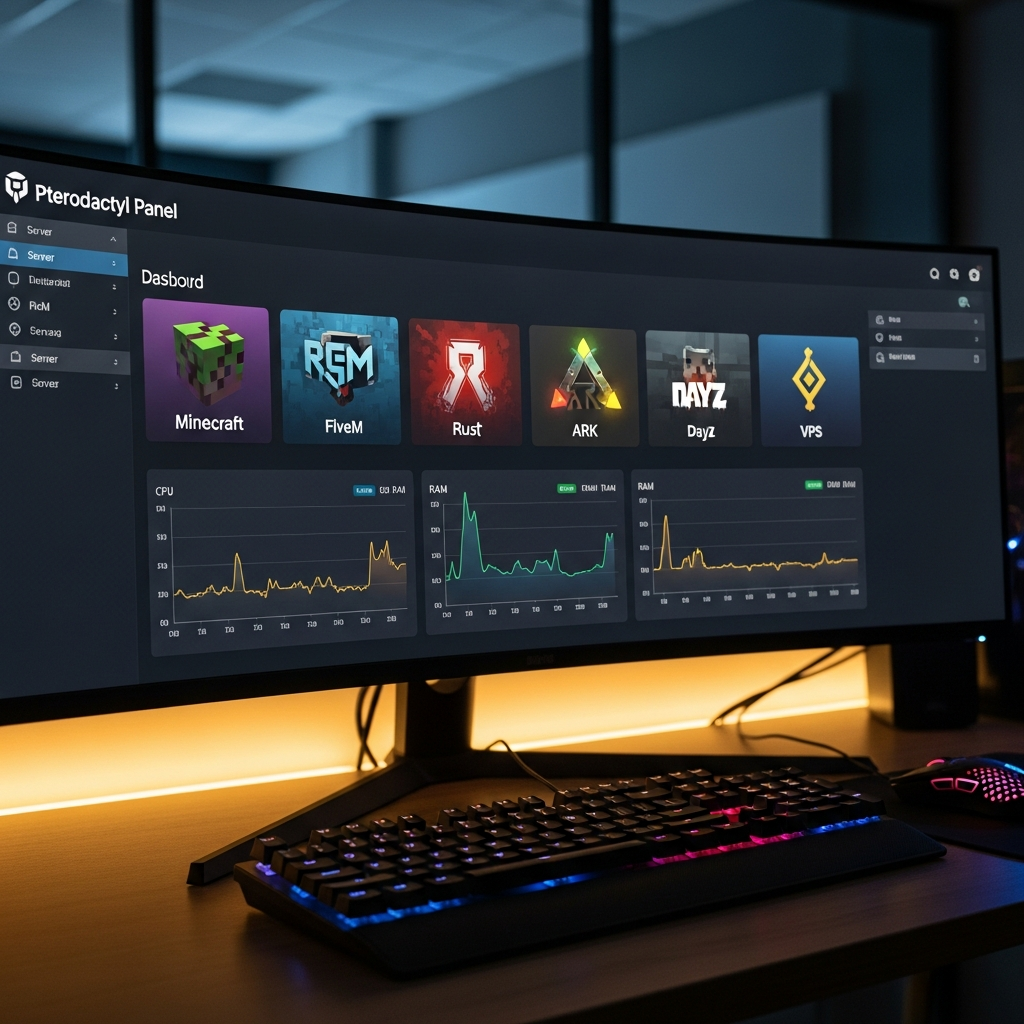
Learning how to manage multiple gaming servers with Pterodactyl is essential for admins running diverse communities or testing environments in 2025. Pterodactyl’s intuitive panel, Docker-based isolation, and multi-server orchestration let you control Minecraft, FiveM, Rust, ARK, and VPS instances from a single dashboard, reducing complexity and downtime across all your projects.
Why Pterodactyl is the Best Solution to Manage Multiple Gaming Servers
Pterodactyl stands out as the leading open-source game server management panel because it centralizes control, automates updates, and isolates each instance in its own Docker container. When you manage multiple gaming servers, legacy panels often struggle with resource contention, configuration drift, and manual file edits. Pterodactyl solves these pain points by enforcing strict separation, role-based access control, and a RESTful API that integrates with monitoring tools and Discord bots.
Core benefits of Pterodactyl for multi-server environments
- Docker isolation: Each game runs in a lightweight container with its own filesystem, preventing dependency conflicts between Java versions (Minecraft), Node.js builds (FiveM txAdmin), or Wine layers (Windows games).
- Unified dashboard: Toggle servers, view real-time CPU/RAM graphs, and manage backups without SSH or FTP juggling.
- User delegation: Create sub-users with granular permissions—moderators can restart servers but never access SFTP or database credentials.
- Egg system: Pre-built templates (called “eggs”) for Minecraft, FiveM, Rust, ARK, DayZ, and more let you spin up new servers in under a minute.
- Automatic startup: Pterodactyl Wings (the daemon) restarts crashed servers and respects boot order if you chain dependencies like a MySQL container before a web app.
Infrastructure requirements for optimal performance
To manage multiple gaming servers effectively, your hardware must handle concurrent workloads without throttling. At Nexus Games, every VPS and dedicated node uses the AMD Ryzen 9 7950X3D (16 cores, 32 threads, up to 5.7 GHz boost), paired with DDR5 ECC RAM (32–128 GB) and NVMe SSD storage. ECC memory prevents bit flips during long-running processes—critical when ARK: Survival Ascended or modded Minecraft consumes 16+ GB per instance. The 7950X3D’s 3D V-Cache accelerates single-threaded game ticks (Minecraft, Rust), while spare cores run Wings, databases, and web panels simultaneously.
| Component | Specification | Impact on Multi-Server Hosting |
| CPU | Ryzen 9 7950X3D, 16C/32T, 5.7 GHz | Handles 10+ Docker containers with headroom for burst traffic |
| RAM | DDR5 ECC, 32–128 GB | Prevents crashes under heavy mod loads; allocates 4–16 GB per server |
| Storage | NVMe Gen4 SSD | 7000+ MB/s read speeds eliminate lag during chunk generation or mod loading |
| Network | 1 Gbps unmetered, Anti-DDoS | Supports hundreds of concurrent players across all servers |
For Linux VPS hosting, choose KVM virtualization over OpenVZ—KVM guarantees dedicated CPU cycles and memory, preventing “noisy neighbor” interference when another tenant’s server spikes. Nexus Games exclusively deploys KVM for this reason, and all VPS plans include direct access to the Pterodactyl panel, so you never share control plane resources.

Step-by-Step Installation and Configuration of Pterodactyl Panel
Setting up Pterodactyl requires two components: the Panel (web interface) and Wings (node daemon). The Panel runs on a VPS or dedicated server with a LAMP/LEMP stack, while Wings runs on each physical node that hosts game servers. This architecture lets you manage multiple gaming servers across distributed locations—one Panel can orchestrate Wings daemons in North America, Europe, and Asia simultaneously.
Panel installation on Ubuntu 22.04 LTS
Begin with a fresh Ubuntu 22.04 instance. Update packages and install dependencies:
sudo apt update && sudo apt upgrade -y
sudo apt install -y software-properties-common curl apt-transport-https ca-certificates gnupg
sudo add-apt-repository ppa:ondrej/php -y
sudo apt update
sudo apt install -y php8.2 php8.2-{cli,gd,mysql,pdo,mbstring,tokenizer,bcmath,xml,fpm,curl,zip} mariadb-server nginx tar unzip git redis-server
Secure MariaDB and create the Pterodactyl database:
sudo mysql_secure_installation
sudo mysql -u root -p
CREATE DATABASE panel;
CREATE USER 'pterodactyl'@'127.0.0.1' IDENTIFIED BY 'strongpassword';
GRANT ALL PRIVILEGES ON panel.* TO 'pterodactyl'@'127.0.0.1' WITH GRANT OPTION;
FLUSH PRIVILEGES;
EXIT;
Download the latest Panel release from GitHub, extract it to /var/www/pterodactyl, and set permissions:
cd /var/www
sudo curl -Lo panel.tar.gz https://github.com/pterodactyl/panel/releases/latest/download/panel.tar.gz
sudo tar -xzvf panel.tar.gz
sudo chmod -R 755 storage/* bootstrap/cache/
Install Composer dependencies and run the setup script:
cd /var/www/pterodactyl
composer install --no-dev --optimize-autoloader
php artisan p:environment:setup
php artisan p:environment:database
php artisan migrate --seed --force
php artisan p:user:make
Configure Nginx to reverse-proxy Pterodactyl. Create /etc/nginx/sites-available/pterodactyl.conf with SSL via Let’s Encrypt:
server {
    listen 80;
    server_name panel.yourdomain.com;
    return 301 https://$server_name$request_uri;
}
server {
    listen 443 ssl http2;
    server_name panel.yourdomain.com;
    root /var/www/pterodactyl/public;
    index index.php;
    ssl_certificate /etc/letsencrypt/live/panel.yourdomain.com/fullchain.pem;
    ssl_certificate_key /etc/letsencrypt/live/panel.yourdomain.com/privkey.pem;
    location / {
        try_files $uri $uri/ /index.php?$query_string;
    }
    location ~ \.php$ {
        include snippets/fastcgi-php.conf;
        fastcgi_pass unix:/run/php/php8.2-fpm.sock;
    }
}
Enable the site and restart Nginx:
sudo ln -s /etc/nginx/sites-available/pterodactyl.conf /etc/nginx/sites-enabled/
sudo systemctl restart nginx
Wings daemon installation and node linking
On each game-hosting node, install Docker and Wings. Docker ensures every game server is isolated; Wings communicates with the Panel over TLS:
curl -sSL https://get.docker.com/ | CHANNEL=stable bash
sudo systemctl enable --now docker
sudo mkdir -p /etc/pterodactyl
curl -L -o /usr/local/bin/wings "https://github.com/pterodactyl/wings/releases/latest/download/wings_linux_amd64"
sudo chmod u+x /usr/local/bin/wings
In the Panel, navigate to Admin → Nodes → Create New. Copy the auto-generated configuration YAML and paste it into /etc/pterodactyl/config.yml on the node. Start Wings as a systemd service:
sudo wings configure --panel-url https://panel.yourdomain.com --token YOUR_TOKEN
sudo systemctl enable --now wings
Wings now pulls Docker images (Java, Node.js, Wine) and reports resource usage to the Panel every second. You can allocate CPU limits, RAM caps, and disk quotas per server in the Panel’s allocation settings.
Organizing and Scaling Your Multi-Server Setup
Once Pterodactyl is live, efficient organization is key to manage multiple gaming servers without confusion. Use server groups (via naming conventions), subusers, and schedules to automate routine tasks. For example, prefix all FiveM servers with “RP-” and ARK clusters with “ASA-Cluster-” so staff can instantly identify dependencies.
Best practices for resource allocation
- Minecraft (Vanilla/Paper): 4 GB RAM, 2 CPU cores. Add 2 GB per 50 mods (Forge/Fabric).
- FiveM: 2–4 GB RAM, 2 cores. Patreon key included with Nexus Games FiveM hosting for artifact updates.
- ARK: Survival Ascended: 12–16 GB RAM, 4 cores. Enable
-NoBattlEyefor modded clusters. - Rust: 8–10 GB RAM, 4 cores. Map size and entity count dictate peaks.
- DayZ: 4–6 GB RAM, 3 cores. Steam Workshop mods pre-installable via Panel.
- VPS (Pterodactyl-on-Pterodactyl): Nest a second Wings instance inside a KVM VPS to resell slots or isolate dev environments.
Automating backups and updates
Pterodactyl’s schedule system runs cron-like tasks without SSH. Create a backup schedule for each critical server:
Action: Create Backup
Schedule: 0 3 * * * (daily at 3 AM)
Ignored Files: *.log, cache/*
Store backups on S3-compatible object storage (AWS, Wasabi, Backblaze B2) by configuring config/backup.php in the Panel. For game updates, write a custom script that calls SteamCMD or CurseForge APIs, then trigger it via a Command schedule action:
/usr/games/steamcmd +force_install_dir /home/container +login anonymous +app_update 2430930 validate +quitThis command updates ARK: Survival Ascended (app ID 2430930) automatically. Nexus Games pre-installs SteamCMD and CurseForge integrations in every game egg, so admins can toggle mod updates in the Panel without terminal access.
Monitoring and alerting
Integrate Pterodactyl’s API with monitoring stacks like Grafana, Prometheus, or Uptime Kuma. Export metrics via Wings’ /api/servers/{id} endpoints and set alerts for:
- CPU usage > 80% sustained for 5 minutes
- RAM usage > 90% (triggers OOM killer)
- Disk I/O wait > 50 ms (indicates NVMe throttling or failing drive)
- Network saturation > 800 Mbps (potential DDoS or data leak)
Nexus Games includes Game Anti-DDoS on all plans, filtering volumetric attacks (UDP floods, SYN floods) at the network edge before traffic reaches your Wings nodes. This keeps your Pterodactyl dashboard responsive even during attacks.
Advanced Multi-Server Scenarios and Troubleshooting
When you manage multiple gaming servers at scale, edge cases emerge: cross-server chat, shared databases, mod sync, and zero-downtime migrations. Pterodactyl’s API and Docker networking enable sophisticated setups.
Cross-server communication with Redis or RabbitMQ
Run a Redis container on your Panel VPS and expose port 6379 only to Wings nodes via firewall rules. Each game server publishes events (player join, chat messages) to Redis channels; a proxy script (Node.js, Python) subscribes and broadcasts to all servers. For FiveM, use fivem-redis-chat resources; for Minecraft, BungeeCord or Velocity proxy servers handle this natively.
Shared MySQL database for cross-server economies
Create a MariaDB container in Pterodactyl with allocated port 3306. Configure each game server’s economy plugin (EssentialsX, DarkRP, etc.) to connect to the same database. Use separate table prefixes (server1_, server2_) to avoid collisions, or implement a global ledger table with server ID columns.
Zero-downtime server migrations between nodes
To move a server from Node A to Node B:
- Create a full backup via the Panel.
- Provision a new server on Node B with identical allocations.
- Restore the backup to the new server.
- Update DNS or IP forwarding to point to Node B.
- Delete the old server on Node A once players have migrated.
For live migrations with < 5 seconds downtime, use Pterodactyl's Transfer feature (experimental in v1.11+). It rsyncs files while the server runs, then shuts down, completes the sync, and starts on the new node.
Common pitfalls and solutions
| Issue | Cause | Fix |
| Wings offline, servers unreachable | Firewall blocking port 8080 (Wings API) or 2022 (SFTP) | sudo ufw allow 8080/tcpsudo ufw allow 2022/tcp |
| Server stuck in “Starting” state | Docker image pull failure or egg misconfiguration | SSH into node, run docker logs pterodactyl-{uuid}, check startup command |
| MySQL “Too many connections” | 10+ servers hitting same DB without connection pooling | Increase max_connections in my.cnf to 500; use PgBouncer/ProxySQL |
| Out-of-memory crashes on modded ARK | Allocated RAM < actual requirement | Raise allocation to 16 GB; enable swap (4 GB) as buffer |
If you encounter persistent issues, Nexus Games offers 24/7 support via ticket system and Discord, with average first-response time under 15 minutes. Our team has deployed Pterodactyl across hundreds of production nodes and can diagnose complex multi-server setups remotely.
In conclusion, mastering how to manage multiple gaming servers with Pterodactyl transforms chaotic manual administration into streamlined automation. By leveraging Docker isolation, unified dashboards, and powerful APIs, you can host diverse game communities—Minecraft, FiveM, ARK, Rust, DayZ—on robust infrastructure like the Ryzen 9 7950X3D with DDR5 ECC RAM and NVMe storage, all orchestrated from a single Panel instance.
FAQ
Can I run Pterodactyl Panel and Wings on the same physical server?
Yes, but it’s not recommended for production environments with high server counts. The Panel’s PHP processes and database queries can compete with Wings’ Docker orchestration for CPU cycles. For optimal performance when you manage multiple gaming servers, host the Panel on a dedicated VPS (2 cores, 4 GB RAM minimum) and run Wings on separate game nodes with ample resources. Nexus Games VPS plans starting at $8.26/month are ideal for the Panel role.
How do I allocate different IP addresses to each game server in Pterodactyl?
In the Panel, navigate to Admin → Nodes → Allocations and add IP:port pairs. If your node has multiple IPs (common with dedicated servers), assign one IP per game or use different ports on the same IP. When creating a server, select the desired allocation from the dropdown. For games requiring specific ports (Minecraft 25565, FiveM 30120), ensure those ports are not blocked by firewall rules or already allocated to another server.
What’s the maximum number of game servers I can manage with one Pterodactyl Panel?
Theoretically unlimited—Pterodactyl scales horizontally by adding Wings nodes. In practice, the Panel’s database and Redis cache become bottlenecks above 500 active servers. For mega-scale deployments (1000+ servers), use read replicas for MariaDB, Redis Cluster for caching, and Nginx load balancing across multiple Panel instances. Most admins comfortably manage 50–100 game servers on a single Panel with a Ryzen 9 7950X3D node, as offered by Nexus Games, without performance degradation.