Finding the best Minecraft resource pack in 2025 can transform your gaming experience from blocky simplicity into breathtaking realism or stylized beauty. With thousands of texture packs available across platforms like CurseForge, PlanetMinecraft, and official marketplaces, selecting the right pack for your playstyle, performance needs, and aesthetic preferences requires careful consideration of resolution, compatibility, and server requirements.
Understanding Minecraft Resource Packs and Their Impact
Resource packs fundamentally alter Minecraft’s visual presentation by replacing default textures, sounds, models, and occasionally interface elements. Unlike mods that change gameplay mechanics, resource packs purely enhance aesthetics while maintaining vanilla functionality. The best Minecraft resource pack for your setup depends on several technical factors.
Resolution Categories and Performance Implications
Resource packs are categorized by resolution measured in pixels per texture block. The default Minecraft texture resolution is 16×16, but modern packs range dramatically:
- 16×16 (Vanilla): Minimal performance impact, maintains classic aesthetic, ideal for older hardware
- 32×32: Subtle improvement with negligible performance cost, perfect balance for mid-range systems
- 64×64 to 128×128: Noticeable visual enhancement, requires 4-8GB RAM and dedicated GPU
- 256×256 to 512×512: Photorealistic detail, demands 16GB+ RAM, modern GPU with 6GB+ VRAM
- 1024×1024+: Ultra-HD cinema quality, requires high-end workstation specs (32GB RAM, RTX 3080+)
When hosting multiplayer servers, resource pack resolution directly impacts server performance. If you’re running a Minecraft server with AMD Ryzen 9 7950X3D processors and DDR5 ECC RAM like those offered by Nexus Games, you can confidently support high-resolution packs for multiple concurrent players without bottlenecks. The 16-core architecture handles texture streaming and chunk loading efficiently even with 512×512 packs active across 50+ players.
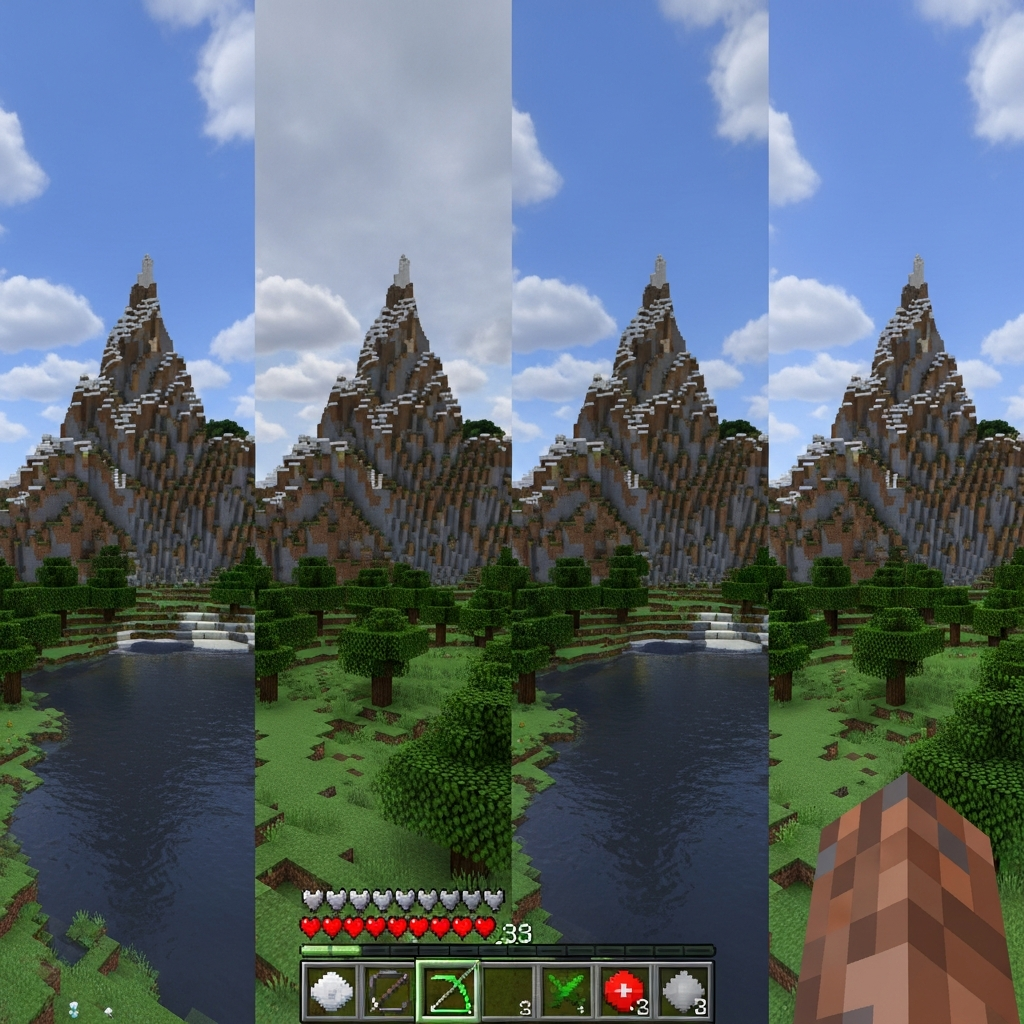
Types of Visual Styles Available
The best Minecraft resource pack category for you depends on your preferred aesthetic direction:
Realistic/Photorealistic Packs: These aim to replicate real-world materials with detailed textures, normal maps, and PBR (Physically Based Rendering) support. Popular examples include SEUS PTGI HRR Test and Stratum. These require shader support through OptiFine or Iris and substantial hardware resources. Expect 30-50% FPS reduction compared to vanilla when combined with ray-tracing shaders.
Fantasy/Stylized Packs: Packs like Mizuno’s 16 Craft and Jolicraft maintain blocky charm while adding artistic flair through color palette adjustments and subtle detail enhancements. Performance impact is minimal (0-10% FPS loss), making them excellent for community servers where player hardware varies widely.
Medieval/RPG Themed: Resource packs such as Conquest Reforged and Dokucraft transform Minecraft into fantasy kingdoms with ornate textures suited for castle builds and adventure maps. These typically run at 32×32 to 64×64 resolution with moderate performance requirements.
Modern/Futuristic: Packs like Faithful and ModernArch maintain clarity while updating textures to contemporary design standards. These are excellent for technical builders and redstone engineers who need visual clarity without sacrificing aesthetics.
Top Resource Packs for Different Use Cases in 2025
Best Overall Balanced Pack: Faithful 64×64
Faithful remains the community gold standard for balanced visual improvement. The 64×64 version quadruples default resolution while preserving vanilla design language, ensuring instant recognition of all blocks and items. This pack works seamlessly across vanilla Minecraft, Forge, Fabric, and Paper servers without conflicts.
Performance benchmarks show Faithful 64×64 reduces FPS by only 5-8% compared to default textures on mid-range systems (GTX 1660, 16GB RAM). On dedicated server hardware like the AMD Ryzen 9 7950X3D configurations used by professional Minecraft hosting providers, the pack can be server-side installed for automatic client downloads, eliminating manual installation friction for players.
Best for Photorealism: Patrix 256×256
Patrix represents the pinnacle of realistic Minecraft textures without requiring ray-tracing. At 256×256 resolution, every block features intricate detail including weathering, material depth, and subtle color variation. Stone bricks show individual cracks and mortar lines, wood planks display grain patterns and knots, and ores sparkle with mineral authenticity.
This pack demands substantial resources: minimum 16GB RAM (24GB recommended), GTX 1070 or better, and OptiFine with custom shader support. Server-side, if hosting for communities using Patrix, allocate at least 8GB RAM per 20 concurrent players to handle increased texture data transmission during initial chunk loading.
Best for Performance: Vanilla Tweaks
Vanilla Tweaks isn’t a traditional resource pack but a customizable collection of texture modifications maintaining 16×16 resolution. Players select specific enhancements—connected textures, alternative block styles, cleaner interfaces—while keeping performance identical to vanilla Minecraft.
This modular approach makes Vanilla Tweaks ideal for large community servers where player hardware varies dramatically. Server administrators can recommend specific tweak combinations that enhance aesthetics without excluding players on older laptops or budget systems.
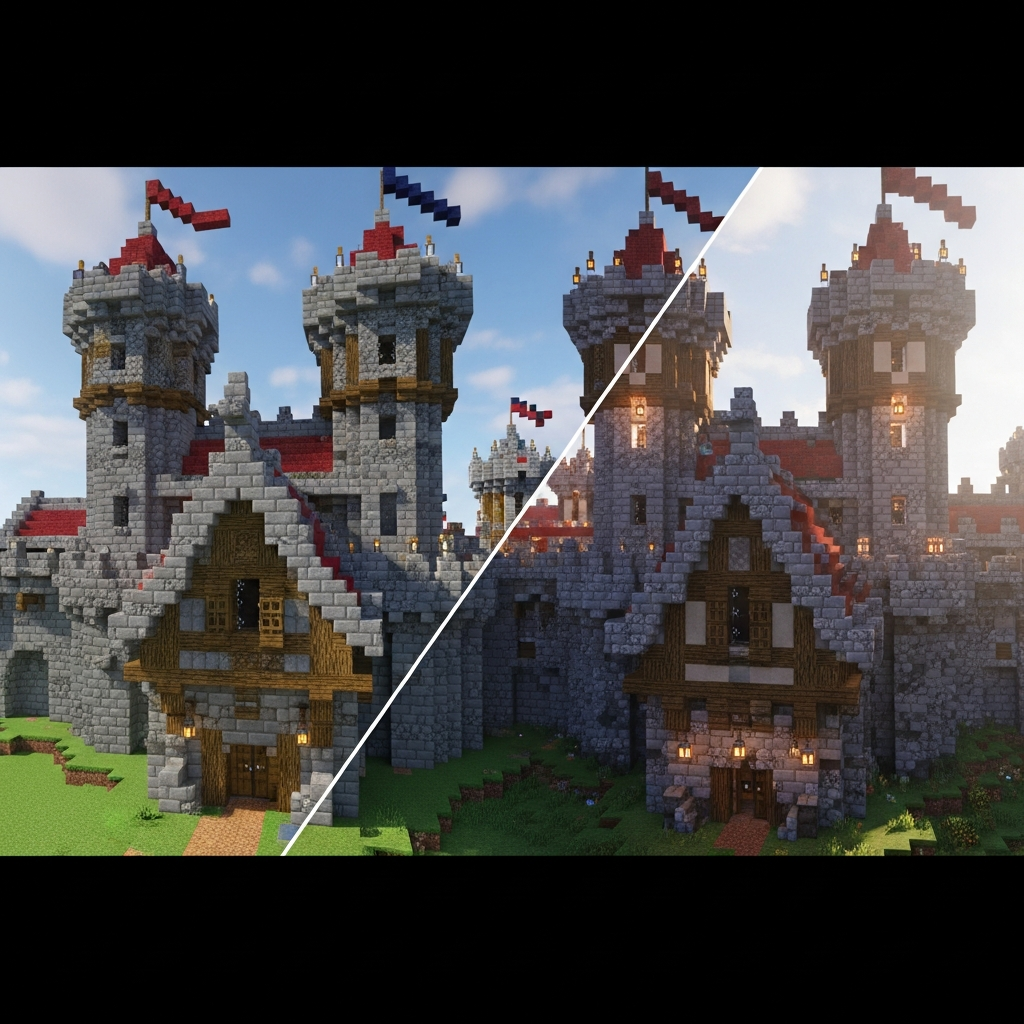
Best for Modded Minecraft: Unity
Unity by theCyanideX specifically targets modded Minecraft, providing texture consistency across 500+ popular mods including Create, Thermal Expansion, Mekanism, and Applied Energistics. Without Unity, modded servers often suffer visual fragmentation where vanilla blocks look polished but mod blocks retain default programmer art.
At 32×32 resolution, Unity balances detail with compatibility across massive modpacks containing 200+ mods. When setting up modded servers through platforms supporting one-click CurseForge modpack installation—like the Nexus Games panel system—Unity can be bundled directly into server configurations, ensuring every player experiences consistent visuals immediately upon joining.
Best for PvP: BetterVanillaBuilding
Competitive Minecraft PvP prioritizes visibility over aesthetics. BetterVanillaBuilding maintains 16×16 resolution while removing visual “noise”—grass overlay on dirt blocks, redundant details on stone, and busy wood patterns. This clarity helps players spot enemies faster in combat scenarios and identify blocks instantly during speed bridging.
Professional PvP servers and tournament organizers often mandate specific “clean” resource packs to standardize competitive conditions. The zero performance impact ensures frame-rate consistency crucial for hit registration in combat.
Best for Building: Mizuno’s 16 Craft CIT
Mizuno’s 16 Craft combines 16×16 resolution with Custom Item Textures (CIT) through OptiFine, allowing hundreds of texture variations for the same block based on naming or location. Builders can create oak planks that look aged in one area and fresh in another, or stone bricks with varied weathering patterns—all using the same block ID.
This pack is transformative for creative servers and build teams working on mega-projects. Server-side, ensure OptiFine or CIT Resewn (Fabric) is installed and communicated to players, as the pack requires these dependencies to display properly.
Technical Installation and Server Implementation
Client-Side Installation Methods
Installing resource packs on client installations follows standard procedures across launchers:
1. Download .zip file from source (CurseForge, PlanetMinecraft, official website)
2. Open Minecraft launcher → Installations → Select profile
3. Click folder icon → Open resourcepacks directory
4. Place .zip file in resourcepacks folder (do not extract)
5. Launch Minecraft → Options → Resource Packs → Select pack → Done
6. Wait for reload (10-60 seconds depending on pack size)
For high-resolution packs (256×256+), allocate additional RAM before launching. Edit your launcher profile and increase the JVM argument from default -Xmx2G to -Xmx8G or higher based on available system memory. This prevents texture loading errors and stuttering during chunk generation.
Server-Side Resource Pack Deployment
Multiplayer servers can enforce resource packs automatically when players connect. This ensures visual consistency for minigames, RPG servers, or themed communities. Configuration requires three steps:
# In server.properties file:
resource-pack=https://your-cdn-url.com/resourcepack.zip
resource-pack-sha1=PACK_HASH_HERE
require-resource-pack=true
The SHA1 hash validation prevents corrupted downloads. Generate it using online tools or command-line utilities like sha1sum on Linux systems. Setting require-resource-pack=true kicks players who decline the download, maintaining visual consistency.
Hosting the resource pack requires reliable CDN bandwidth. For servers running on infrastructure with 1 Gbps network connections—standard on modern game hosting platforms like Nexus Games—you can self-host packs up to 100MB without bandwidth concerns. Larger packs (256×256+, 500MB-2GB) benefit from dedicated CDN services like Cloudflare or BunnyCDN to prevent initial connection bottlenecks when 50+ players join simultaneously.
Compatibility with Shaders and OptiFine
The best Minecraft resource pack experience often combines textures with shader packs. Shaders handle lighting, shadows, water reflections, and atmospheric effects while resource packs provide base textures. This combination requires OptiFine (Java Edition) or render dragon engines (Bedrock Edition).
Popular shader combinations:
| Resource Pack | Recommended Shader | Performance Tier |
| Faithful 64×64 | BSL Shaders | Medium (GTX 1060+) |
| Patrix 256×256 | SEUS PTGI | High (RTX 3060+) |
| Mizuno’s 16 Craft | Complementary Shaders | Low-Medium (GTX 960+) |
| Vanilla Tweaks | Sildur’s Vibrant | Low (Integrated graphics compatible) |
Test shader-resource pack combinations on local installations before deploying server-wide. Some shader packs override specific texture features, potentially causing conflicts with custom models in resource packs.
Troubleshooting Common Issues
Players frequently encounter specific problems when implementing resource packs:
Missing Textures (Purple-Black Checkerboard): Indicates pack incompatibility with installed mods or incorrect Minecraft version. Verify the pack supports your exact game version (1.20.4, 1.21, etc.) and all active mods. Resource pack developers typically list compatible versions in descriptions.
Texture Flickering/Z-Fighting: Occurs when multiple resource packs modify the same texture. Minecraft processes packs from bottom-to-top in the resource pack menu; ensure complementary packs are ordered correctly. Disable conflicting packs or find unified alternatives like Unity for modded content.
Severe FPS Drops: High-resolution packs overwhelm VRAM on older GPUs. Monitor GPU memory usage using tools like MSI Afterburner. If VRAM exceeds 90% capacity, reduce pack resolution or disable mipmapping in video settings. Server-side, this doesn’t impact server TPS (ticks per second) but affects individual client performance.
Server Connection Timeout During Resource Pack Download: Occurs when pack exceeds 100MB and players have slow connections. Implement progressive loading by splitting packs into base textures (mandatory, 50MB) and optional HD textures (voluntary, 200MB+). Alternatively, provide direct download links via Discord or website rather than automatic server-side enforcement.
According to Minecraft’s official documentation, resource packs can include custom fonts, sounds, and language files beyond textures, offering comprehensive sensory customization for themed servers.
Optimizing Server Performance with Resource Packs
Hardware Requirements for Hosting
Server hardware directly impacts resource pack delivery performance during player connection. When players join servers with mandatory packs, the server must transmit potentially hundreds of megabytes per connection. With 50 concurrent players joining within 10 minutes (typical evening peak), bandwidth and CPU thread management become critical.
Infrastructure specifications matter significantly. Servers running on AMD Ryzen 9 7950X3D processors with 16 cores and 32 threads handle parallel pack transmissions efficiently. Each connection thread manages pack delivery independently, preventing queue bottlenecks. Combined with DDR5 ECC RAM (32GB minimum for 100-player servers with high-res packs), chunk generation and texture data caching remain smooth even during peak loads.
NVMe SSD storage provides essential read speeds for rapid texture file access. Traditional SATA SSDs (500 MB/s read) bottleneck pack delivery when multiple players request simultaneously. NVMe drives (3500+ MB/s read) eliminate this constraint, allowing instant pack transmission from server storage to network buffer.
Network Configuration Best Practices
Bandwidth allocation for resource pack servers follows predictable patterns. Calculate required bandwidth using this formula:
Required Bandwidth (Mbps) = (Pack Size in MB × 8 × Concurrent Connections) / Connection Time (seconds)Example: 150MB pack, 20 simultaneous connections, 30-second download window requires 800 Mbps sustained bandwidth. A 1 Gbps dedicated connection provides comfortable overhead for this scenario plus normal gameplay traffic.
Implement rate limiting in server configurations to prevent single connections from monopolizing bandwidth during pack downloads. Most server software supports per-connection bandwidth caps:
# In Paper server configuration
settings:
  download-limit-per-player: 8192  # KB/s per connection (8 MB/s)
This ensures fairness during high-traffic periods while maintaining reasonable download times (150MB pack = ~19 seconds at 8 MB/s).
CDN Integration for Large Packs
Resource packs exceeding 200MB benefit significantly from CDN offloading. Rather than hosting packs directly on game servers, upload to CDN providers (Cloudflare, BunnyCDN, AWS CloudFront) and reference via resource-pack URL in server properties.
CDN advantages include geographic distribution (players download from nearest edge server), unlimited concurrent connections, and cached delivery reducing origin server load to zero after initial upload. Costs remain minimal—Cloudflare offers free CDN for files up to 512MB, while BunnyCDN charges $0.01/GB for bandwidth.
Configure proper MIME types on CDN to ensure pack downloads correctly:
Content-Type: application/zip
Content-Disposition: attachment; filename="resourcepack.zip"
Improper headers cause browsers to attempt opening packs rather than downloading, confusing players and requiring manual file handling.

Modpack Integration and Automatic Installation
Servers running modded Minecraft through platforms like CurseForge or Modrinth benefit from integrated resource pack management. Modern hosting panels—such as those provided with game servers on KVM-based infrastructure—offer one-click modpack installation that can bundle resource packs directly into server configurations.
When deploying modded servers, include resource pack files in the server’s resourcepacks directory and configure launcher profiles to automatically enable them. This approach eliminates manual player configuration, reducing support requests and ensuring consistent visuals across the community.
For example, a Create-focused modded server might bundle Unity resource pack, complementary shaders configuration files, and performance optimization mods (Sodium, Lithium) into a single downloadable launcher profile. Players import the profile and launch directly into properly configured environments.
This streamlined approach is particularly effective for communities running on dedicated infrastructure with sufficient resources to pre-generate spawn chunks (3000+ block radius) with resource packs active, ensuring immediate visual consistency upon first login.
Choosing the best Minecraft resource pack for your server ultimately balances aesthetic vision, player hardware capabilities, and technical infrastructure. Whether you prioritize photorealistic immersion through ultra-HD packs on high-performance AMD Ryzen 9 servers, or maximum compatibility using optimized 32×32 textures for diverse communities, proper resource pack implementation elevates Minecraft from nostalgic blocks into visually stunning worlds. Evaluate your specific use case—creative building, competitive PvP, modded exploration, or themed roleplay—and select packs aligned with those priorities. Combine thoughtful pack selection with robust server infrastructure featuring DDR5 RAM, NVMe storage, and gigabit networking to deliver seamless experiences where visuals enhance gameplay rather than hinder performance.
FAQ
Can I use multiple resource packs simultaneously on my server?
Yes, Minecraft supports layered resource packs where textures from packs higher in the list override those below. This allows combining base texture improvements with additional interface tweaks or specific block modifications. However, ensure packs don’t conflict by modifying the same assets differently, which causes texture flickering. Test combinations locally before server deployment and consider creating merged packs for complex layer requirements to reduce client-side processing.
Do high-resolution resource packs affect server TPS (ticks per second)?
Resource packs do not directly impact server TPS since texture rendering occurs entirely client-side. However, initial pack transmission during player connection temporarily increases server CPU and bandwidth usage. On properly configured servers with multi-threaded processors like AMD Ryzen 9 7950X3D and 1 Gbps networking, this impact is negligible—typically 2-5% CPU spike per connecting player lasting 10-30 seconds. Server TPS remains stable at 20.0 throughout pack downloads when adequate resources are allocated.
How do I prevent players from disabling mandatory resource packs?
Set require-resource-pack=true in server.properties to automatically kick players who decline or fail to download the pack. For enforcement beyond initial connection, server-side plugins like “ResourcePackEnforcer” periodically verify active packs and kick players who disable them mid-session. Communicate pack requirements clearly in server rules and Discord channels, and provide troubleshooting support for legitimate download failures to minimize player frustration while maintaining visual consistency.