Building a DarkRP server Garry’s Mod community in 2025 is an exciting project that combines creative roleplaying mechanics with technical server management. This comprehensive guide walks you through every step—from initial setup to advanced customization—ensuring your DarkRP server stands out with stable performance, engaging gameplay, and a loyal player base. Whether you’re a first-time administrator or migrating from another game mode, you’ll discover the infrastructure, configuration files, and best practices needed to launch successfully.
Why Host a DarkRP Server in 2025?
DarkRP remains one of the most popular game modes in Garry’s Mod, blending sandbox freedom with structured roleplay. Players assume jobs—mayor, police officer, gangster, or custom roles—and interact within an economy-driven world. The mode’s flexibility allows server owners to craft unique experiences: realistic city simulations, chaotic crime sprees, or tightly regulated governments.
Demand for fresh DarkRP servers is steady. Veteran players seek communities with original content, balanced rules, and minimal lag. New players appreciate intuitive onboarding and active moderation. Hosting your own server gives you full control over rules, add-ons, maps, and monetization, making it both a creative outlet and a potential revenue stream through donations or VIP tiers.
Modern hosting infrastructure—like the AMD Ryzen 9 7950X3D with 16 cores, 32 threads, and clock speeds exceeding 5 GHz—ensures smooth gameplay even with 50+ simultaneous players and hundreds of active entities. Paired with DDR5 ECC RAM (32–128 GB) and NVMe SSD storage, your DarkRP server will load maps quickly, handle database queries efficiently, and minimize stutter during intense firefights or large-scale events.
Key Advantages of Dedicated DarkRP Hosting
- Customization: Install Workshop add-ons (jobs, weapons, vehicles) via an intuitive panel interface, pre-configured for Steam Workshop integration.
- Stability: Dedicated CPU threads and ECC memory prevent crashes during peak hours or script-heavy scenarios.
- Scalability: Start with 20 slots and seamlessly upgrade to 100+ as your community grows, without migrating data.
- DDoS protection: Game-specific anti-DDoS filters safeguard uptime against malicious attacks targeting Source engine servers.
- 24/7 support: Expert assistance for config edits, add-on conflicts, or MySQL optimization ensures minimal downtime.
Choosing a host aligned with these specifications—such as Nexus Games’ Garry’s Mod hosting—guarantees you won’t bottleneck on hardware when implementing advanced DarkRP features like persistent inventory systems, dynamic real-estate ownership, or procedurally generated events.

Step-by-Step: Installing and Configuring Your DarkRP Server
Setting up a DarkRP server Garry’s Mod instance involves three phases: deploying the base Garry’s Mod server, installing the DarkRP game mode, and customizing roles, jobs, and add-ons. Follow these instructions for a clean, reproducible setup.
Phase 1: Deploy the Base Garry’s Mod Server
Most modern game panels—including the Nexus Games control panel—automate this process. Select “Garry’s Mod” from your game library, allocate resources (recommend 8 GB RAM minimum for DarkRP with add-ons), and click “Install.” The panel will:
- Download the latest Source Dedicated Server binaries via SteamCMD.
- Configure default
server.cfgwith hostname, max players, and tickrate (default 66 tick). - Open necessary ports (27015 UDP/TCP by default) and apply firewall rules.
Once installed, start the server and verify connectivity by launching Garry’s Mod, opening the console (~ key), and typing:
connect YOUR_SERVER_IP:27015If you see the default Sandbox map load, your base server is operational. Stop the server before proceeding to DarkRP installation.
Phase 2: Install DarkRP Game Mode
DarkRP is distributed via the Steam Workshop. Subscribe to the official DarkRP collection (Workshop ID: 223558216) in your Steam account. Then, configure your server to auto-download Workshop content:
- Edit
garrysmod/cfg/server.cfgand add:sv_workshop_enabled 1 sv_workshop_collection_id 223558216 - Create or edit
garrysmod/gamemodes/darkrp/settings.lua(this file may not exist yet—DarkRP creates it on first load). - Restart the server. The panel or console will show “Mounting Workshop add-ons…” and download DarkRP core files.
Verify DarkRP loaded by checking garrysmod/gamemodes/darkrp/ for folders like entities, gamemode, and lua. If missing, manually download DarkRP from the official GitHub repository and extract it into garrysmod/gamemodes/.
Phase 3: Customize Jobs, Economy, and Rules
DarkRP’s appeal lies in customization. Open darkrp/gamemode/config/ and locate these key files:
| File | Purpose |
addentities.lua | Define purchasable shipments (weapons, food, props). |
addvehicles.lua | Add vehicles (default: jeep, airboat; expand with Workshop cars). |
jobrelated.lua | Create/edit jobs (salary, weapons, models, team colors). |
config.lua | Global settings: starting money, max door ownership, arrest time. |
Example: Adding a “Hitman” job with custom salary and weapons. Edit jobrelated.lua:
TEAM_HITMAN = DarkRP.createJob("Hitman", {
    color = Color(0, 0, 0, 255),
    model = "models/player/phoenix.mdl",
    description = "Accept hits, eliminate targets discreetly.",
    weapons = {"weapon_glock", "weapon_crowbar"},
    command = "hitman",
    max = 2,
    salary = 75,
    admin = 0,
    vote = false,
    hasLicense = false,
})
Save, restart the server, and the Hitman job will appear in F4 menu. Repeat for custom roles: drug dealer, hacker, corrupt cop, or faction-specific positions.
Optimizing Performance with NVMe and DDR5
DarkRP servers with 30+ add-ons can consume 12–16 GB RAM and generate thousands of I/O operations per second (especially with MySQL logs). NVMe SSDs deliver 5,000+ MB/s read speeds, eliminating map load stutters. DDR5 ECC RAM prevents memory corruption during long uptimes, critical for servers running 24/7 with dynamic Lua scripts.
Enable Source engine threading by adding to server.cfg:
host_thread_mode 2
sv_parallel_sendsnapshot 1
This leverages the Ryzen 9 7950X3D’s multi-core architecture, distributing physics calculations and network updates across threads for smoother 100-tick performance (if desired).
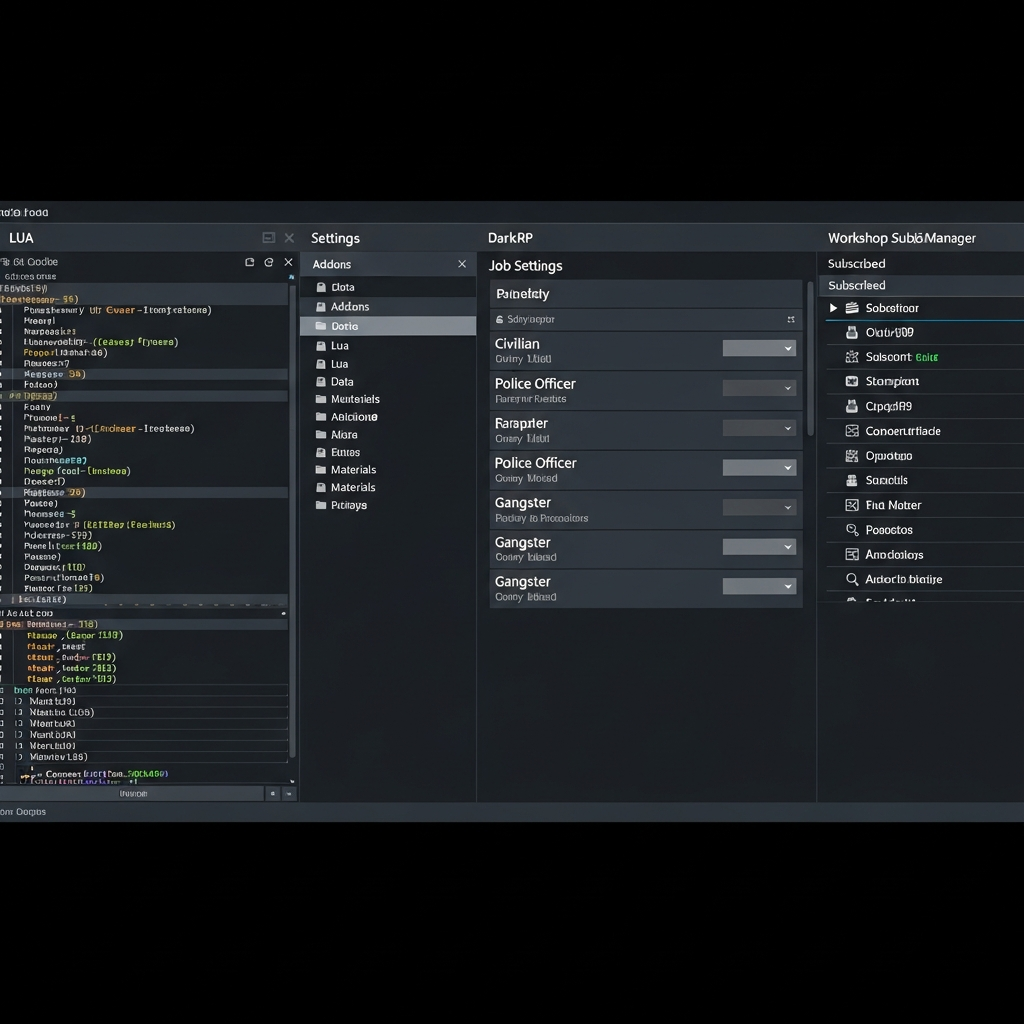
Advanced Configuration: Add-ons, Maps, and Community Management
Once your DarkRP server Garry’s Mod foundation is stable, differentiate your community with curated add-ons, custom maps, and player retention systems.
Essential DarkRP Add-ons
Browse the Steam Workshop for popular DarkRP enhancements. Recommended categories:
- M9K Weapons: Adds realistic firearms with unique stats (recoil, damage, accuracy).
- Vehicles (TDM Cars, LW Cars): Functional cars with fuel systems, requiring refueling stations and garages.
- VCMod: Advanced vehicle customization—paint, engine upgrades, sirens for police.
- PermaProps: Persist player-built structures across restarts, rewarding base-builders.
- ULX/ULib: Admin tools for kicks, bans, teleports, god mode—essential for moderation.
- Bitminers: Passive income system via in-game Bitcoin miners, adding progression depth.
Install via Workshop by subscribing on Steam, then adding collection IDs to server.cfg. Monitor resource usage—each add-on consumes RAM and CPU cycles. With 32 GB DDR5, you can comfortably run 50–80 Workshop items without lag.
Map Selection and Rotation
Maps define player experience. Popular DarkRP maps:
- rp_downtown_v4c_v2: Urban city with apartments, shops, sewers—classic DarkRP staple.
- rp_florida: Suburban setting with beaches, houses, and open roads for vehicle RP.
- rp_evocity_v33x: Large-scale metropolis, supports 64+ players with multiple districts.
- rp_rockford_v2b: Balanced size, modern buildings, optimized for mid-population servers.
Configure map rotation in cfg/mapcycle.txt:
rp_downtown_v4c_v2
rp_florida
rp_evocity_v33x
Enable auto-restart every 4–6 hours via cron jobs or panel scheduler to clear props, reset economy, and apply updates. This prevents performance degradation from accumulated entities.
Database and Persistent Data
DarkRP stores player money, jobs, and owned doors in SQLite by default. For production servers, migrate to MySQL/MariaDB for better concurrency and backup options:
- Install MySQLOO module (binary available on GitHub; place in
garrysmod/lua/bin/). - Create a database and user:
CREATE DATABASE darkrp_data; CREATE USER 'darkrp_user'@'localhost' IDENTIFIED BY 'SECURE_PASSWORD'; GRANT ALL ON darkrp_data.* TO 'darkrp_user'@'localhost'; - Edit
darkrp/gamemode/config.lua:GM.Config.MySQL = { Host = "localhost", Username = "darkrp_user", Password = "SECURE_PASSWORD", Database = "darkrp_data", Port = 3306 } - Restart; DarkRP will auto-create tables and migrate data.
Schedule daily backups via mysqldump to prevent data loss. With Nexus Games hosting, you can manage backups directly through the control panel, with automated snapshots stored on redundant NVMe arrays.
Community Engagement and Retention
Technical excellence alone won’t sustain a DarkRP server. Implement these strategies:
- Discord Integration: Use bots (e.g., GmodStore’s Discord Relay) to sync in-game chat, logs, and player counts to Discord channels.
- VIP/Donator Tiers: Offer cosmetic perks (models, trails, reserved slots) without pay-to-win advantages. Process payments via Tebex or BuyBotPro.
- Events: Host weekly bank heists, mayoral elections, or faction wars to drive engagement.
- Clear Rules: Display MOTD (Message of the Day) with
!motdcommand detailing RDM (Random Deathmatch), NLR (New Life Rule), and raid timers. - Active Moderation: Recruit trusted admins with ULX permissions; toxic environments hemorrhage players.
Track metrics—player retention, average session length, peak hours—via analytics add-ons or external tools like GameTracker. Adjust event schedules and restart times accordingly.
Troubleshooting Common DarkRP Issues
Even with high-end infrastructure like the Ryzen 9 7950X3D and DDR5 RAM, configuration errors or add-on conflicts can disrupt gameplay. Address these frequent problems:
Lua Errors on Player Join
Symptom: Console spam with [ERROR] lua/autorun/server/darkrp_init.lua:42. Cause: Outdated add-on conflicting with latest DarkRP version. Solution: Update all Workshop items, verify gamemode folder integrity, and disable add-ons one-by-one to isolate the culprit.
Players Falling Through Map
Symptom: Spawn points inside geometry or below the world. Cause: Missing map files or incorrect spawn definitions. Solution: Re-download the map, ensure .bsp, .nav, and .ain files are present. Edit darkrp/gamemode/config/addspawnpoints.lua to adjust coordinates.
Economy Inflation
Symptom: Players accumulate billions in currency, breaking progression. Cause: Exploits in money printers, bitminer yield, or job salaries. Solution: Audit addentities.lua for profit rates. Cap max money in config.lua:
GM.Config.maxMoney = 10000000Implement money sinks: taxes, expensive vehicles, limited-edition weapons.
High Server Load (>80% CPU)
Symptom: Lag spikes, delayed prop spawns. Cause: Too many active entities or unoptimized Lua hooks. Solution: Use !cleanup admin command to remove abandoned props. Limit prop count per player in config.lua:
GM.Config.maxProps = 25Review add-ons for performance: tools like gm_profiler identify script bottlenecks.
Workshop Content Not Downloading
Symptom: Players see errors or default textures. Cause: Misconfigured resource collection or Steam Workshop outage. Solution: Verify sv_workshop_collection_id is correct. Use FastDL (Fast Download) by hosting custom content on a web server, then setting:
sv_downloadurl "http://yourdomain.com/gmod/"Upload .bz2 compressed files for faster client downloads.
For persistent issues, Nexus Games’ 24/7 support team can audit logs, optimize startup parameters, or migrate your server to a less congested node if hardware contention (rare with dedicated Ryzen cores) occurs.
Building and maintaining a thriving DarkRP server Garry’s Mod community in 2025 demands a blend of technical skill, creative vision, and consistent management. By leveraging modern infrastructure—AMD Ryzen 9 7950X3D processors, DDR5 ECC memory, and NVMe storage—you ensure smooth performance even under heavy load. Thoughtful customization of jobs, economy, and add-ons differentiates your server, while proactive moderation and community engagement foster loyalty. Follow this guide to launch confidently, troubleshoot efficiently, and scale sustainably as your player base grows.
FAQ
What are the minimum server specs needed to run a stable DarkRP server with 50 players and 40+ add-ons?
Minimum 8 GB DDR5 RAM, 4 dedicated CPU threads (modern Ryzen or equivalent), and 20 GB NVMe SSD storage. However, for optimal performance—especially during events or peak hours—16 GB RAM, 8 threads (like those on the Ryzen 9 7950X3D), and DDoS protection are strongly recommended. This prevents lag spikes and ensures sub-50ms tick stability.
How do I migrate an existing DarkRP server from SQLite to MySQL without losing player data?
Install the MySQLOO module, configure config.lua with your MySQL credentials, then run the server once to auto-create tables. Use a DarkRP data migration script (available on GitHub) to export SQLite data and import into MySQL. Always backup sv.db before migrating. Test thoroughly on a staging server before switching production databases to avoid corruption.
Can I monetize my DarkRP server, and what methods comply with Garry’s Mod’s terms of service?
Yes—selling cosmetic perks (player models, chat tags, trails), VIP slots, and minor conveniences (faster spawn times, reserved slots) is allowed. Avoid pay-to-win mechanics (exclusive overpowered weapons) as they harm balance and may violate community guidelines. Use payment processors like Tebex (formerly BuyCraft) for secure transactions, and clearly disclose that purchases support server hosting, not Garry’s Mod itself.