Managed Minecraft server hosting is a specialized service where the provider handles all technical aspects—updates, security, backups, and performance optimization—allowing server owners to focus purely on building their community and gameplay experience. In 2025, this hosting model has become the gold standard for players and administrators who want professional reliability without the complexity of manual server management.
The rise of managed hosting solutions reflects the evolving expectations of the Minecraft community. As servers grow more complex with custom plugins, extensive mods via CurseForge, and larger player counts, the technical overhead becomes overwhelming for most administrators. Managed hosting bridges this gap by combining enterprise-grade infrastructure with user-friendly control panels and expert support teams available 24/7.
This guide explores what truly defines managed Minecraft server hosting in 2025, the technical advantages it provides, how to evaluate providers, and why it represents the smartest investment for serious server operators.
Core Features of Managed Minecraft Server Hosting
Managed Minecraft server hosting distinguishes itself through a comprehensive suite of automated services that eliminate manual server maintenance. Unlike traditional hosting where you receive raw resources and must configure everything yourself, managed solutions provide pre-optimized environments designed specifically for Minecraft’s unique requirements.
Automated Updates and Patch Management
One of the most time-consuming aspects of running a Minecraft server is maintaining compatibility with the latest game versions, plugin updates, and security patches. Managed hosting providers automate this entire workflow. When Mojang releases a new Minecraft version, your managed host typically deploys updates within hours, testing compatibility with your existing plugin ecosystem before applying changes.
The best managed services, like those offered at Nexus Games, provide staged update systems where you can test new versions in isolated environments before pushing them to your live server. This prevents the catastrophic downtime scenarios that often plague self-managed servers during major version transitions.
Performance Optimization at Hardware Level
Managed Minecraft hosting leverages specialized hardware configurations optimized for Java workloads. The AMD Ryzen 9 7950X3D processor, commonly deployed in premium managed solutions, features 3D V-Cache technology that dramatically improves chunk loading performance and reduces tick delays—critical factors for smooth gameplay with 50+ concurrent players.
These systems typically pair high-frequency CPUs (5 GHz and above) with DDR5 ECC RAM to prevent memory corruption during intensive operations like world generation or large-scale redstone contraptions. NVMe SSD storage ensures sub-millisecond read times for chunk data, eliminating the frustrating lag spikes players experience on slower SATA-based systems.

Integrated Backup Systems with Point-in-Time Recovery
Data loss represents an existential threat to any Minecraft community. Managed hosting providers implement multi-layered backup strategies that go far beyond simple daily snapshots. Modern solutions offer continuous backup systems that capture incremental changes every 15–30 minutes, allowing administrators to restore their world to any point in time.
These backups are stored across geographically distributed locations with redundant copies, protecting against hardware failures, data center outages, or even ransomware attacks. The best managed hosts maintain at least seven days of hourly snapshots, 30 days of daily backups, and indefinite monthly archives—all accessible through intuitive web interfaces with one-click restoration.
DDoS Protection and Network Security
In 2025, DDoS attacks targeting gaming servers have become more sophisticated and frequent. Managed Minecraft hosting includes enterprise-grade DDoS mitigation that operates at the network edge, filtering malicious traffic before it reaches your server. This protection typically handles attacks exceeding 100 Gbps—well beyond what individual server operators could afford to defend against independently.
Network infrastructures for managed hosting deploy 1 Gbps dedicated connections with burst capacity, ensuring your server maintains low latency even during traffic spikes. Providers implement intelligent rate limiting, player connection fingerprinting, and geo-blocking capabilities to prevent bot-driven attacks while maintaining legitimate player access.
Technical Advantages of Managed Solutions in 2025
The technological landscape of Minecraft hosting has evolved dramatically, and managed solutions now offer capabilities that were previously exclusive to enterprise data center operations. Understanding these technical advantages helps explain why managed hosting has become the preferred choice for serious server administrators.
One-Click Modpack Installation and Management
Managing mods and modpacks traditionally required deep technical knowledge of file structures, dependency resolution, and configuration syntax. Managed hosting platforms now integrate directly with repositories like CurseForge, allowing administrators to browse, install, and update entire modpacks through intuitive dashboards without ever touching FTP clients or command lines.
The Nexus Games panel, for example, provides a curated library of popular modpacks with automatic dependency management. When you install a modpack like “All the Mods 9” or “Create: Above and Beyond,” the system automatically allocates appropriate RAM, adjusts Java arguments for optimal performance, and configures server properties to match modpack requirements. This reduces setup time from hours to minutes and eliminates common configuration errors that cause crashes.
| Modpack Type | Recommended RAM | CPU Threads | Storage |
| Vanilla Enhanced | 4–6 GB | 2–4 | 10 GB NVMe |
| Medium Modpacks (50–100 mods) | 8–12 GB | 4–6 | 20 GB NVMe |
| Large Modpacks (150+ mods) | 16–24 GB | 6–8 | 35 GB NVMe |
| Kitchen Sink Modpacks | 32 GB+ | 8–12 | 50 GB NVMe |
Real-Time Resource Scaling
Traditional hosting requires you to predict your resource needs months in advance, often leading to over-provisioning (wasted money) or under-provisioning (poor performance). Managed hosting platforms in 2025 implement elastic scaling that adjusts resources based on actual demand.
During peak hours when your server reaches capacity, the system automatically allocates additional CPU cores and RAM from the shared pool, ensuring consistent performance without manual intervention. During off-peak hours, resources scale down to baseline levels, optimizing cost efficiency. This dynamic allocation is particularly valuable for servers with variable player counts or those running scheduled events that generate temporary load spikes.
Advanced Monitoring and Analytics
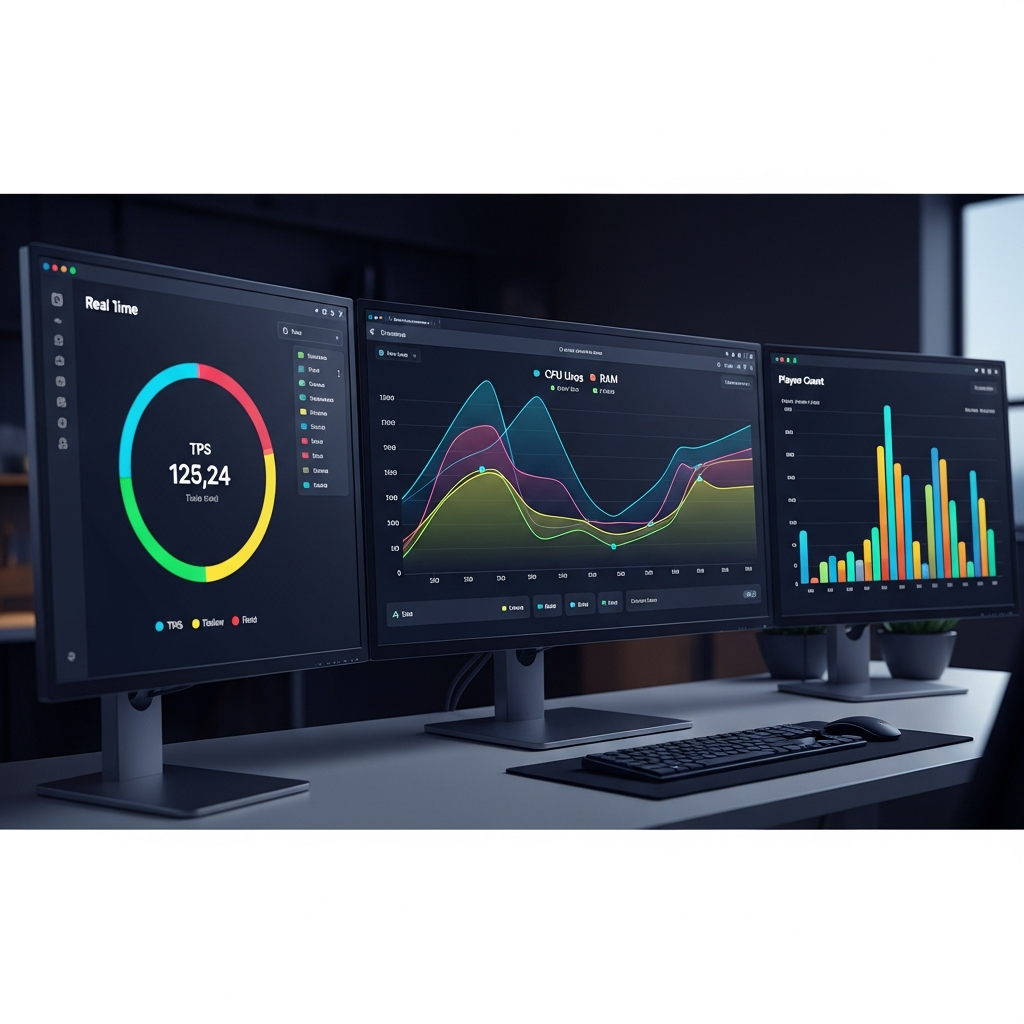
Understanding server performance requires comprehensive telemetry that tracks dozens of metrics simultaneously. Managed hosting dashboards provide real-time visualization of tick rates, chunk loading times, plugin CPU usage, memory allocation patterns, and network latency distributions.
These analytics platforms use machine learning algorithms to detect anomalies before they impact players. If a plugin begins leaking memory or a specific chunk region causes lag, the system alerts administrators with detailed diagnostic information and often suggests specific remediation steps. This proactive monitoring prevents the “server slowly degrading over weeks” scenario that plagues unmanaged servers.
Integrated Control Panel Ecosystem
The quality of the management interface fundamentally determines the user experience of managed hosting. Modern control panels like the one provided by Nexus Games consolidate file management, player administration, plugin configuration, world backups, and performance monitoring into unified dashboards accessible from any device.
Advanced panels support role-based access control, allowing you to grant trusted community members limited permissions (like viewing logs or restarting the server) without exposing critical configuration files. Mobile-responsive designs enable server management from smartphones, essential for addressing urgent issues when you’re away from your desktop.
These panels also integrate with external services like Discord bots, allowing automated notifications for server events, player joins/leaves, or performance alerts directly in your community Discord server. This integration creates seamless workflows between your game server and community platforms.
Evaluating Managed Hosting Providers: Critical Selection Criteria
Not all managed hosting services deliver equal value. The market has become crowded with providers making similar claims, making informed selection crucial for long-term server success. These evaluation criteria help distinguish truly managed solutions from basic hosting with superficial management features.
Hardware Specifications and Resource Dedication
The foundation of any hosting service is its physical infrastructure. Premium managed providers deploy latest-generation hardware specifically chosen for Minecraft’s computational profile. The AMD Ryzen 9 7950X3D stands out due to its 3D V-Cache technology, which provides 96 MB of L3 cache—critical for reducing memory latency during chunk operations.
Equally important is whether resources are truly dedicated or oversold. Managed hosting should guarantee resource allocation, meaning your allocated 8 GB RAM and 4 CPU cores remain available regardless of other tenants’ activity on the physical host. KVM virtualization technology ensures this isolation, preventing the “noisy neighbor” problem where another server’s resource spike degrades your performance.
DDR5 ECC memory represents another quality indicator. ECC (Error-Correcting Code) automatically detects and corrects memory corruption, preventing the mysterious crashes that sometimes plague servers running on consumer-grade RAM. For a 24/7 service hosting valuable community data, this reliability feature is non-negotiable.
Support Quality and Response Times
Technical support quality distinguishes excellent managed hosting from mediocre services. Evaluate providers based on support availability (24/7 coverage across time zones), average response times (under 15 minutes for critical issues), and staff expertise (administrators who understand Minecraft architecture, not just generic hosting support).
The best indicator of support quality is whether the team proactively monitors your server and contacts you about potential issues before they escalate. A provider that notices your TPS degrading and suggests plugin optimizations demonstrates genuine management, not just reactive troubleshooting.
Review platforms and community forums provide valuable insights into real support experiences. Look for patterns in how providers handle complex technical issues, data recovery scenarios, and billing disputes. Established providers with years of Minecraft-specific experience typically deliver superior support compared to general gaming hosts that support dozens of different games superficially.
Pricing Transparency and Scalability Paths
Managed hosting pricing should align with delivered value while providing clear upgrade paths as your community grows. Entry-level Minecraft servers starting around $4.91/month typically provide sufficient resources for vanilla servers with 10–20 players, but understanding the cost trajectory for scaling is essential.
Transparent providers publish detailed pricing tiers showing exactly what resources you receive at each level. Hidden fees for backups, DDoS protection, or support tickets indicate predatory pricing models. The best managed hosts include these features as standard components of their service.
For reference, a well-managed server supporting 50 concurrent players on a medium modpack typically requires 12–16 GB RAM, 6 CPU cores, and 25 GB NVMe storage—costs should range between $15–$25/month for this configuration when using optimized infrastructure like the Ryzen 9 7950X3D platform.
Geographic Server Locations and Network Quality
Server location directly impacts latency for your player base. Quality managed hosts operate data centers in multiple regions (North America, Europe, Asia-Pacific) with sub-10ms latency to major internet exchange points. If your community concentrates in specific geographic areas, selecting the nearest data center location reduces ping times by 30–60ms compared to distant facilities.
Network quality extends beyond location to include peering arrangements with major ISPs. Premium providers maintain direct peering relationships with networks like Comcast, AT&T, Deutsche Telekom, and others, ensuring optimal routing paths. This results in lower latency and fewer packet loss incidents compared to providers relying on generic transit connections.
The 1 Gbps network connections standard in managed hosting provide headroom for 200+ concurrent players with extensive plugin ecosystems, assuming proper server optimization. This bandwidth also accelerates backup transfers and world downloads, reducing maintenance windows.
Migration Strategies and Getting Started
Transitioning to managed Minecraft server hosting from self-hosted or basic hosting requires planning to ensure zero data loss and minimal downtime. Modern managed providers offer comprehensive migration assistance, but understanding the process helps ensure smooth transitions.
Pre-Migration Assessment
Before initiating migration, audit your current server configuration. Document installed plugins, custom configurations, resource pack requirements, and any modifications to core game files. Export your current world data, plugin configurations, and player data (including UUIDs, inventories, and economy data if using those plugins).
Verify compatibility between your current setup and the managed host’s environment. Most managed providers run the latest LTS (Long Term Support) Java versions optimized for Minecraft. If you’re running custom Java arguments or relying on deprecated plugins, identify alternatives before migration.
The Migration Process
Reputable managed hosting providers offer free migration services where their technical teams handle the entire transfer. This typically involves:
- Initial consultation: Reviewing your current setup and determining optimal configuration on the managed platform
- World data transfer: Secure upload of world files, plugins, and configurations to your new managed server
- Testing environment: Verifying server functionality in a staging environment before going live
- DNS/IP transition: Coordinating the switch to minimize player disruption (often under 5 minutes of downtime)
- Post-migration optimization: Fine-tuning performance settings based on your specific usage patterns
For administrators preferring self-migration, managed control panels provide FTP/SFTP access and web-based file managers. Upload your world folder, restore plugin .jar files, and copy configuration files to their respective directories. Most managed platforms automatically detect Minecraft server files and configure appropriate startup parameters.
Post-Migration Optimization
After migration, leverage your managed host’s optimization features. Review the automatically generated server.properties settings—managed hosts typically configure optimal values for view-distance, entity-activation-range, and network-compression-threshold based on your allocated resources.
Enable the backup schedule immediately, configuring retention policies that balance data safety with storage costs. Set up monitoring alerts for resource thresholds (like 80% RAM usage or TPS dropping below 18) to receive proactive notifications about performance degradation.
Configure any integrated services like Discord bot connections, web-based maps, or economy plugins that interface with external systems. Many managed hosts provide detailed documentation for these integrations through their knowledge bases.
According to Minecraft Wiki, proper server configuration can improve performance by 40–60% compared to default settings, and managed hosting providers apply these optimizations automatically.
For comprehensive managed hosting solutions that include all these features with hardware powered by AMD Ryzen 9 7950X3D processors and DDR5 ECC RAM, explore the offerings at Nexus Games, where managed Minecraft hosting includes one-click modpack installation, automated backups, and 24/7 expert support.
Conclusion
Managed Minecraft server hosting in 2025 represents the convergence of powerful hardware, intelligent automation, and expert operational support. By offloading technical complexity to specialized providers, server administrators gain reliable performance, comprehensive security, and the freedom to focus on community building rather than troubleshooting configuration files. Whether launching a new community or migrating an established server, managed hosting delivers professional-grade infrastructure with user-friendly controls at accessible price points.
FAQ
What’s the difference between managed and unmanaged Minecraft hosting?
Managed hosting includes automated updates, backup management, security monitoring, DDoS protection, and 24/7 technical support as part of the service. Unmanaged hosting provides raw server resources but requires you to handle all configuration, maintenance, security patches, and troubleshooting independently. Managed solutions cost slightly more but eliminate the need for technical expertise and save dozens of hours monthly on server administration tasks.
Can I install custom plugins and mods with managed Minecraft hosting?
Yes, managed hosting fully supports custom plugins and mods. Premium managed services like Nexus Games provide one-click installation for popular CurseForge modpacks while also allowing manual plugin uploads via FTP or web-based file managers. The managed aspect handles compatibility checking, automatic updates for installed mods, and performance optimization for your specific plugin configuration, giving you customization freedom with professional maintenance.
How do managed hosts handle server backups and disaster recovery?
Managed Minecraft hosting implements automated backup schedules capturing incremental changes every 15–30 minutes with retention policies typically spanning 7 days of hourly snapshots and 30 days of daily backups. These backups are stored across geographically distributed locations with redundant copies. One-click restoration through the control panel allows you to recover your world to any captured point in time, protecting against griefing, corrupted worlds, or accidental deletions with recovery times under 10 minutes.