A modded Minecraft server is a multiplayer Minecraft environment enhanced with community-created modifications that introduce new gameplay mechanics, items, creatures, dimensions, and features beyond vanilla Minecraft. In 2025, modded servers remain the cornerstone of creative multiplayer experiences, offering everything from tech-focused automation to magic-based adventures, all powered by robust server infrastructure and modern hosting solutions.
Understanding Modded Minecraft Servers in 2025
A modded Minecraft server operates on specialized server software—primarily Forge, NeoForge, or Fabric—that allows server administrators to load Java-based modifications. Unlike plugins (which modify server behavior without changing the client), mods alter the game itself, requiring all connecting players to install the same mod files and versions.
Modern modded servers typically fall into three categories:
- Modpack servers: Curated collections of dozens or hundreds of mods designed to work together, often distributed via CurseForge or Modrinth
- Custom modded servers: Hand-picked mod combinations tailored to specific community preferences
- Kitchen-sink servers: Massive modpacks containing 200+ mods covering tech, magic, exploration, and building
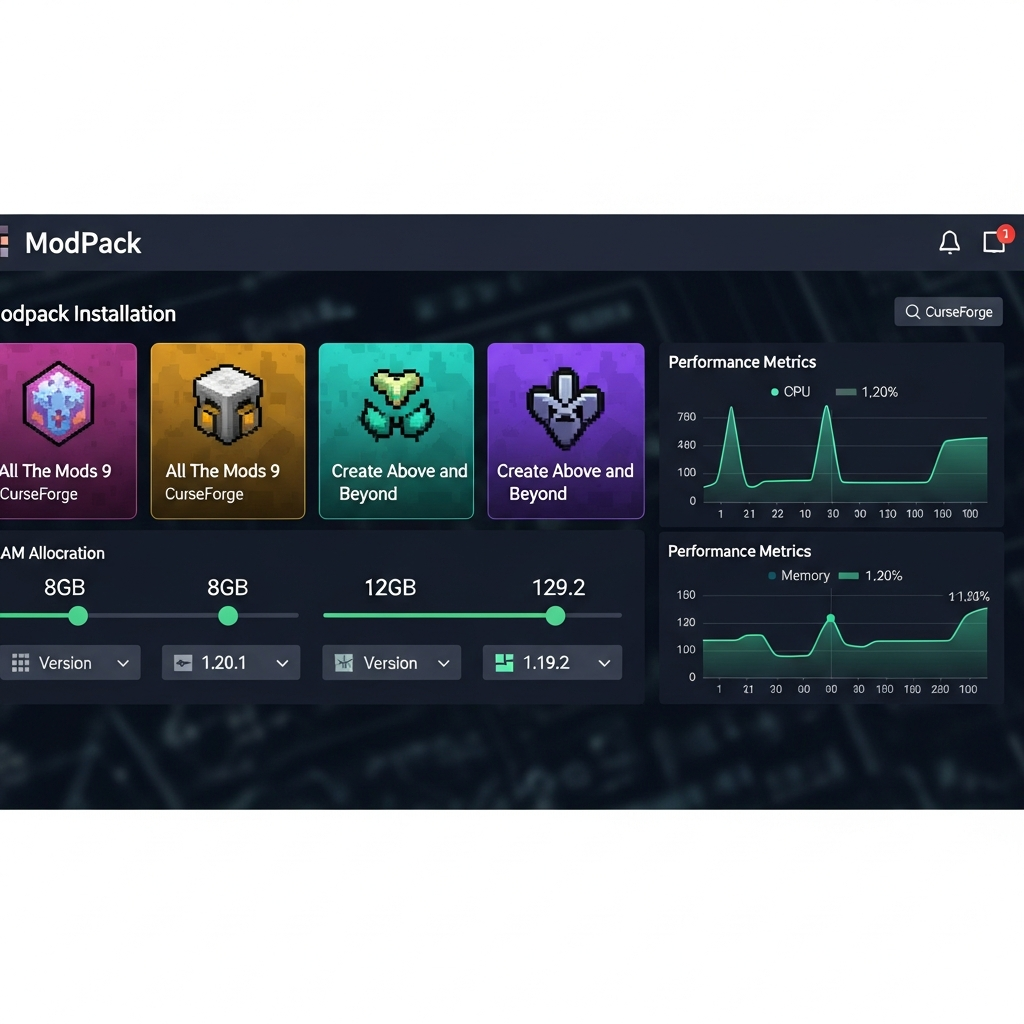
In 2025, the most popular modpacks include All The Mods 9, Create: Above and Beyond, FTB Inferno, and Vault Hunters 3. Each offers unique progression systems, with some focusing on automation and resource processing while others emphasize exploration and combat.
The server-side performance of a modded Minecraft server depends heavily on CPU single-thread performance, RAM allocation, and storage speed. A processor like the AMD Ryzen 9 7950X3D with its 16 cores and 5.7 GHz boost frequency delivers exceptional performance for both world generation and tick processing. When hosting modded servers, DDR5 ECC RAM becomes critical—allocating 8–16 GB for smaller packs and 16–32 GB for larger modpacks ensures smooth chunk loading and entity processing.
Key Differences Between Vanilla and Modded Servers
| Aspect | Vanilla Server | Modded Server |
| Server Software | Paper, Spigot, Vanilla | Forge, NeoForge, Fabric |
| Client Requirement | Standard Minecraft launcher | Modded launcher (CurseForge, Prism, ATLauncher) |
| RAM Requirements | 2–6 GB | 8–32 GB |
| CPU Load | Moderate | High (especially world gen) |
| Storage Speed | HDD acceptable | NVMe SSD strongly recommended |
How to Set Up and Configure a Modded Minecraft Server
Launching a modded Minecraft server requires careful planning and technical configuration. The process differs significantly from vanilla server setup, with additional steps for mod loader installation, client synchronization, and performance optimization.
Step 1: Choosing Your Server Infrastructure
For modded Minecraft hosting in 2025, dedicated game server hosting outperforms shared or budget solutions. A server powered by an AMD Ryzen 9 7950X3D processor provides the single-thread performance essential for Minecraft’s tick processing, while DDR5 ECC RAM ensures data integrity during intensive chunk operations and mod calculations.
Storage is equally critical—NVMe SSD drives reduce world loading times from minutes to seconds, especially with dimension-heavy modpacks. Network infrastructure should include 1 Gbps connectivity and game-specific anti-DDoS protection to maintain stability during player surges or attacks.
Managed hosting solutions like Nexus Games Minecraft hosting offer pre-configured mod loader installations, one-click modpack deployment from CurseForge, and automated backup systems—eliminating hours of manual configuration.
Step 2: Installing the Mod Loader
The mod loader serves as the bridge between vanilla Minecraft and your chosen modifications. In 2025, three primary options exist:
- Forge: The traditional standard, supporting the vast majority of legacy and current mods
- NeoForge: A modern fork of Forge with improved performance and updated codebase
- Fabric: Lightweight and fast, preferred for performance-focused and vanilla-plus modpacks
Manual installation requires downloading the installer JAR from the official source, executing it to generate server files, and editing the start.sh or start.bat script to allocate appropriate memory:
java -Xms12G -Xmx12G -XX:+UseG1GC -XX:+ParallelRefProcEnabled -XX:MaxGCPauseMillis=200 -jar forge-server.jar noguiThis command allocates 12 GB RAM with optimized garbage collection flags. For larger modpacks (150+ mods), increase both -Xms and -Xmx values to 16–24 GB depending on player count and world size.
Step 3: Deploying Your Modpack
The simplest approach in 2025 is using pre-configured modpacks from CurseForge or Modrinth. These platforms provide server download packages containing all required mods, configuration files, and scripts. Simply extract the server files, accept the EULA, and launch.
For custom mod configurations, ensure version compatibility across all mods and their dependencies. Tools like Packwiz or CurseForge’s modpack creator automate dependency resolution and version checking.
Advanced hosts provide integrated modpack installers directly in their control panels. The Nexus Games panel, for instance, allows administrators to browse, select, and deploy CurseForge modpacks with a single click, automatically configuring RAM allocation and startup parameters based on pack requirements.
Step 4: Client-Server Synchronization
All players must use identical mod versions and configurations. Distribute your modpack via:
- CurseForge: Upload as a public or private pack; players install via CurseForge launcher
- Direct download: Host a ZIP file containing mods folder and profile JSON for manual installation
- Technic/FTB launchers: For legacy packs or specific communities
Include a detailed README.txt with Java version requirements (Java 17+ for Minecraft 1.18+, Java 21 for 1.20.5+), RAM allocation recommendations (minimum 6 GB client-side for large packs), and any custom configuration instructions.
Popular Modded Server Types and Their Requirements
Different modpack genres demand varying hardware and configuration approaches. Understanding these requirements ensures optimal performance and player experience.
Tech-Focused Modpacks
Packs centered around Create, Mekanism, Industrial Foregoing, and Applied Energistics 2 emphasize automation, resource processing, and complex machinery. These generate significant server load from:
- Hundreds of tile entities (machines, pipes, cables)
- Complex item routing and autocrafting calculations
- Multi-block structure validation every tick
Recommended specs: 16 GB RAM minimum, high single-thread CPU (5+ GHz), NVMe storage. Limit chunk loading to reduce tile entity count in unloaded areas.
Magic and Adventure Modpacks
Packs featuring Ars Nouveau, Botania, Forbidden & Arcanus, and exploration mods like Alex’s Mobs and Biomes O’ Plenty stress world generation and entity AI:
- Custom world generation with dozens of biomes
- Hundreds of new mob types with complex AI
- Spell effects and particle systems
Recommended specs: 12–16 GB RAM, fast storage for world gen, aggressive entity AI optimization via mods like AI Improvements and Clumps (XP orb merging).
Kitchen-Sink Modpacks
All-inclusive packs (200+ mods) combining tech, magic, building, exploration, and questing systems. Examples include All The Mods 9, Enigmatica 9, and FTB Ultimate Anniversary.
These represent the highest performance tier, requiring:
- 24–32 GB RAM allocation
- 16-thread processors (Ryzen 9 7950X3D ideal)
- Aggressive startup flag optimization
- Regular world pruning and backup cycling
For multiplayer communities, consider implementing claim protection via FTB Chunks or similar to prevent lag-inducing machine sprawl in unprotected areas.
Performance Optimization Techniques
Even on high-end hardware, modded servers benefit from optimization mods and configuration tweaks:
- Server-side optimization mods: ServerCore, ModernFix, Radium (Forge port of Lithium), Pluto (Forge performance mod)
- View distance reduction: Lower from 10 to 6–8 chunks; players rarely notice the difference
- Entity culling: Mods like Entity Culling prevent rendering entities outside player FOV
- Pregeneration: Use Chunky mod to pregenerate spawn area (5000–10000 block radius) before players join
- Scheduled restarts: Restart server every 12–24 hours to clear memory leaks common in Java applications
The Nexus Games control panel includes integrated performance monitoring, displaying real-time TPS (ticks per second), RAM usage, and CPU load. When TPS drops below 20 (optimal), administrators receive alerts and can adjust configurations or identify problematic chunks via built-in profiling tools.
Advanced Modded Server Management
Running a successful modded Minecraft server extends beyond initial setup, requiring ongoing maintenance, community management, and technical troubleshooting.
Backup and Recovery Systems
Modded servers contain thousands of hours of player progress across complex mod systems. Implement automated backup schedules:
- Hourly incremental backups: Capture world changes without full copies
- Daily full backups: Complete world, player data, and configuration archives
- Weekly off-site backups: Store copies in separate geographic locations
Hosting providers with managed backup systems, like Nexus Games, automate this process entirely, storing up to 30 days of rolling backups with one-click restoration via the control panel.
Mod Compatibility and Updates
Minecraft mod ecosystems evolve rapidly. Major challenges include:
- Version fragmentation: Mods update at different rates; not all support latest Minecraft versions simultaneously
- Breaking changes: Mod updates sometimes alter recipes, remove items, or change world generation
- Dependency hell: Complex chains where Mod A requires specific version of Mod B which conflicts with Mod C
Best practices for updates:
- Test all updates on a development server with copied world data
- Read changelogs for breaking changes before applying
- Announce update schedules to players with sufficient warning
- Maintain previous version backups for 7+ days post-update
Security and Access Control
Modded servers face unique security considerations beyond vanilla Minecraft:
- Whitelist enforcement: Essential for preventing griefing in complex modded environments
- Permission systems: LuckPerms (works with Forge via Sponge) for granular command and feature access
- Item restrictions: Blacklist game-breaking items (chunk loaders in claims, dimension-creating items, lag-inducing machines)
- Anti-cheat compatibility: Many anti-cheat plugins conflict with mod mechanics; test thoroughly
For technical resources on mod security and server configuration, the official Forge documentation provides comprehensive guides covering server setup, mod development, and troubleshooting procedures.
Community Building and Player Engagement
Successful modded servers cultivate active communities through:
- Quest systems: FTB Quests or HQM provide guided progression and goals
- Economy integration: Shops, trade systems, and currency using mods like LightmansCurrency
- Community events: Building contests, boss raids, dimension exploration parties
- Discord integration: Chat bridges, server status bots, and community forums
The most thriving modded servers balance technical excellence with social engagement, creating ecosystems where players return not just for the mods but for the community itself.
Conclusion
A modded Minecraft server transforms the vanilla game into limitless possibilities through community-created modifications, requiring robust hosting infrastructure, careful configuration, and ongoing management. With processors like the AMD Ryzen 9 7950X3D, DDR5 ECC RAM, and NVMe storage, modern hosting solutions deliver the performance necessary for complex modpacks with hundreds of players. Whether deploying tech-focused automation networks or magic-infused adventure worlds, success depends on choosing appropriate hardware, optimizing configurations, and fostering engaged communities around shared creative experiences.
FAQ
How much RAM should I allocate to a modded Minecraft server in 2025?
RAM allocation depends on modpack size and player count. Small modpacks (50–100 mods) require 8–12 GB for up to 10 players. Medium packs (100–150 mods) need 12–16 GB for 10–20 players. Large kitchen-sink packs (200+ mods) demand 20–32 GB for stable performance with 20+ concurrent players. Always allocate at least 2 GB more than the modpack’s minimum recommendation to handle chunk generation spikes and prevent out-of-memory crashes.
Can I add or remove mods from an existing modded server without corrupting the world?
Adding mods mid-game is generally safe, though new content won’t appear in already-generated chunks (requiring players to explore new areas). Removing mods is more dangerous—if removed mods added blocks, items, or entities to the world, deletion causes “missing registry entries” errors and potential chunk corruption. Always create full world backups before modifying mod lists, test changes on a copy first, and use tools like WorldEdit to remove problematic blocks if corruption occurs.
What’s the difference between Forge and Fabric for modded servers?
Forge is the established mod loader supporting the vast majority of mods, especially large content packs, tech mods, and magic systems. It provides extensive APIs but carries more overhead. Fabric is a lightweight alternative prioritizing performance and rapid updates, preferred for vanilla-plus packs and performance-focused servers. NeoForge (2024+) is a modern Forge fork with improved code and performance. Choose based on your desired mods—check mod pages for loader compatibility, as most mods support only one loader type.