If you’re looking to create DayZ RP server infrastructure in 2025, you’re stepping into one of the most immersive and rewarding roleplay communities in survival gaming. This guide walks you through every technical step—from hardware requirements and server software installation to configuring roleplay-specific mods and settings—ensuring your DayZ roleplay server delivers stability, performance, and an unforgettable player experience.
Why Create a DayZ RP Server in 2025?
DayZ roleplay servers have evolved dramatically over the past few years. Unlike vanilla survival servers, RP servers emphasize character-driven storytelling, faction dynamics, and community rules that govern player interactions. In 2025, the demand for high-quality DayZ RP experiences continues to grow, with players seeking servers that offer stable performance, active moderation, and rich narrative environments.
Creating a DayZ RP server allows you to build a unique community where players immerse themselves in post-apocalyptic scenarios, form factions, establish safe zones, and engage in meaningful interactions. However, success hinges on proper server infrastructure, careful mod selection, and clear roleplay guidelines that foster engagement without compromising server stability.
Key Benefits of Hosting Your Own DayZ RP Server
- Full Control: Define your own roleplay rules, faction structures, and whitelist criteria
- Performance Optimization: Allocate resources specifically for RP-heavy scripts and custom zones
- Community Building: Foster a dedicated player base around your narrative and server culture
- Mod Flexibility: Install roleplay-enhancing mods like trader systems, base building extensions, and custom clothing
To achieve these goals, you’ll need robust hardware and a hosting solution designed for DayZ’s demanding server requirements. Nexus Games provides AMD Ryzen 9 7950X3D processors (16 cores / 32 threads, up to 5.7 GHz), DDR5 ECC RAM (32–128 GB), and NVMe SSD storage—ideal specifications for handling multiple simultaneous RP events, large player counts, and extensive mod libraries.
Step 1: Choose the Right Server Infrastructure to Create DayZ RP Server
Before you can create DayZ RP server content, you need a foundation capable of supporting roleplay-specific demands. DayZ servers require significant CPU power for AI management, physics calculations, and mod execution. RP servers amplify these needs because of additional scripts for faction systems, economy plugins, and custom events.
Recommended Hardware Specifications
| Component | Minimum (10–20 players) | Recommended (40–60 players) |
| Processor | AMD Ryzen 9 7950X3D (8 cores) | AMD Ryzen 9 7950X3D (16 cores) |
| RAM | 32 GB DDR5 ECC | 64–128 GB DDR5 ECC |
| Storage | 100 GB NVMe SSD | 250+ GB NVMe SSD |
| Network | 1 Gbps | 1 Gbps with DDoS protection |
Nexus Games’ DayZ server hosting packages start at $4.91/month and include these exact specifications, plus Game Anti-DDoS protection and 24/7 support—critical for maintaining uptime during peak RP events.
Why Use Dedicated Resources for RP Servers
Roleplay servers often run dozens of mods simultaneously—trader systems, extended base building, custom clothing, faction management tools, and event scripts. Shared hosting environments can throttle performance when multiple services compete for resources. Nexus Games uses KVM virtualization for VPS offerings, ensuring your DayZ RP server receives dedicated CPU cores and RAM allocation without interference from neighboring services.

Step 2: Install and Configure DayZ Server Software
Once your infrastructure is ready, the next phase to create DayZ RP server functionality involves installing the DayZ Server software and configuring it for roleplay-specific parameters. This process varies slightly depending on whether you’re running Windows or Linux.
Windows Server Installation
Most DayZ RP servers run on Windows Server environments due to compatibility with popular management tools and mod installers. Here’s the streamlined installation process:
1. Install SteamCMD
   Download SteamCMD from Valve's official site
   Extract to C:\SteamCMD\

2. Download DayZ Server Files
   C:\SteamCMD\steamcmd.exe +login anonymous +force_install_dir C:\DayZServer +app_update 223350 validate +quit

3. Configure server.cfg
   Copy serverDZ.cfg template to C:\DayZServer\
   Edit parameters: hostname, password, maxPlayers, loginQueueConcurrentPlayers

4. Launch Server
   C:\DayZServer\DayZServer_x64.exe -config=serverDZ.cfg -port=2302 -profiles=ServerProfiles -dologs -adminlog -netlog -freezecheck
Essential serverDZ.cfg Parameters for RP Servers
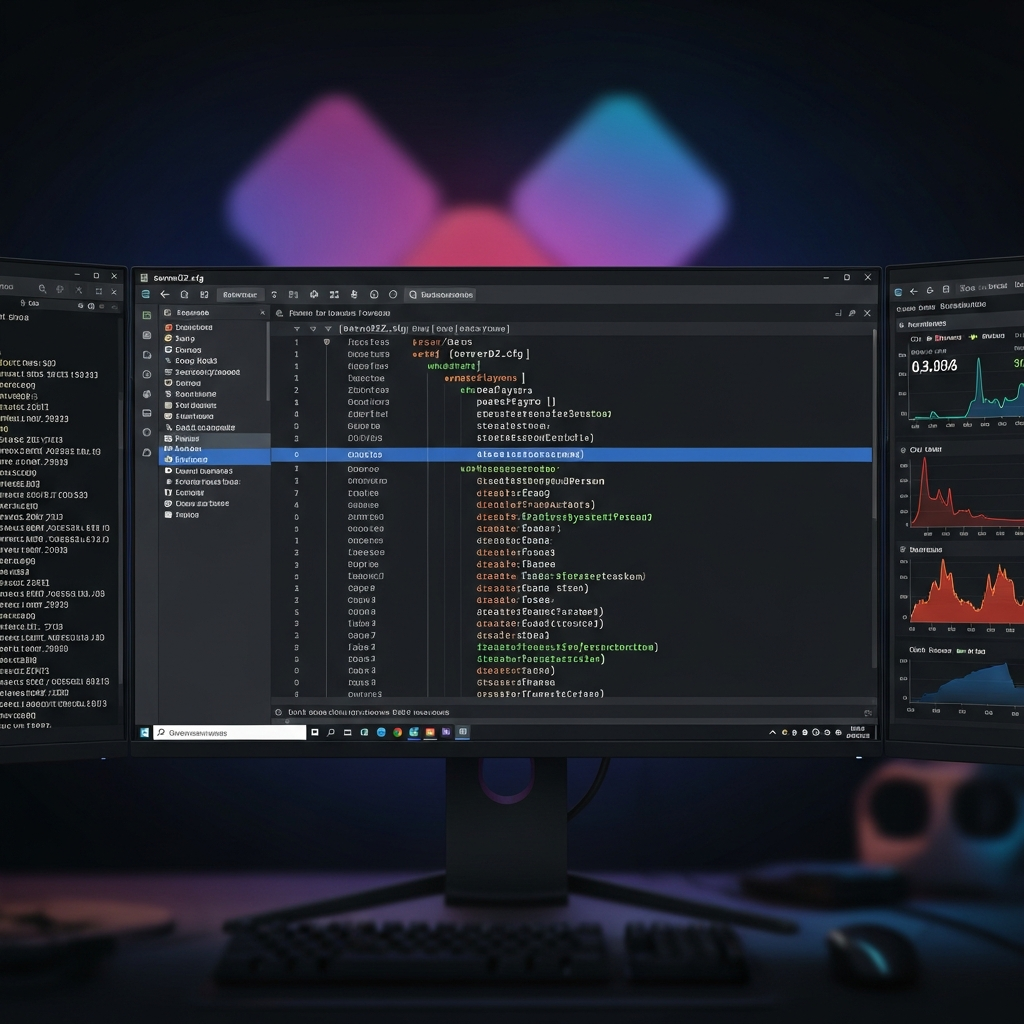
Your serverDZ.cfg file controls fundamental server behavior. For roleplay servers, pay special attention to these settings:
hostname = "Your RP Server Name | Whitelist | Active Admins";
password = "";
passwordAdmin = "YourSecureAdminPassword";
maxPlayers = 60;
verifySignatures = 2;
forceSameBuild = 1;
disableVoN = 0;
vonCodecQuality = 30;
disable3rdPerson = 0;  // Many RP servers allow 3rd person
disableCrosshair = 1;  // Enhances immersion
serverTime = "SystemTime";
serverTimeAcceleration = 4;
serverNightTimeAcceleration = 8;
guaranteedUpdates = 1;
loginQueueConcurrentPlayers = 5;
loginQueueMaxPlayers = 500;
instanceId = 1;
storageAutoFix = 1;
The disableVoN parameter is crucial for RP servers—setting it to 0 enables in-game voice chat, which most roleplay communities rely on for immersive interactions. The vonCodecQuality setting at 30 provides clear voice transmission without excessive bandwidth usage.
Linux Server Installation (Advanced)
For experienced administrators, Linux servers offer superior resource efficiency and stability. Nexus Games provides Linux VPS hosting starting at $8.26/month with KVM virtualization, ideal for DayZ server deployments.
# Install dependencies
sudo apt update && sudo apt install -y lib32gcc1 steamcmd

# Download DayZ Server
steamcmd +login anonymous +force_install_dir /home/dayzserver +app_update 223350 validate +quit

# Set permissions
chmod +x /home/dayzserver/DayZServer

# Launch with screen
screen -S dayzserver
./DayZServer -config=serverDZ.cfg -port=2302 -profiles=ServerProfiles -dologs -adminlog -netlog
Step 3: Install and Configure Roleplay-Specific Mods
The mods you choose will define your server’s roleplay experience. In 2025, the DayZ modding community offers robust tools for economy systems, faction management, custom items, and immersive mechanics. When you create DayZ RP server environments, prioritize mods that enhance roleplay without compromising server stability.
Essential Mods for DayZ RP Servers
- DayZ-Expansion: Adds base building, vehicles, trader systems, and ATM functionality—foundational for RP economies
- Trader Mod: Configurable NPC traders with custom pricing and item availability
- BaseBuildingPlus: Extended building options for player bases and faction headquarters
- Dabs Framework: Enables custom scripting for RP events, faction systems, and admin tools
- CJ187-MoreItems: Adds hundreds of cosmetic items for character customization
- VPPAdminTools: Comprehensive admin interface for managing RP scenarios and player interactions
Installing Mods via Steam Workshop
DayZ mods are distributed through Steam Workshop. Nexus Games’ control panel integrates Steam Workshop support, allowing one-click mod installation similar to the Minecraft CurseForge integration:
1. Subscribe to mods on Steam Workshop
2. Use DayZ Server Launcher or manual installation:
   - Copy mod folders from Steam\steamapps\workshop\content\221100\
   - Paste into C:\DayZServer\@ModName\
3. Edit serverDZ.cfg to load mods:
   mods = "@DayZ-Expansion;@Trader;@BaseBuildingPlus;@Dabs Framework";
4. Restart server and verify mod signatures
Configuring Trader Zones and Safe Areas
RP servers typically designate safe zones where PvP is disabled and traders operate. Using DayZ-Expansion or custom scripts, configure these areas in your TraderConfig.json:
{
  "SafeZones": [
    {
      "Position": [7500.0, 5000.0, 0.0],
      "Radius": 150.0,
      "EnablePVP": false,
      "EnableVehicleDamage": false
    }
  ]
}
These configurations prevent combat in trading posts and spawn points, preserving the roleplay atmosphere and reducing griefing incidents.
Step 4: Establish Roleplay Rules and Whitelist System
Technical setup alone won’t create a thriving RP community. Clear roleplay rules and an effective whitelist system ensure that players understand expectations and maintain immersion. When you create DayZ RP server communities, documentation and enforcement are as important as hardware.
Core Roleplay Rules Template
- Always stay in character (IC): Out-of-character (OOC) chat should be limited to designated channels
- Value your life: Act realistically in dangerous situations; avoid reckless behavior
- Initiation required for hostile actions: Verbal warning before robberies or attacks
- New Life Rule (NLR): After death, forget previous character interactions
- No metagaming: Don’t use external information in roleplay
- Respect safe zones: No combat in designated trader areas
Implementing Whitelist with DayZ-Expansion
Whitelisting ensures that only approved players access your server, maintaining roleplay quality:
// ExpansionMod settings
{
  "EnableWhitelist": true,
  "WhitelistFile": "Whitelist.txt"
}

// Whitelist.txt format
76561198012345678
76561198087654321
Players submit applications via Discord or your website, including their Steam64 ID and character backstory. Approved IDs are added to Whitelist.txt, granting server access.
Admin Tools and Moderation
Active moderation distinguishes successful RP servers from chaotic ones. VPPAdminTools provides in-game admin panels for:
- Teleporting to RP events or incidents
- Spawning props for storylines
- Monitoring player actions with spectator mode
- Issuing warnings and temporary bans
- Managing faction territories and resources
Nexus Games’ 24/7 support can assist with server-side issues, but roleplay moderation remains your responsibility. Recruit trusted community members as moderators to maintain consistent rule enforcement.
Step 5: Optimize Performance for Large RP Events
Roleplay servers often host scheduled events—faction wars, trader markets, community gatherings—that spike player counts and server load. Proper optimization prevents crashes and lag during these critical moments.
Performance Optimization Checklist
- Reduce AI spawn rates: Lower zombie counts in high-traffic areas during events
- Limit vehicle spawns: Too many persistent vehicles consume memory
- Clean unused objects: Schedule automatic cleanup of player-dropped items
- Monitor RAM usage: Allocate sufficient RAM for peak player counts (64+ GB for 60 players with heavy mods)
- Use SSD storage: NVMe SSDs dramatically reduce stutter when loading player bases and vehicles
Server.cfg Optimization Parameters
class Missions
{
    class DayZ
    {
        template="dayzOffline.chernarusplus";
    };
};

lightingConfig = 1;
disableMultiThreading = 0;
timeStampFormat = "Short";
logAverageFps = 1;
logMemory = 1;
logPlayers = 1;
enableDebugMonitor = 1;
The disableMultiThreading = 0 setting is critical—it allows DayZ to leverage multiple cores of your AMD Ryzen 9 7950X3D processor, distributing AI calculations, physics, and player actions across threads for smoother performance.
Network Optimization and DDoS Protection
Large RP communities attract attention, sometimes unwanted. DDoS attacks can cripple your server during peak events. Nexus Games includes Game Anti-DDoS protection that filters malicious traffic before it reaches your DayZ server, maintaining uptime even under attack.
Additionally, configure your firewall to allow only necessary ports:
DayZ Server: 2302 (UDP)
Steam Query: 27016 (UDP)
RCON (if used): 2303 (TCP)
Close all other ports to minimize attack surface.
Step 6: Build and Maintain Your RP Community
Technical excellence means nothing without an engaged community. Successful DayZ RP servers cultivate active Discord communities, regular events, and clear communication channels.
Community Building Strategies
- Launch events: Host opening ceremonies with admin-led storylines to set server tone
- Faction systems: Encourage players to form groups with territories and governance
- Player-driven economy: Let trader prices fluctuate based on supply and demand
- Lore development: Create server-specific backstory that evolves with player actions
- Content creation incentives: Reward players who stream or create videos featuring your server
Discord Integration and Automation
Modern RP servers integrate Discord for whitelist applications, event announcements, and out-of-character communication. Nexus Games also offers Discord bot hosting for automated whitelist processing and server status updates. For details, check the official DayZ Server Configuration Wiki.
Set up Discord channels for:
- #whitelist-applications
- #server-rules
- #rp-events
- #faction-announcements
- #ooc-chat
- #bug-reports
This structure keeps roleplay discussions separate from administrative tasks, maintaining immersion.
By following this comprehensive guide to create DayZ RP server infrastructure in 2025, you’ll establish a stable, engaging, and scalable roleplay environment. Remember that success combines technical excellence—powered by hardware like AMD Ryzen 9 7950X3D processors and DDR5 ECC RAM—with thoughtful community management and consistent rule enforcement. Whether you’re hosting 10 players or 60, the principles remain the same: performance, immersion, and player agency.
FAQ
What are the minimum hardware requirements to create DayZ RP server hosting for 40+ players?
For 40–60 players on a DayZ RP server with multiple mods (DayZ-Expansion, Trader, BaseBuildingPlus), you need at minimum an AMD Ryzen 9 7950X3D processor with 16 cores, 64 GB DDR5 ECC RAM, 250 GB NVMe SSD storage, and 1 Gbps network with DDoS protection. This configuration ensures smooth performance during peak RP events and handles extensive mod libraries without crashes.
How do I prevent lag during large roleplay events on my DayZ server?
Optimize by reducing AI spawn rates in event zones, limiting persistent vehicle counts, enabling multi-threading in server.cfg (disableMultiThreading = 0), scheduling automatic cleanup of dropped items, and allocating sufficient RAM for peak loads (64+ GB recommended). Pre-announce events so admins can monitor server resources and adjust parameters in real-time if needed.
Can I install Steam Workshop mods automatically on my DayZ RP server?
Yes—Nexus Games’ DayZ hosting panel supports one-click mod installation from Steam Workshop, similar to the CurseForge integration for Minecraft. Simply subscribe to mods on Steam Workshop, sync them via the panel, add mod names to your serverDZ.cfg mods parameter, and restart the server. The panel handles file paths and signature verification automatically.