In the ever-expanding landscape of multiplayer survival games, Valheim cross-platform compatibility remains one of the most frequently asked questions by the community in 2025. With millions of players exploring the Norse-inspired realm across PC, Xbox, and cloud gaming services, understanding which platforms can play together is crucial for coordinating raids, building settlements, and defeating mythical bosses with friends. This comprehensive guide examines the current state of Valheim’s cross-platform capabilities, technical limitations, and practical workarounds to maximize your multiplayer experience.
Understanding Valheim Cross-Platform Support in 2025
As of 2025, Valheim cross-platform functionality operates within specific boundaries that every player should understand before purchasing or setting up multiplayer sessions. The game’s architecture and platform-specific implementations create both opportunities and limitations for cross-play scenarios.
PC Cross-Platform Reality
The good news for PC gamers is that Valheim offers full cross-platform support between Steam and Xbox Game Pass for PC. Players who purchase the game through Steam can seamlessly join servers hosted by Xbox Game Pass subscribers, and vice versa. This compatibility extends to all game features, including:
- Dedicated server hosting with full administrative control
- Mod support when both parties use compatible mod frameworks
- World sharing and character progression synchronization
- Voice chat integration through third-party applications
This cross-store compatibility on PC is possible because both versions share identical networking protocols and update schedules. Iron Gate Studio has maintained parity between these platforms since the game’s early access launch, ensuring that the PC ecosystem remains unified regardless of storefront preference.
Console and PC Cross-Play Limitations
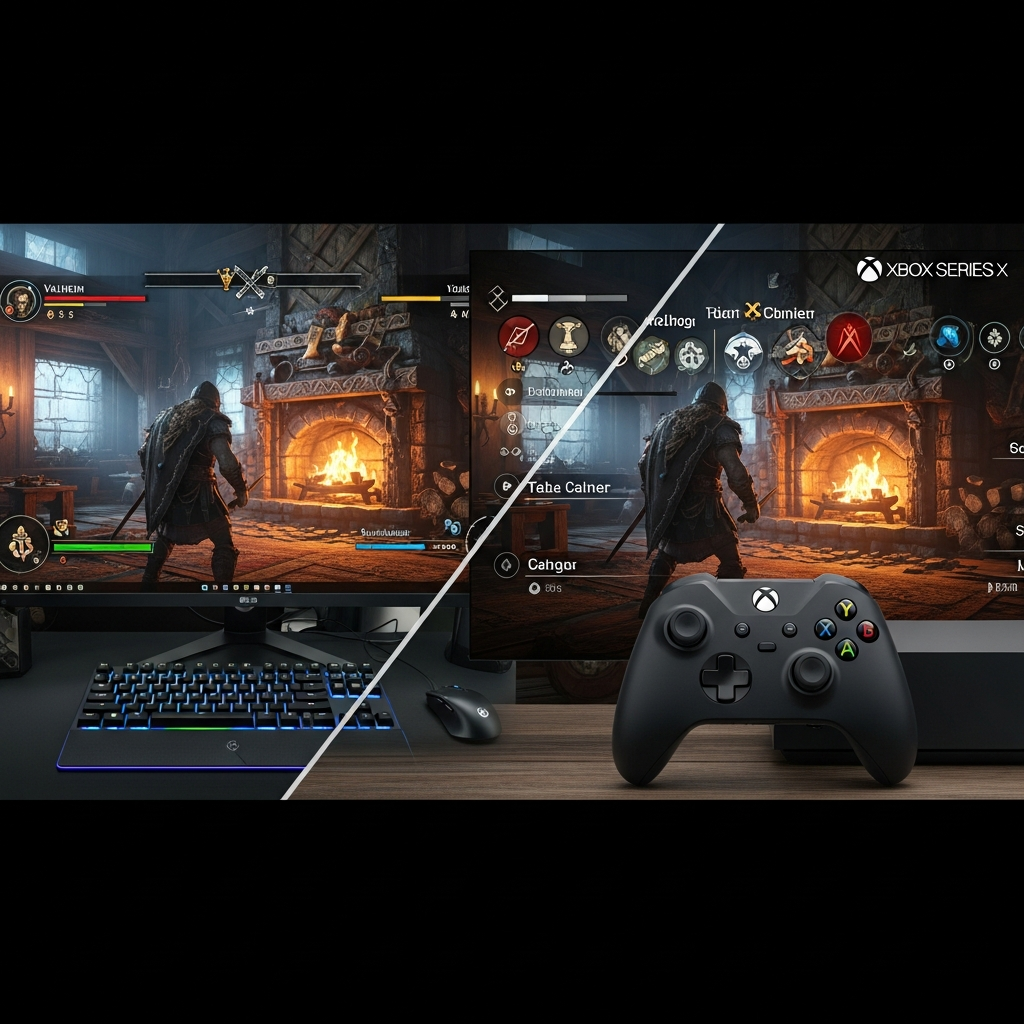
The situation becomes more complex when examining Valheim cross-platform potential between PC and Xbox consoles. As of 2025, Xbox Series X|S versions cannot connect to PC-hosted servers or vice versa. This separation stems from several technical factors:
- Input method balancing: Controller versus mouse-and-keyboard combat mechanics require separate balancing considerations
- Update certification processes: Console patches undergo platform holder approval, creating version mismatches with PC
- Modding ecosystem: PC’s extensive mod support cannot translate to console environments without compromising platform security
- Server architecture: Dedicated server software remains PC-exclusive, preventing console-hosted cross-platform sessions
Iron Gate Studio has not announced concrete plans to implement PC-console cross-play, though community demand remains high. The developers have prioritized content updates and performance optimization over infrastructure overhauls required for full cross-platform support.
Hosting Cross-Platform Valheim Servers
For players seeking reliable Valheim cross-platform experiences within the PC ecosystem, dedicated server hosting provides the optimal solution. Unlike peer-to-peer hosting, which limits session availability to when the host is online, dedicated servers offer persistent worlds accessible 24/7.
Hardware Requirements for Optimal Performance
Valheim’s procedurally generated world and building mechanics demand robust server infrastructure to maintain smooth gameplay for multiple concurrent players. Professional hosting solutions should leverage:
| Component | Recommended Specification | Impact on Gameplay |
| Processor | AMD Ryzen 9 7950X3D (16 cores/32 threads, 5+ GHz) | Handles terrain generation, entity AI, and physics calculations |
| Memory | DDR5 ECC RAM (32–128 GB) | Stores world data, player inventories, and building structures |
| Storage | NVMe SSD | Reduces world save/load times and prevents lag during exploration |
| Network | 1 Gbps dedicated with Anti-DDoS protection | Maintains low latency for combat responsiveness and building placement |
These specifications ensure that servers can accommodate 10+ concurrent players exploring different biomes simultaneously without performance degradation. The AMD Ryzen 9 7950X3D’s large cache proves particularly valuable for Valheim’s extensive world data management.
Dedicated Server Setup via Nexus Games Panel
Modern hosting solutions eliminate the technical complexity traditionally associated with game server management. The Nexus Games Valheim hosting platform provides one-click deployment with full administrative access through an intuitive web panel:
- Instant provisioning: Servers activate within minutes of purchase, with automatic installation of the latest stable Valheim build
- World management: Upload existing worlds or generate new seeds directly through the panel interface
- Mod integration: Pre-configured mod loader support enables easy installation of popular enhancements without manual file editing
- Backup automation: Scheduled world saves prevent progress loss from server crashes or rollback needs
- Performance monitoring: Real-time resource graphs help identify optimization opportunities
This managed approach allows players to focus on gameplay rather than server maintenance, while maintaining full control over gameplay parameters, password protection, and community moderation tools.
Cross-Platform Mod Compatibility
When hosting servers that accommodate both Steam and Xbox Game Pass PC players, mod compatibility requires careful consideration. All connected clients must use identical mod versions to prevent desynchronization issues. Popular quality-of-life mods that maintain Valheim cross-platform compatibility include:
- Valheim Plus: Comprehensive gameplay tweaks with server-side enforcement
- Build Camera: Enhanced building perspective without affecting game balance
- Epic Loot: Loot randomization system with server-authoritative item generation
- Better Networking: Optimizes data transmission for improved multiplayer stability
Server administrators should communicate required mod lists and versions through Discord or other community channels before session start to ensure smooth connectivity.

Troubleshooting Cross-Platform Connection Issues
Even with compatible platforms, players occasionally encounter connection problems that prevent successful Valheim cross-platform sessions. Understanding common issues and their solutions minimizes downtime and frustration.
Version Mismatch Errors
The most frequent connectivity problem stems from version discrepancies between client and server. Valheim’s frequent updates sometimes roll out to Steam users hours before reaching Xbox Game Pass players, creating temporary incompatibility windows. To resolve:
# Verify your client version (in-game main menu)
Version: 0.218.15 (example)

# Compare with server version (connection error message)
Server version: 0.218.15

# If mismatched, force update check:
Steam: Right-click Valheim → Properties → Local Files → Verify integrity
Xbox: My Library → Valheim → Manage → Updates
Professional hosting services like Nexus Games automatically update server builds within hours of official releases, minimizing version-related disruptions.
Firewall and Port Configuration
Self-hosted servers require proper port forwarding to accept external connections. Valheim uses UDP ports 2456-2458 by default, which must be opened in both router and firewall settings. Dedicated hosting eliminates this complexity entirely, as providers pre-configure networking infrastructure.
Character Data Corruption
Occasionally, player characters may fail to load when joining cross-platform servers due to file corruption. Symptoms include infinite loading screens or immediate disconnection upon world entry. The solution involves character file verification:
- Navigate to your local Valheim character directory (C:\Users\[Username]\AppData\LocalLow\IronGate\Valheim\characters)
- Locate your character file ([CharacterName].fch) and its backup ([CharacterName].fch.old)
- If the primary file is corrupted, rename the .old backup and remove the .old extension
- Restart Valheim and attempt reconnection
Regular character backups prevent permanent progress loss from corruption incidents.
Future of Valheim Cross-Platform Expansion
While current Valheim cross-platform support remains limited to PC ecosystems, the gaming industry’s broader trend toward universal cross-play creates hope for expanded compatibility. Iron Gate Studio’s roadmap prioritizes Ashlands and Deep North biome releases alongside quality-of-life improvements, but community feedback continues to emphasize cross-console play as a desired feature.
Technical Barriers to Full Cross-Play
Implementing true cross-platform functionality between PC and Xbox consoles requires substantial engineering investment. Unity engine—Valheim’s development framework—supports cross-platform networking, but practical implementation demands:
- Platform-specific input handling: Balancing building precision and combat mechanics across control schemes
- Certification compliance: Meeting Microsoft’s Xbox Live policies for multiplayer interaction and content filtering
- Account system integration: Synchronizing progress across Steam, Xbox, and potential future platforms
- Ongoing maintenance overhead: Managing separate builds for platform parity
For a small development team like Iron Gate Studio, these requirements represent significant resource allocation away from content development. Player expectations must balance against development realities.
Community Workarounds and Third-Party Solutions
The modding community has explored various approaches to extend Valheim cross-platform capabilities, though none currently bridge the PC-console divide. Cloud gaming services like NVIDIA GeForce NOW and Xbox Cloud Gaming offer indirect solutions by allowing console players to stream PC versions, effectively joining PC servers through virtualization.
This approach introduces latency trade-offs but enables friends separated by platform barriers to play together. As cloud infrastructure improves and 5G adoption expands, streaming-based cross-play may become increasingly viable for latency-tolerant games like Valheim.

Conclusion: In 2025, Valheim cross-platform support succeeds within the PC ecosystem, allowing Steam and Xbox Game Pass players to explore together seamlessly. Console-PC barriers remain due to technical and certification challenges, but dedicated server hosting through providers like Nexus Games ensures optimal performance for compatible platforms. As the industry evolves toward universal cross-play, Valheim’s community continues thriving across available platforms while awaiting potential future expansion.
FAQ
Can Steam players join Xbox Game Pass for PC Valheim servers?
Yes, Steam and Xbox Game Pass for PC versions of Valheim are fully cross-compatible. Players from both platforms can join the same servers, share worlds, and play together without restrictions. Ensure both versions are updated to the same game build to avoid connection errors.
Why doesn’t Valheim support cross-play between PC and Xbox consoles?
PC-console cross-play requires extensive engineering for input balancing, separate certification processes, and synchronized update schedules. Iron Gate Studio prioritizes content development over infrastructure overhauls necessary for console cross-play. Technical limitations in Unity engine implementation and Microsoft platform policies also contribute to this separation.
What’s the best way to host cross-platform Valheim servers for Steam and Game Pass players?
Dedicated hosting through services like Nexus Games provides optimal cross-platform performance with AMD Ryzen 9 7950X3D processors, DDR5 ECC RAM, and NVMe storage. This ensures 24/7 availability, automatic updates, mod support, and low-latency connections for all PC players regardless of storefront. Avoid peer-to-peer hosting for persistent world access.