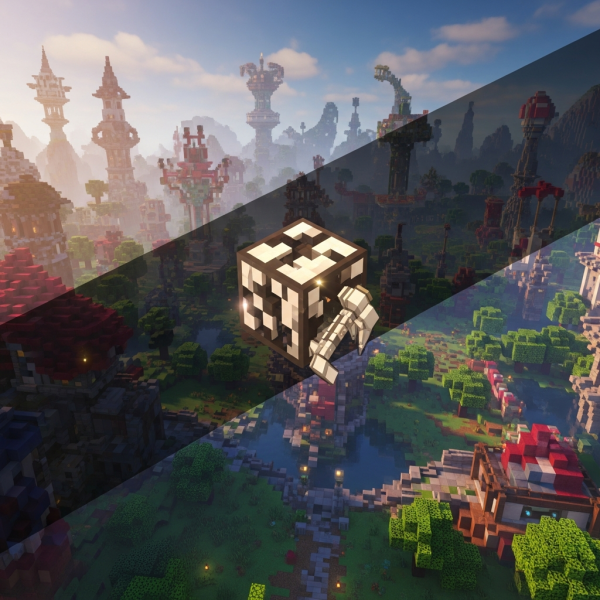
Learning how to build amazing worlds in Hytale is the foundation of creating memorable gaming experiences in this highly anticipated sandbox adventure. With its powerful block-based building system, advanced terrain tools, and modular construction features, Hytale empowers creators to design everything from cozy villages to sprawling fantasy kingdoms. This comprehensive 2025 building guide will walk you through essential techniques, creative workflows, and optimization strategies to help you master world-building in Hytale and bring your creative visions to life.
Understanding Hytale’s Building System and Core Mechanics
Before diving into advanced construction techniques, it’s essential to grasp the fundamental building mechanics that make Hytale unique. Unlike traditional voxel games, Hytale combines block placement with prefab modules, procedural generation tools, and sophisticated layering systems that allow for unprecedented creative freedom.
Block Types and Material Properties
Hytale features dozens of block categories, each with distinct properties affecting aesthetics, structural integrity, and gameplay interaction. Stone blocks provide durability and medieval aesthetics, wood offers warmth and versatility, while specialized materials like crystal, metal alloys, and organic blocks enable thematic consistency across biomes.
When planning how to build amazing worlds in Hytale, consider material availability within each zone. Desert biomes yield sandstone and terracotta variants, forest zones provide diverse wood types, and mountain regions offer granite and ore-rich blocks perfect for fortified structures.
The Grid System and Spatial Planning
Hytale employs a flexible grid that supports both standard block placement and half-block or quarter-block precision for detailed work. Mastering this system is crucial for creating smooth curves, intricate facades, and organic terrain transitions.
- Standard grid: Ideal for large structures, walls, and foundational layouts
- Half-block mode: Perfect for roofing, stairs, and decorative elements
- Quarter-block precision: Enables fine detailing on statues, furniture, and custom models
- Free rotation: Allows angled placement for dynamic architectural features
Prefabs and Modular Construction
One of Hytale’s standout features is its prefab library—pre-built structural components that accelerate construction without sacrificing customization. These modules range from wall segments and door frames to complete room templates and decorative assets.
Combining prefabs with custom block work lets builders maintain creative control while dramatically reducing build time. For multiplayer servers hosted on high-performance infrastructure like Nexus Games’ game server platform, this efficiency becomes critical when collaborating on large-scale projects with multiple contributors.
Advanced Techniques for Building Amazing Worlds in Hytale
Once you’ve mastered basic mechanics, implementing advanced techniques elevates your creations from functional to breathtaking. These methods focus on realism, immersion, and architectural coherence across diverse environments.
Terrain Sculpting and Natural Integration
The most compelling Hytale worlds seamlessly blend constructed elements with natural landscapes. Rather than flattening terrain, skilled builders work with existing topography, carving structures into cliffsides, building around ancient trees, or elevating settlements on natural plateaus.
Use Hytale’s terrain brush tools to smooth transitions between built and natural areas. Gradual slope adjustments, strategic vegetation placement, and erosion effects create organic boundaries that feel authentic rather than artificially imposed.
Layered Detailing and Depth
Flat walls appear lifeless; depth transforms them into architectural narratives. Apply these layering principles when learning how to build amazing worlds in Hytale:
- Recessed windows: Set glass blocks 1-2 layers back from exterior walls
- Protruding foundations: Extend base layers outward for visual weight
- Roof overhangs: Extend roofing 2-3 blocks beyond walls for shadow play
- Trim and molding: Add contrasting material strips along edges and corners
- Asymmetrical features: Break symmetry with balconies, chimneys, or tower additions
Lighting Design and Atmosphere
Strategic lighting defines mood and guides player navigation. Hytale’s dynamic lighting system supports colored lights, intensity variation, and particle effects that enhance ambiance.
For medieval builds, use warm torch light clustered near entrances and gathering spaces. Modern designs benefit from cool LED-style lighting along pathways and accent walls. Underground complexes require careful light distribution to balance visibility with mysterious atmosphere.
| Build Theme | Primary Light Source | Accent Lighting | Color Temperature |
| Medieval Village | Torches, lanterns | Fireplace glow | Warm orange |
| Fantasy Castle | Chandeliers, braziers | Crystal fixtures | Neutral white |
| Underground City | Glowstone clusters | Colored crystals | Cool blue/green |
| Steampunk District | Industrial lamps | Neon tubes | Mixed spectrum |
Thematic Consistency Across Zones
Large-scale worlds benefit from establishing distinct architectural styles for different regions while maintaining visual cohesion. Define a material palette for each zone—perhaps oak and cobblestone for farmlands, birch and white stone for coastal towns, and dark oak with basalt for mountain fortresses.
This approach helps players navigate intuitively while reinforcing world lore and cultural distinctions between settlements. When hosting these expansive worlds on Pterodactyl-powered VPS solutions, ensure sufficient RAM allocation (64-128 GB DDR5 ECC recommended) to handle complex chunk rendering across multiple biomes simultaneously.
Optimization Strategies for Performance and Playability
Building amazing worlds means nothing if performance suffers. Optimization ensures smooth gameplay even in densely detailed environments, particularly critical for multiplayer servers.
Block Efficiency and Draw Distance Management
Every placed block impacts server load and client rendering. Reduce unnecessary blocks in hidden areas—interior cavities within solid structures, underground voids players never access, or decorative elements beyond typical view distance.
Implement Level of Detail (LOD) principles: use full detail within 50-block radius of common player positions, moderate detail to 150 blocks, and simplified silhouettes beyond that range.
Entity Optimization
Animated elements like fountains, moving machinery, and NPC populations consume resources. Limit active entities per chunk, use static decorative alternatives where motion isn’t essential, and implement despawn timers for temporary effects.
For servers running on AMD Ryzen 9 7950X3D processors with 16 cores and 32 threads, entity management becomes less restrictive, but thoughtful placement still improves overall experience across varying client hardware capabilities.
Chunk Loading and World Borders
Define explicit world boundaries to prevent infinite chunk generation. Hytale’s world-border system lets you create contained, intentionally designed play areas rather than sprawling procedural expanses that dilute your artistic vision.
Pre-generate chunks within your active play area to eliminate real-time generation lag. This is particularly important for narrative-driven adventure maps where seamless exploration enhances immersion.
Server Infrastructure Considerations
When showcasing your Hytale masterpiece to communities, hosting quality directly impacts player retention. Infrastructure featuring NVMe SSD storage ensures rapid chunk loading, while 1 Gbps network bandwidth supports smooth multiplayer synchronization even during peak concurrent players.
Modern hosting panels like those provided by Nexus Games streamline world management, backup scheduling, and mod integration—essential tools when iterating on complex builds or collaborating with remote teams.
Creative Workflows and Community Collaboration
The most impressive Hytale worlds often emerge from collaborative efforts. Establishing efficient workflows and leveraging community resources accelerates development while maintaining creative vision.
Blueprint Systems and Version Control
Hytale’s blueprint feature lets you save structures as reusable templates. Create a personal library of architectural components—standardized door frames, window patterns, roofing styles—that ensure consistency across large projects.
For team projects, implement version control practices. Designate build zones, establish material standards, and schedule regular review sessions to maintain aesthetic harmony. Cloud-based backup solutions prevent catastrophic data loss during collaborative builds.
Inspiration Sources and Reference Gathering
Study real-world architecture, historical periods, and fantasy art to inform your designs. Medieval European castles inspire defensible layouts, Asian temple complexes suggest harmony with nature, and Art Deco movements offer geometric elegance.
Create mood boards combining architectural photos, color palettes, and material textures before beginning large builds. This preparation phase clarifies design intent and reduces mid-project direction changes.
Community Feedback and Iteration
Share work-in-progress builds with Hytale communities on forums like official Hytale community hubs to gather constructive feedback. Fresh perspectives identify blind spots—overly repetitive patterns, confusing navigation, or underdeveloped areas you’ve overlooked.
Iterate based on player behavior patterns observed during testing phases. If testers consistently miss hidden areas, improve signage or lighting. If performance dips in specific zones, optimize block density or entity placement.
Specialized Build Types and Unique Challenges
Different build categories present unique opportunities and constraints when mastering how to build amazing worlds in Hytale.
Adventure Maps and Narrative Environments
Story-driven maps require environmental storytelling—visual cues that communicate lore without explicit text. Ruined walls suggest ancient conflicts, overgrown pathways indicate abandonment, and scattered artifacts hint at previous inhabitants.
Balance linear progression with exploratory freedom. Critical path should be intuitive while optional side areas reward curious players with lore fragments or resource caches.
PvP Arenas and Competitive Spaces
Combat-focused builds prioritize sightline management, cover distribution, and spawn balance. Symmetrical layouts ensure fairness, while verticality adds tactical depth. Test spawn points rigorously to eliminate advantageous positions.
Roleplay Towns and Social Hubs
Roleplay servers need functional spaces—markets, taverns, residential districts—that facilitate player interaction. Design gathering areas with ample seating, create designated performance spaces for events, and establish clear zoning for commercial versus residential purposes.
Include customizable plots where players can build personal structures within established aesthetic guidelines, fostering ownership while maintaining overall visual coherence.
Survival Servers and Economy Integration
When building for survival-mode servers, balance aesthetics with resource availability. Designs requiring rare materials should be landmarks rather than standard housing to maintain economic viability.
Integrate shops, auction houses, and resource exchange points naturally into your world layout. Economic infrastructure shouldn’t feel tacked on but rather emerge organically from settlement design.
For survival servers expecting high player concurrency, hosting on infrastructure with robust specifications—like those featuring DDR5 ECC memory and high-frequency processors—ensures economy plugins and player-built structures remain responsive under load.
Conclusion
Mastering how to build amazing worlds in Hytale combines technical proficiency with artistic vision, balancing creative ambition against performance realities. By understanding core building mechanics, implementing advanced detailing techniques, optimizing for smooth gameplay, and collaborating effectively with communities, you can transform empty landscapes into immersive experiences that captivate players for years. Whether crafting solo passion projects or coordinating massive multiplayer worlds, the strategies outlined in this 2025 guide provide the foundation for bringing your most ambitious Hytale visions to life.
FAQ
What are the best block combinations for creating realistic terrain transitions in Hytale?
Effective terrain transitions blend three material layers: use primary biome blocks for bulk volume, secondary accent blocks (like gravel or moss) along edges at 20-30% density, and tertiary detail blocks (small stones, vegetation) scattered at 5-10% for natural randomness. Gradual slope changes over 5-8 block distances rather than sharp boundaries create authentic geological appearances.
How much server RAM is needed for hosting large custom Hytale worlds with 20+ players?
For worlds exceeding 5,000×5,000 blocks with complex builds and 20-30 concurrent players, allocate minimum 32 GB DDR5 RAM, though 64-128 GB is recommended for optimal performance with plugins and mods. NVMe SSD storage significantly reduces chunk loading times, while processors like the AMD Ryzen 9 7950X3D handle entity calculations and world simulation efficiently across multiple threads.
What’s the most efficient workflow for collaborating on Hytale builds with remote team members?
Establish designated build zones with clear boundaries, create shared blueprint libraries for standardized components, and schedule regular synchronization sessions to merge work. Use cloud-based backups before each collaborative session, implement version naming conventions (v1.0, v1.1), and maintain a shared design document outlining material palettes, architectural styles, and zone purposes to ensure consistency across contributors.